Visual website editor · AI optional
Web design software that lets you actually design.
Start with a finished website. Click anything. Change it. Use AI when you want help, then publish or export when you’re done. The editor comes first; AI assists it.
Free: browse, edit by hand, save 2 projects. Founding Access, $49 one-time: WEB4 AI, publishing, your own domain and export.
Pick from hundreds of finished designs.
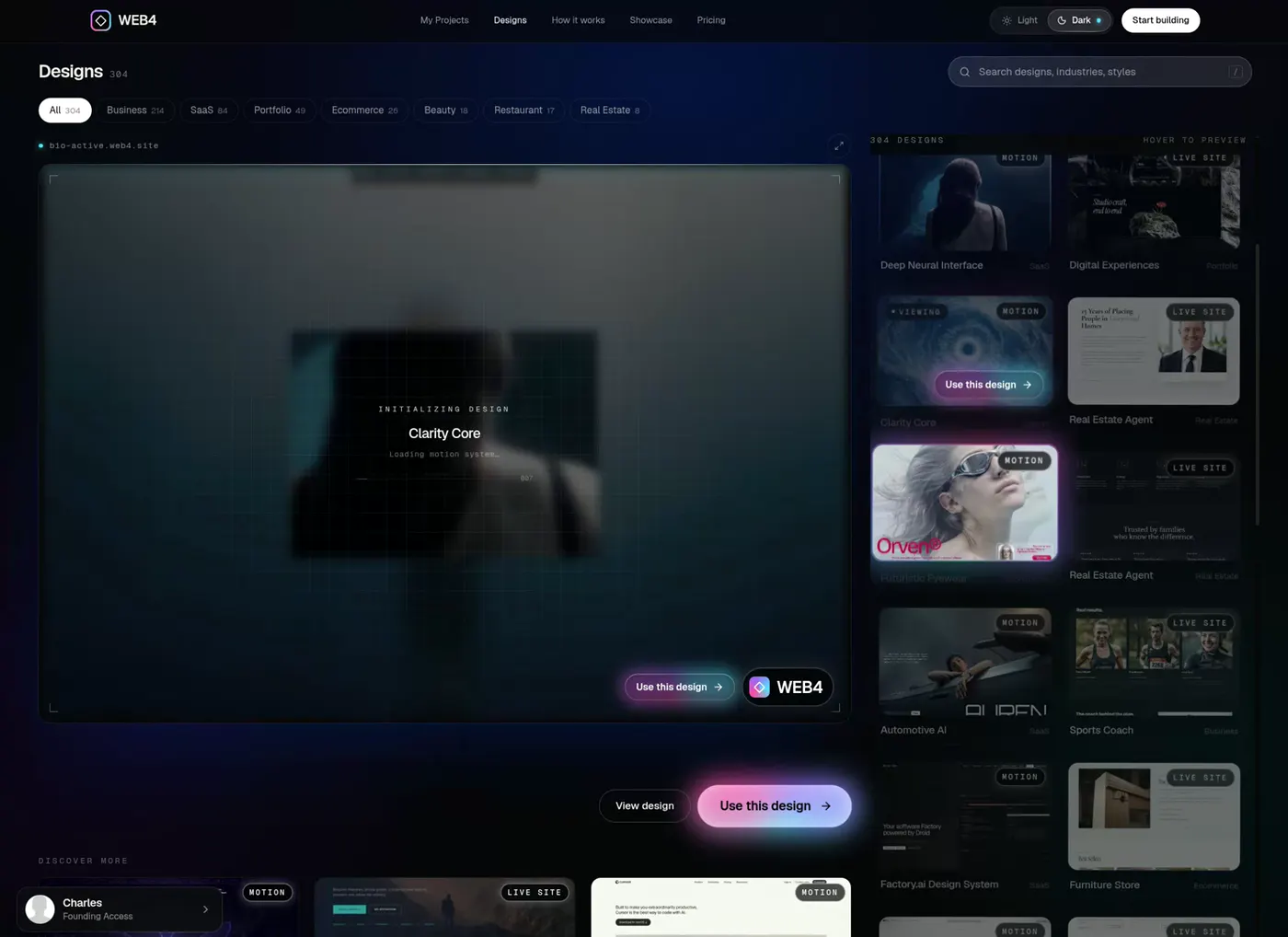
Recorded in WEB4 · real editor, shown at 2x speed
What you see is what you get.
Actual Screenshots
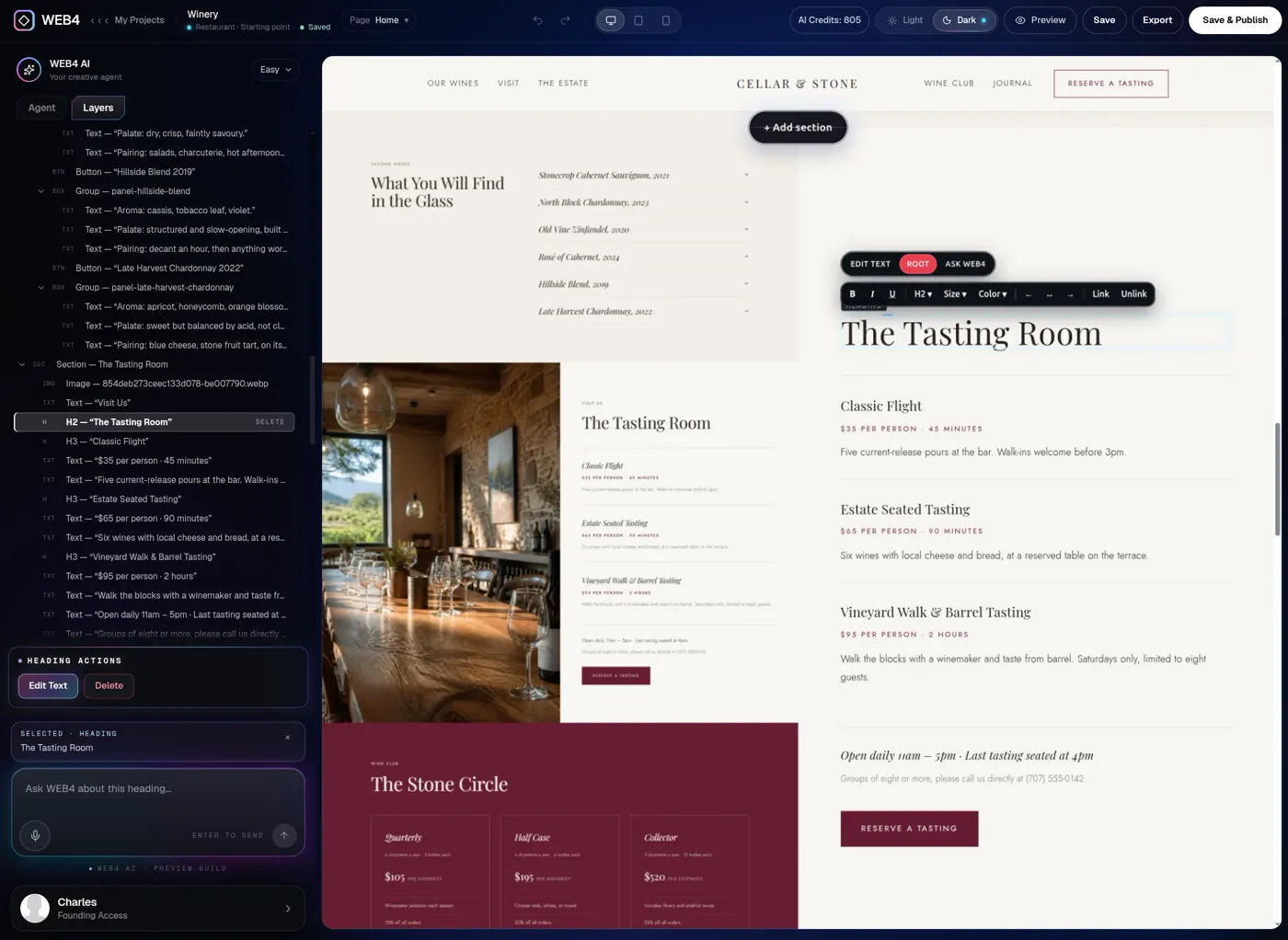
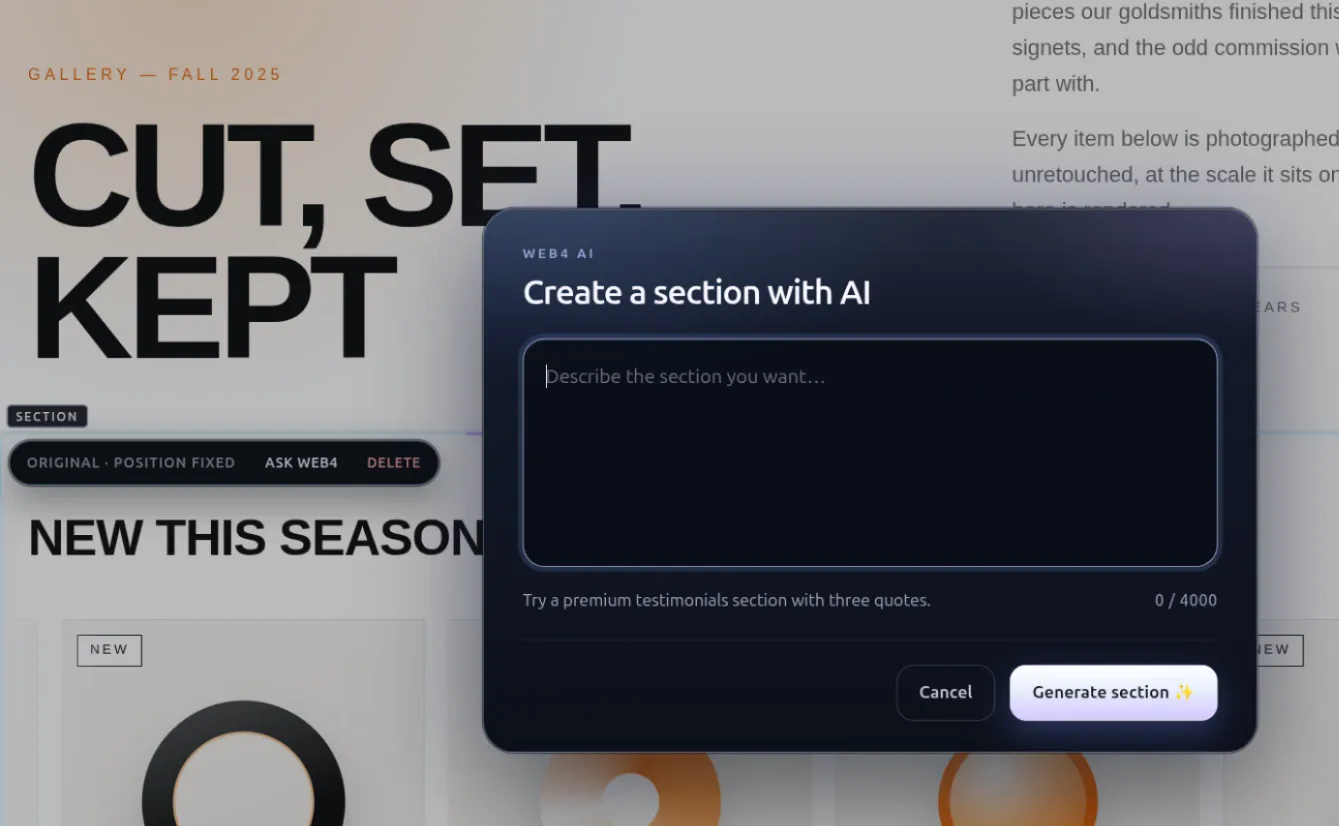
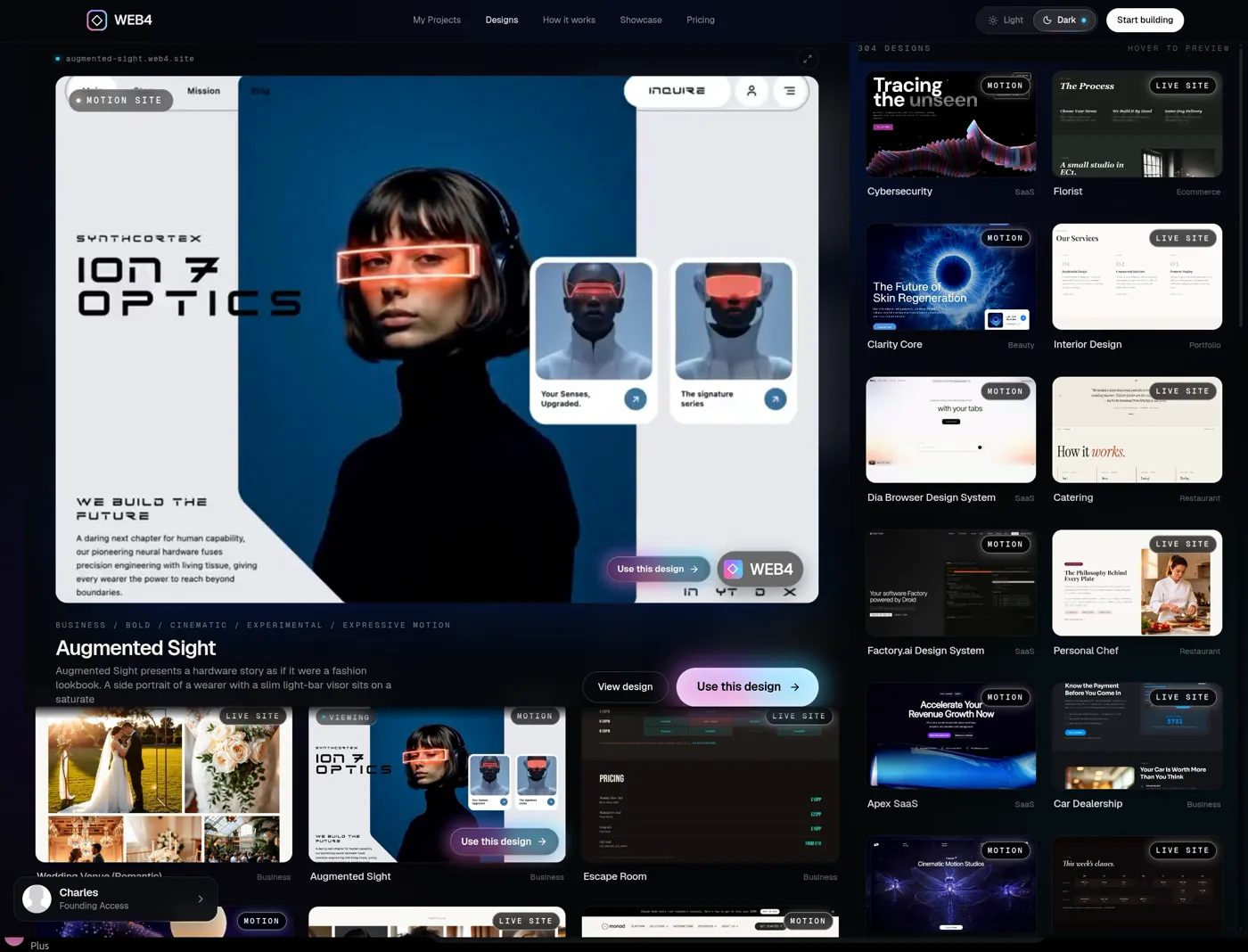
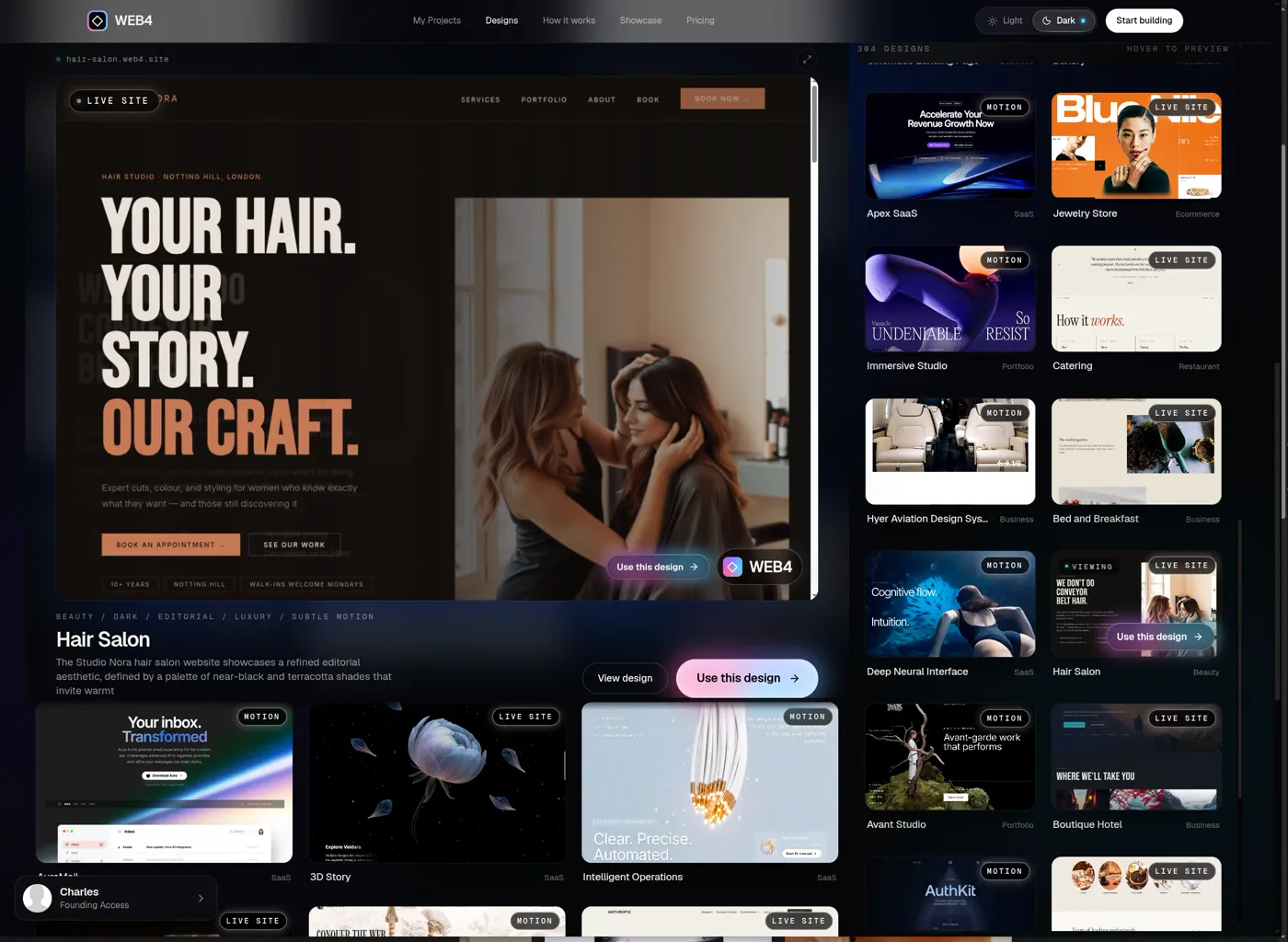
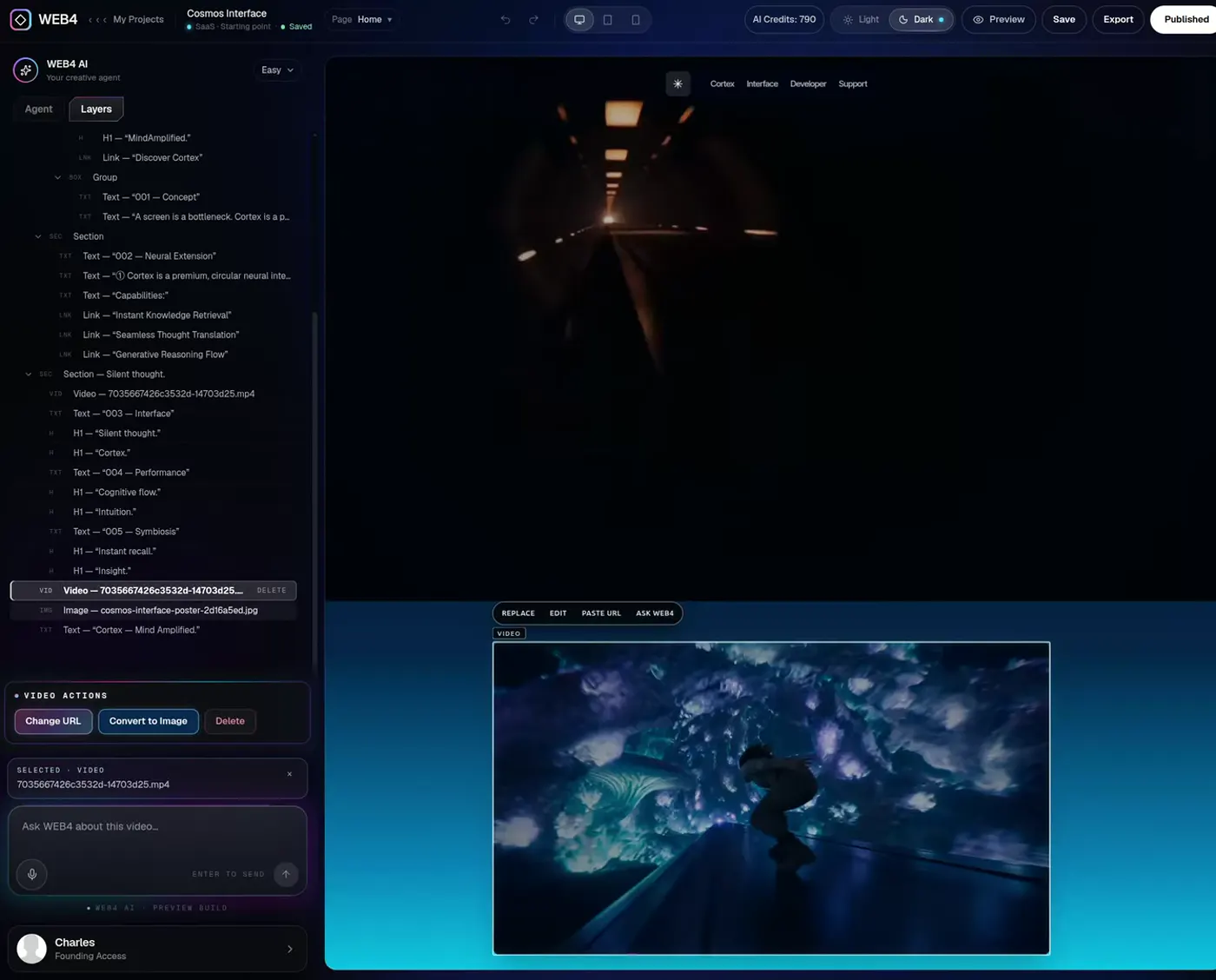
01 / 07 · The editor, with Layers open and a heading selected
Create Sites Easily with a Powerful AI Editor
01What it should do
What web design software should actually do.
Good design software lets you manipulate the website directly. These are real WEB4 screens, not mockups.
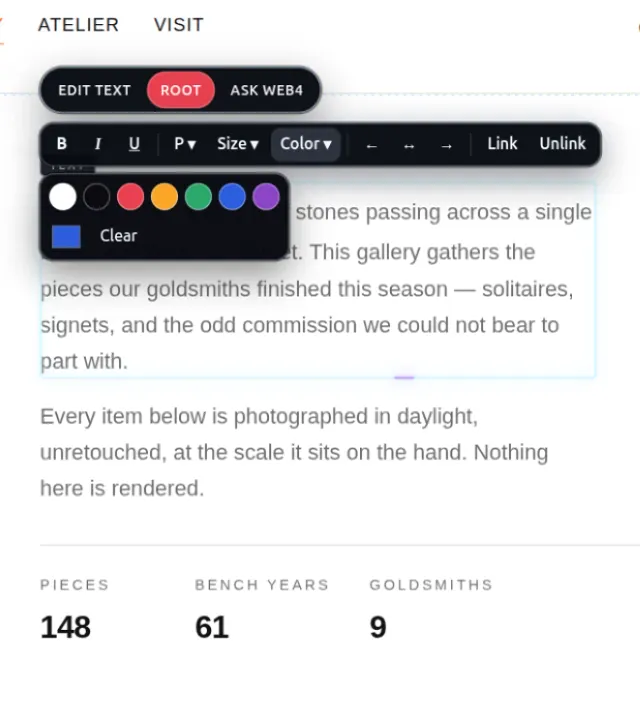
Click text, edit it
Type straight onto the page with an inline formatting toolbar.
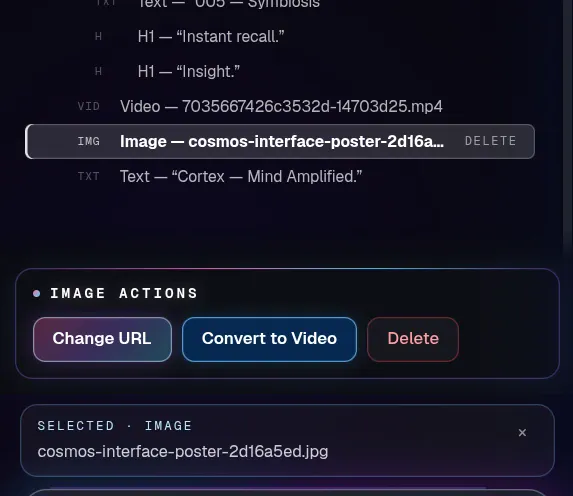
Select an image, replace it
Image actions sit in the toolbar right next to the image.
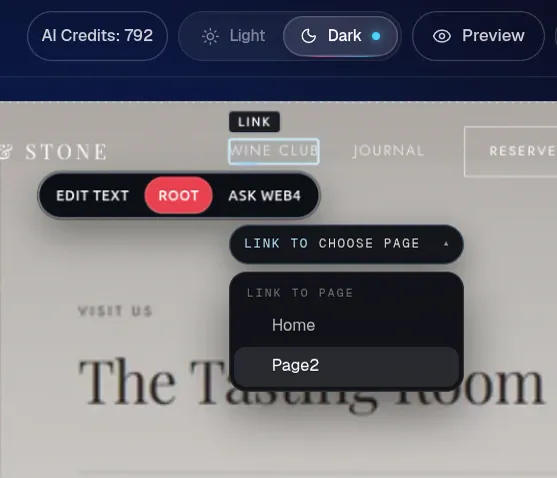
Select a button, change its link
Point it at another page of your site or at any address.
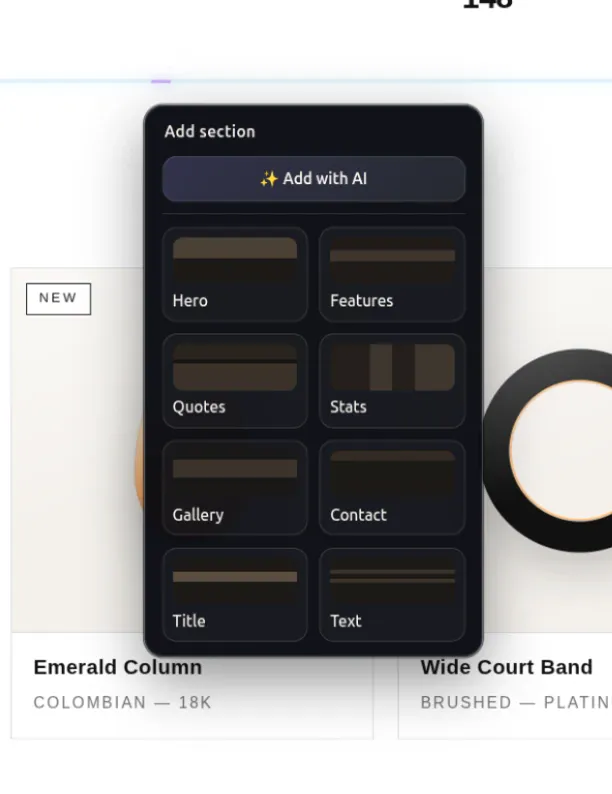
Select a section, move or delete it
Reorder whole sections or remove the ones you don’t need.
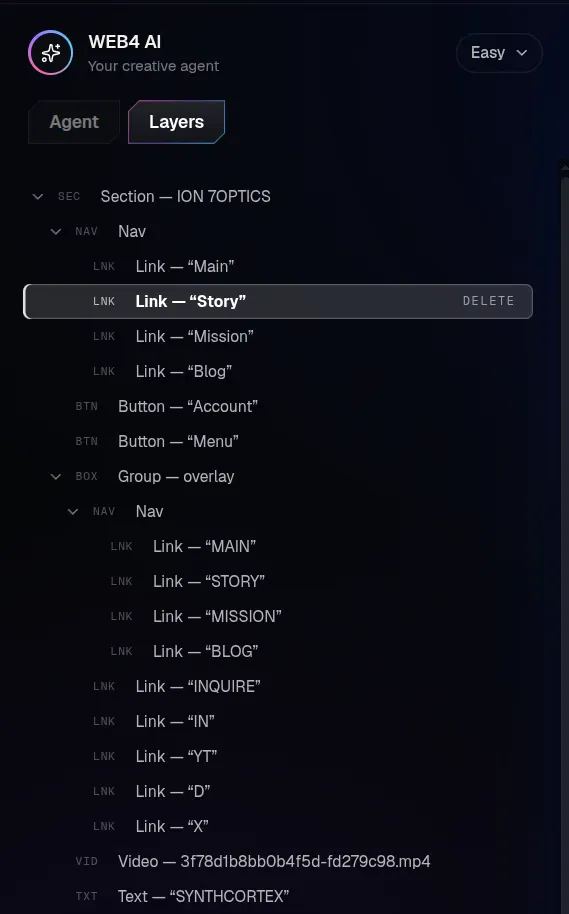
Layers, to navigate the structure
Every heading, image, button and section in one tree.
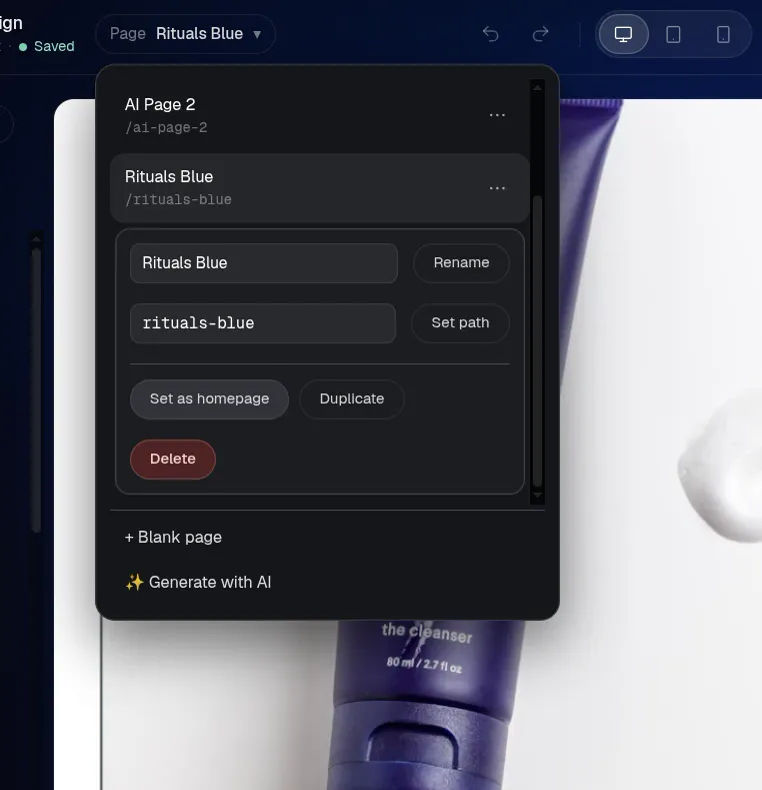
Pages, to build a real site
Add, rename, duplicate and delete pages from the pages menu.
Preview desktop, tablet and phone
Check how the site responds before anyone else sees it.
Save and reopen
Close the tab, come back to the same project later.
02Skip the blank canvas
From finished design to your website.
A blank canvas asks you to decide everything before you’ve made anything. WEB4 starts from something already good and lets you change what matters.
Traditional blank canvas
- Layout
- Typography
- Images
- Sections
- Structure
- Copy
- Spacing
- Navigation
Every one of these is a decision before launch.
WEB4
Pick something already good. Change what matters.
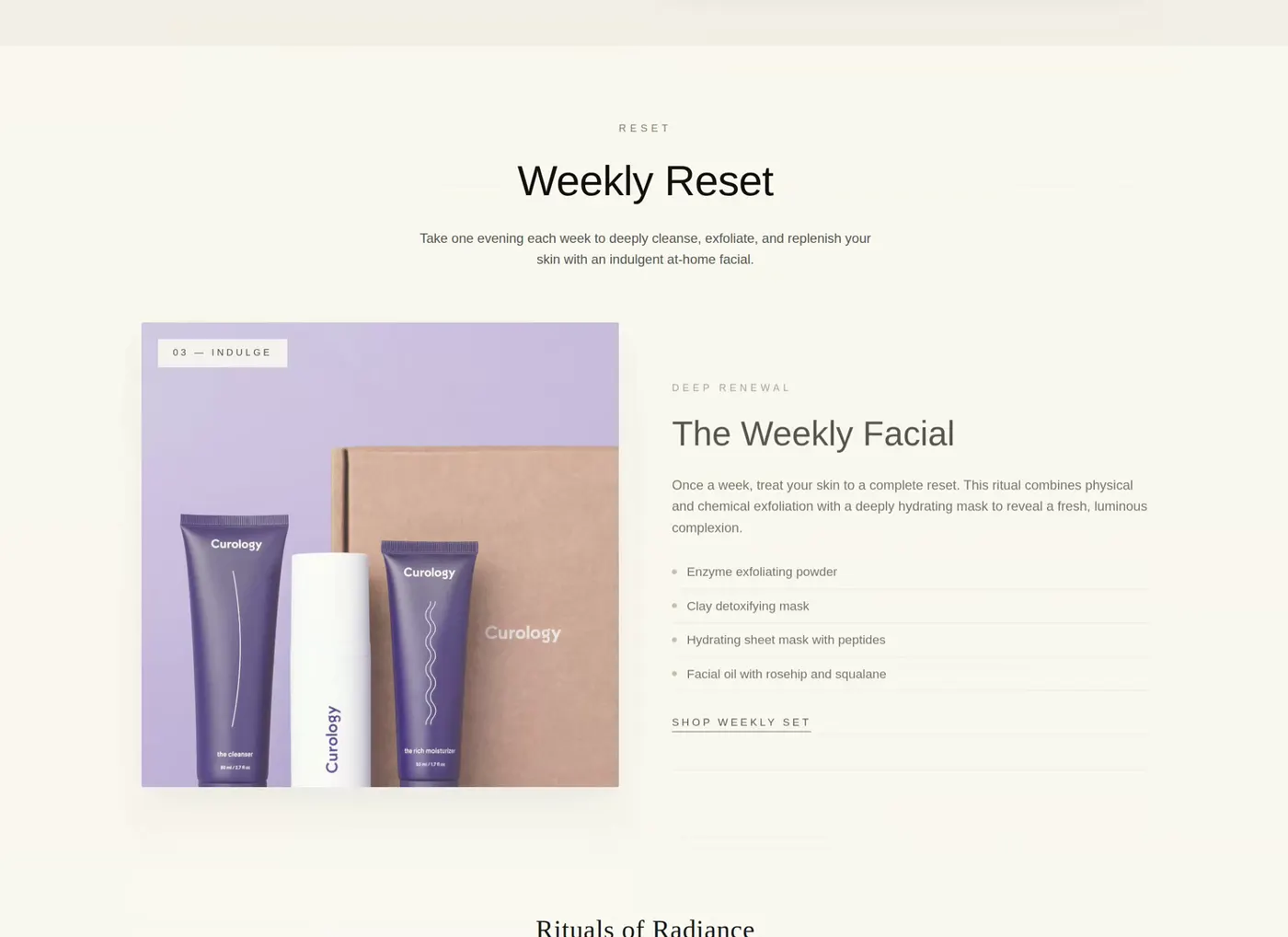
Browse website designsThe finished design
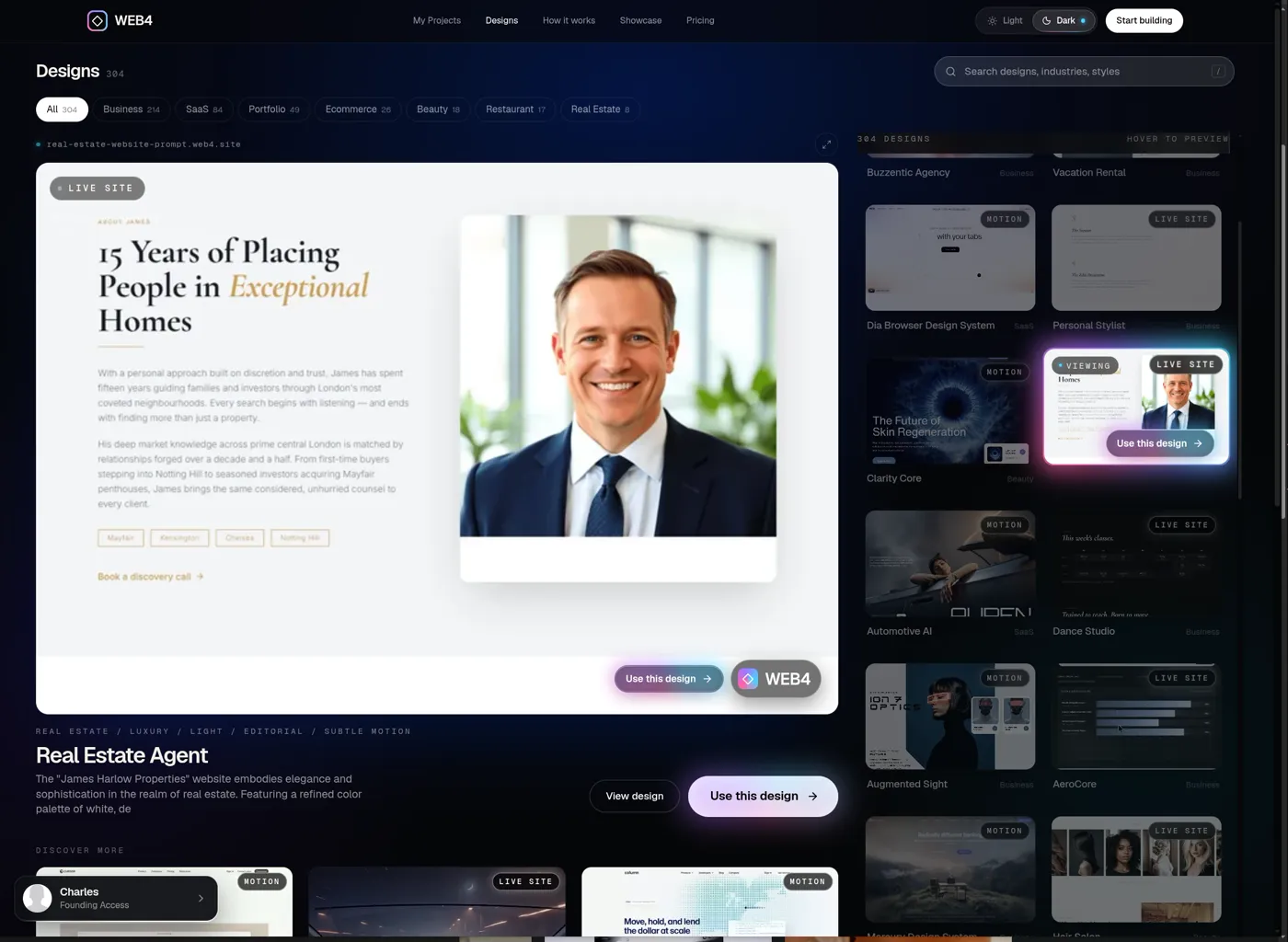
The same design, in the editor
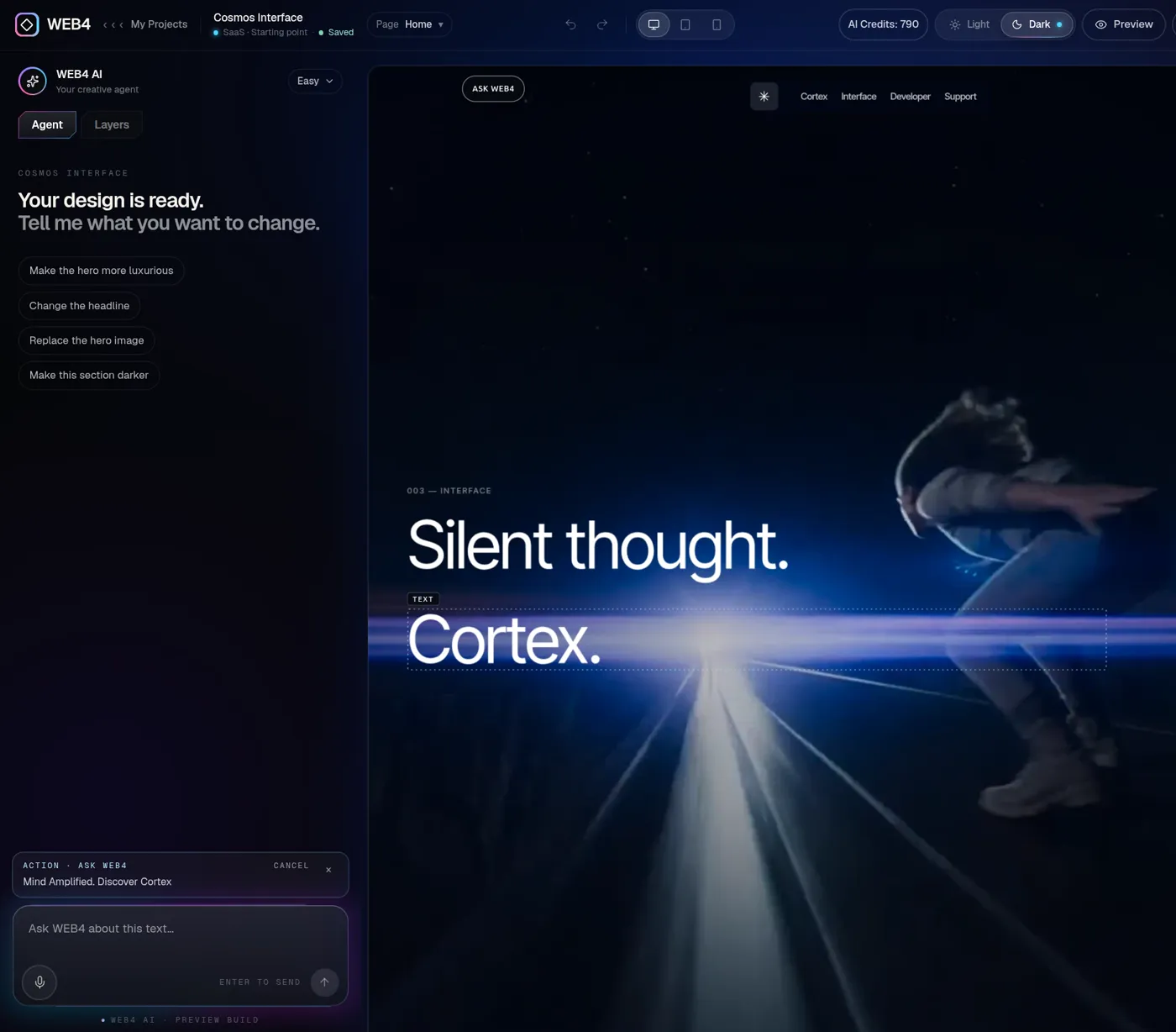
03Direct visual editing
You’re editing the website itself, not filling out a form.
Select what you see and change it where it sits. WEB4 is a focused website editor, not a full Figma or Webflow replacement, and it’s fast for what most sites need. It’s also a free AI website builder to try, with manual editing open to everyone.
- Layers
- Inline text
- Images
- Links
- Sections
- Pages
- Undo
- Preview
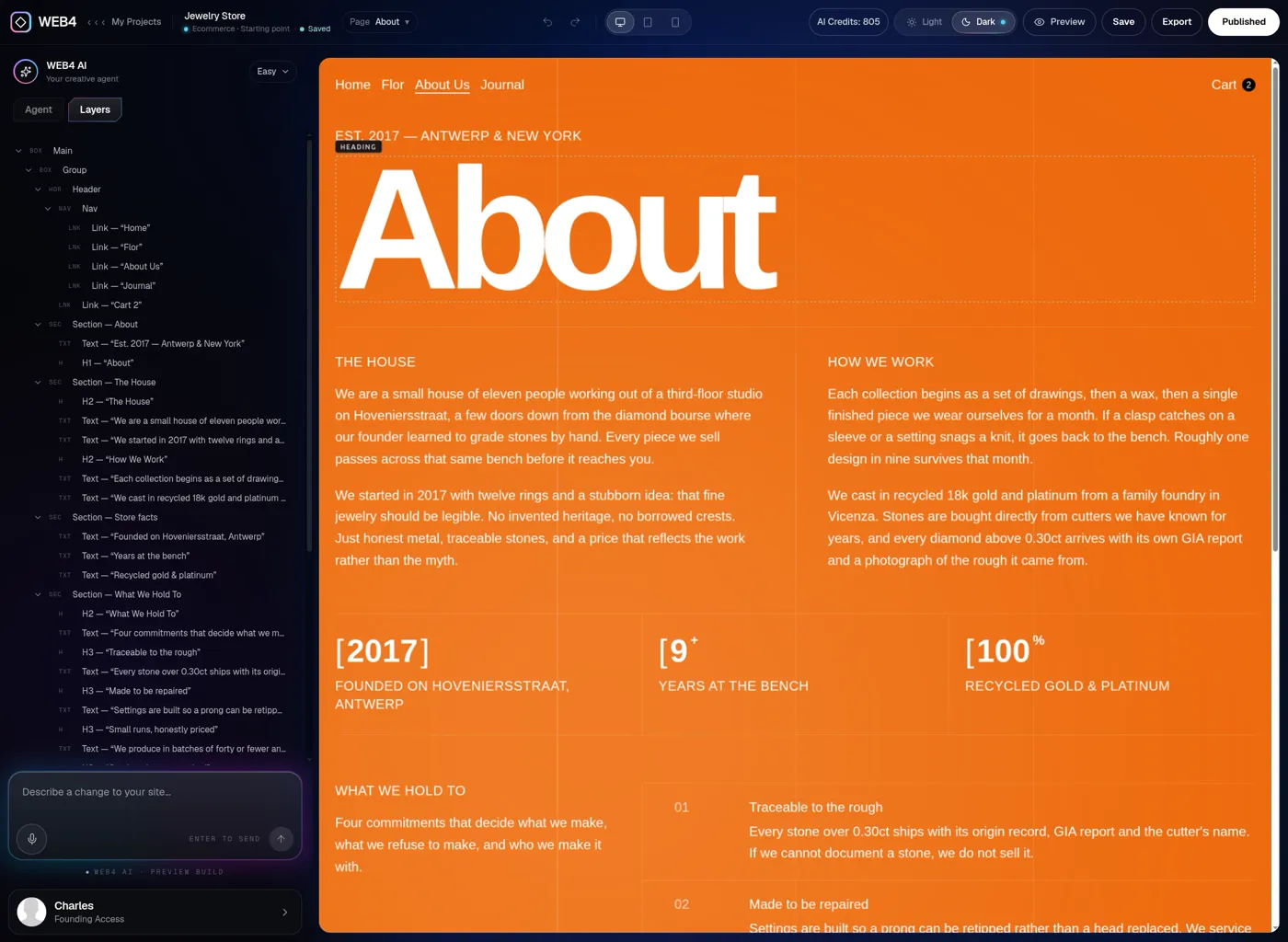
A real WEB4 editor screen. Save is free; Export and Publish need Founding Access, as does the AI panel. The editor is designed for a tablet, laptop or desktop.
04Layers
The structure of your site isn’t hidden from you.
Layers shows the page as a tree of headings, images, buttons and sections. Click any entry and the matching element is selected on the page. When elements overlap and one is hard to click, pick it from Layers instead.
- Select from the page or from the tree; either way you land on the same element.
- Move up the structure with the Root control in the element toolbar.
- Open Layers on any page, About page included.
05Manual when you want it
Manual when you want it. AI when you don’t.
WEB4 AI works inside the same website you edit by hand. Whatever it makes lands on the page as normal, editable elements, so you can keep going manually.
WEB4 AI is part of Founding Access; free accounts have none. It includes 1,000 starter credits, and additional AI usage is sold separately. New here? Read the AI website builder guide, or the AI website editor overview.
Founding AccessReal WEB4 screen: A selected heading with Ask WEB4 in the toolbar.
The real WEB4 pages menu: rename, set path, duplicate, delete.
06Multi-page workflow
Build a whole site, not an isolated page.
Real projects have an About page, a Contact page and a navigation that connects them. Run a business site? See the website builder for small business page.
01
Create pages
Add a new page from the pages menu, blank or described to AI.
02
Rename them
Give every page a clear name.
03
Set the path
Choose the address each page lives at.
04
Duplicate or delete
Copy a page as a starting point, or remove it.
05
Link between pages
Point navigation and buttons at any page of the site.
06
Return and edit
Reopen the project later and keep going.
07Own it
Design software should let you leave.
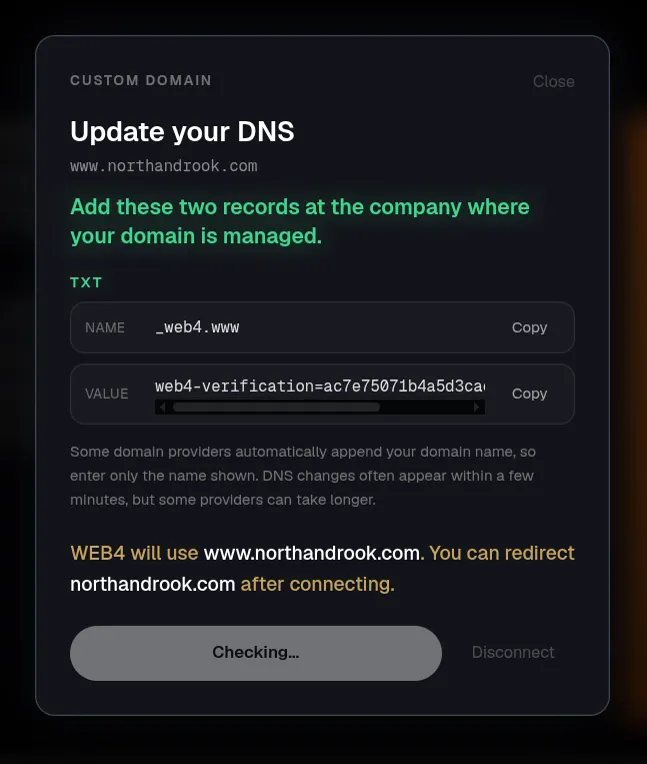
Use WEB4 hosting, connect your own domain, or export the files and host elsewhere. These come with Founding Access.
01
Publish
Put the site live on a WEB4 URL.
02
Custom domain
Connect your own domain with step-by-step DNS instructions.
03
Export
Download clean HTML or PHP files and host them anywhere.
04
Edit later
Reopen the project, change anything, publish the update.
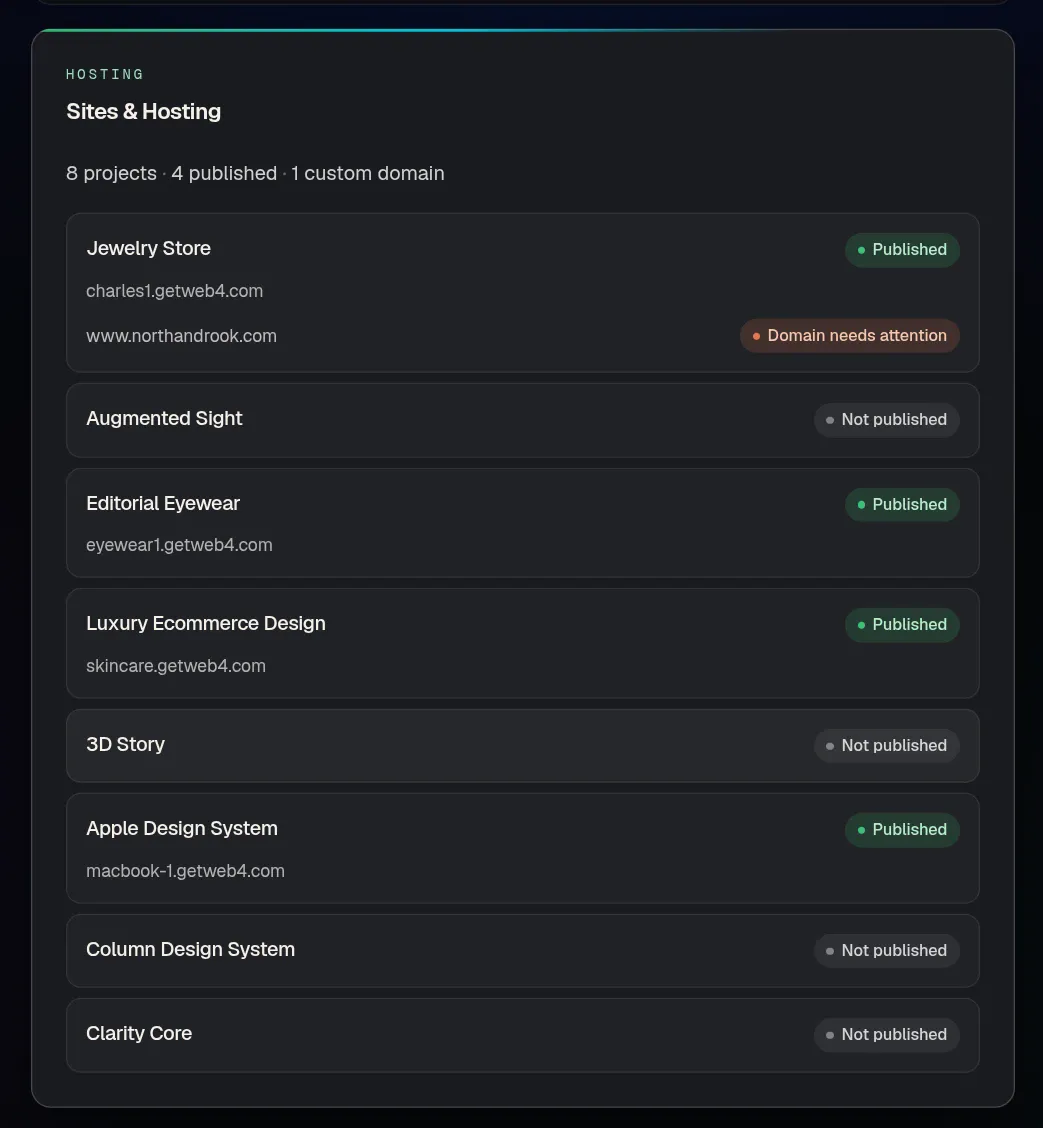
The first month of WEB4 Cloud is included; optional managed hosting after that is priced separately. Exporting means you can always host the files yourself.
08Ways of building
WEB4 vs the other ways of making a website.
A general, qualitative comparison. Individual tools and people vary. Weighing options? See the best AI website builder guide.
| Feature | Traditional DIY builder | AI-only generator | Hiring someone | WEB4 |
|---|---|---|---|---|
| Starting point | Blank page or template | A prompt | A brief and a wait | A finished design |
| Direct control | Usually, within the tool | Often limited | Through requests | Click anything and change it |
| AI assistance | Varies | The whole workflow | Not typical | Optional, inside the editor |
| Keep editing later | Yes | Varies | Often via the builder | Yes, by hand or with AI |
| Finished design library | Template galleries | Not typical | Not applicable | Real designs to open in the editor |
| Publishing | Usually | Varies | Handled for you | WEB4 URL and custom domain |
| Export | Varies | Varies | Depends on agreement | HTML / PHP export |
| Pricing model | Often recurring | Often credits or plans | Project fee | $49 one-time Founding Access |
09Who it’s for
Who WEB4 is for, and who it isn’t yet.
A good fit
- Freelancers who want a faster starting point
- Small business owners
- Designers tired of blank canvases
- Agencies making smaller sites
- Marketers and entrepreneurs
- Anyone who wants AI without surrendering manual control
Not ideal yet
- Highly complex custom web applications
- Deeply bespoke backend software
- Large enterprise engineering workflows
10Pricing
Start at $0. Pay once for the rest.
Founding Access is a one-time payment, not a subscription.
Free
$0
Try the real editor before you buy anything.
- Browse and preview designs
- The real WEB4 editor
- Manual editing, Layers included
- Save up to 2 projects
- No WEB4 AI
- No publishing
- No export
OCTOBER Founding Sale
Founding Access
$49one-time$99 soon
Additional AI usage and optional managed hosting are separate. Not a subscription.
See WEB4 pricing in full.
- 1,000 starter WEB4 AI credits
- WEB4 AI: sections, copy, images and pages
- Unlimited projects
- Publish to a WEB4 URL
- Connect a custom domain
- Export clean HTML and PHP
- First month of WEB4 Cloud included
Web design software questions, answered.
Straight answers about what WEB4 does and doesn’t do.
What is web design software?
Web design software is a tool for creating the look, layout and content of a website. Some tools are code editors, some are visual editors where you click and change the page directly, and some now add AI. WEB4 is a visual one: you edit the website itself.
What is the best web design software for beginners?
The best tool is the one you can start using immediately. WEB4 starts you from a finished design instead of a blank canvas, then lets you click text, images, links and sections to change them. You can try the editor free.
Can I design a website without coding?
Yes. You edit visually and never have to touch code. If you do want the code, Founding Access lets you export the site as HTML or PHP.
Can I use WEB4 as visual web design software?
Yes. Select text, images, buttons and sections on the page, use Layers to navigate the structure, manage pages and preview different screen sizes. It is not a full Figma or Webflow replacement, and it is not trying to be.
Does WEB4 have a visual editor?
Yes. Open any design in the WEB4 editor and edit it directly: inline text editing, image and link controls, section tools, Layers and a pages menu.
Can I edit HTML websites visually?
WEB4 designs are real HTML websites you edit visually inside the editor. After editing, Founding Access lets you export clean HTML or PHP files.
Can AI help me design a website?
Yes, with Founding Access. WEB4 AI works inside the site you are editing: rewrite a heading, add a section, create a page or turn an image into a video. The result stays editable by hand. Free accounts have no WEB4 AI.
Can I use WEB4 without AI?
Yes. The whole editor works manually, and the free plan is entirely manual. AI is optional help, not a requirement.
Is WEB4 free to try?
Yes. Browse and preview designs, sign in, open the real editor, edit by hand, use Layers and save up to two projects. Free accounts have no WEB4 AI, no publishing and no export.
Can I build multiple pages?
Yes. The pages menu lets you create, rename, set the path of, duplicate and delete pages, and links can point between them.
Can I use my own domain?
Yes, with Founding Access. WEB4 shows the DNS records to add step by step. Custom domains are not available on free accounts.
Can I export my website?
Yes, with Founding Access you can export clean HTML or PHP files and host the site wherever you like. Free accounts cannot export.
Does WEB4 require a subscription?
No. Founding Access is a one-time $49 payment, planned to rise to $99 soon. Additional AI usage and optional managed hosting are priced separately and are not required to begin.
Can I edit the website after publishing?
Yes. Reopen the project in the editor, change what you need and publish the update.
Does the editor work on mobile?
The editor is designed for a tablet, laptop or desktop, so editing on a phone is not supported. Finished websites work on phones, and you can preview phone view inside the editor.
What is the difference between a website builder and web design software?
The terms overlap. Website builders tend to emphasize templates and hosting; design software emphasizes direct control over layout and content. WEB4 aims at the second: a visual editor with finished designs, optional AI, publishing and export.
Open the editor.
Change something real.
Pick a finished design and edit it by hand. Add WEB4 AI when you want help.
One-time payment · additional AI usage and optional hosting are separate