
AI website builder + visual editor
An AI websitebuilder you cankeep talking to.
Pick a finished design. Tell WEB4 what you want. Watch the real website change, then publish it when you’re ready. No coding.
$49 one-time access · 1,000 starter AI credits.
Additional AI usage and optional managed hosting are separate.
Pick from hundreds of finished designs.
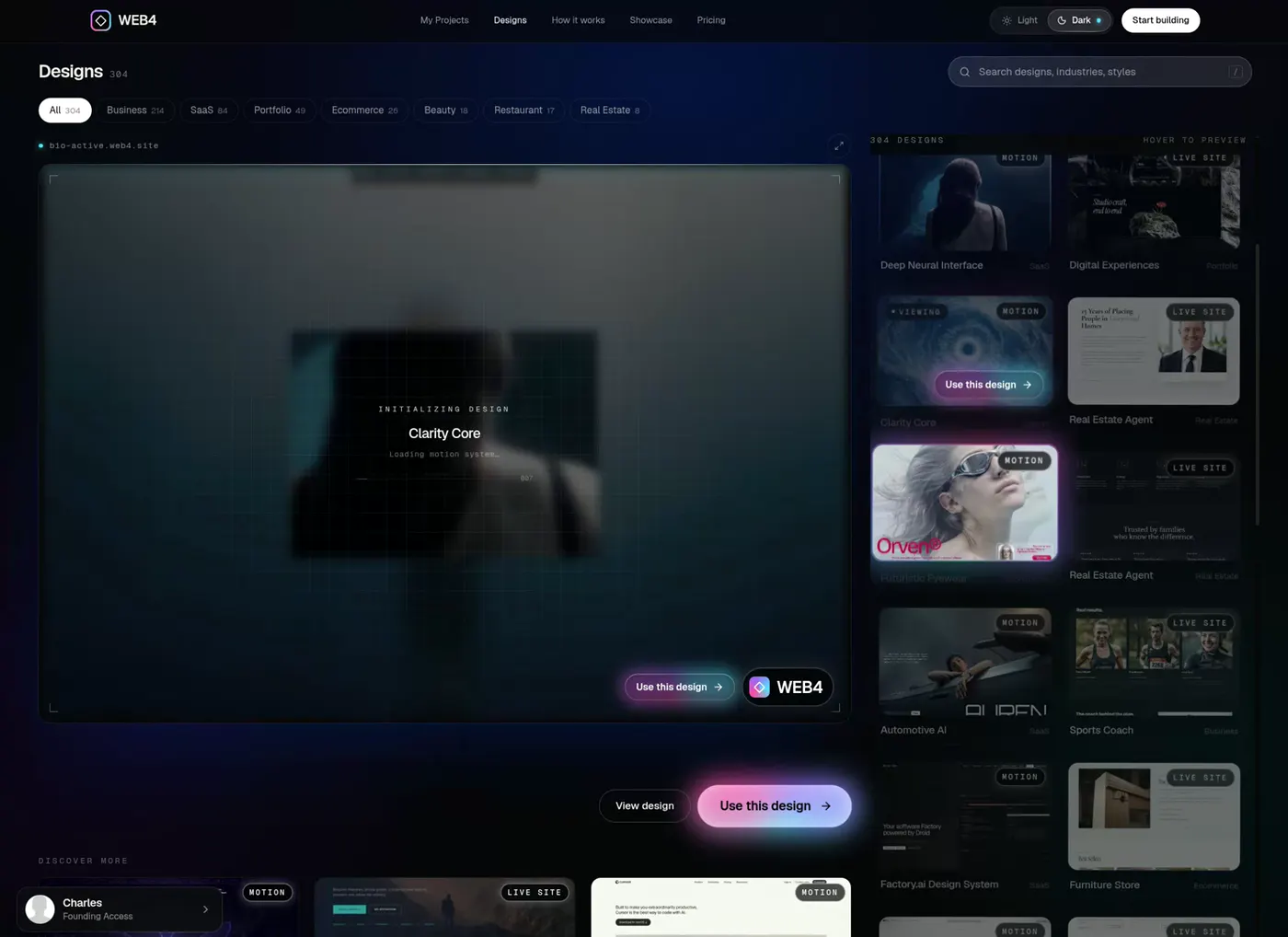
Recorded in WEB4. “I don’t build websites anymore. I talk to them.”
01Not just a generator
Most AI website builders generate something. WEB4 lets you keep working on it.
WEB4 is an AI website builder and a visual website editor in one tool. The AI makes the first big move. Then the real page is yours: click it, rewrite it, reorder it, ask for more.
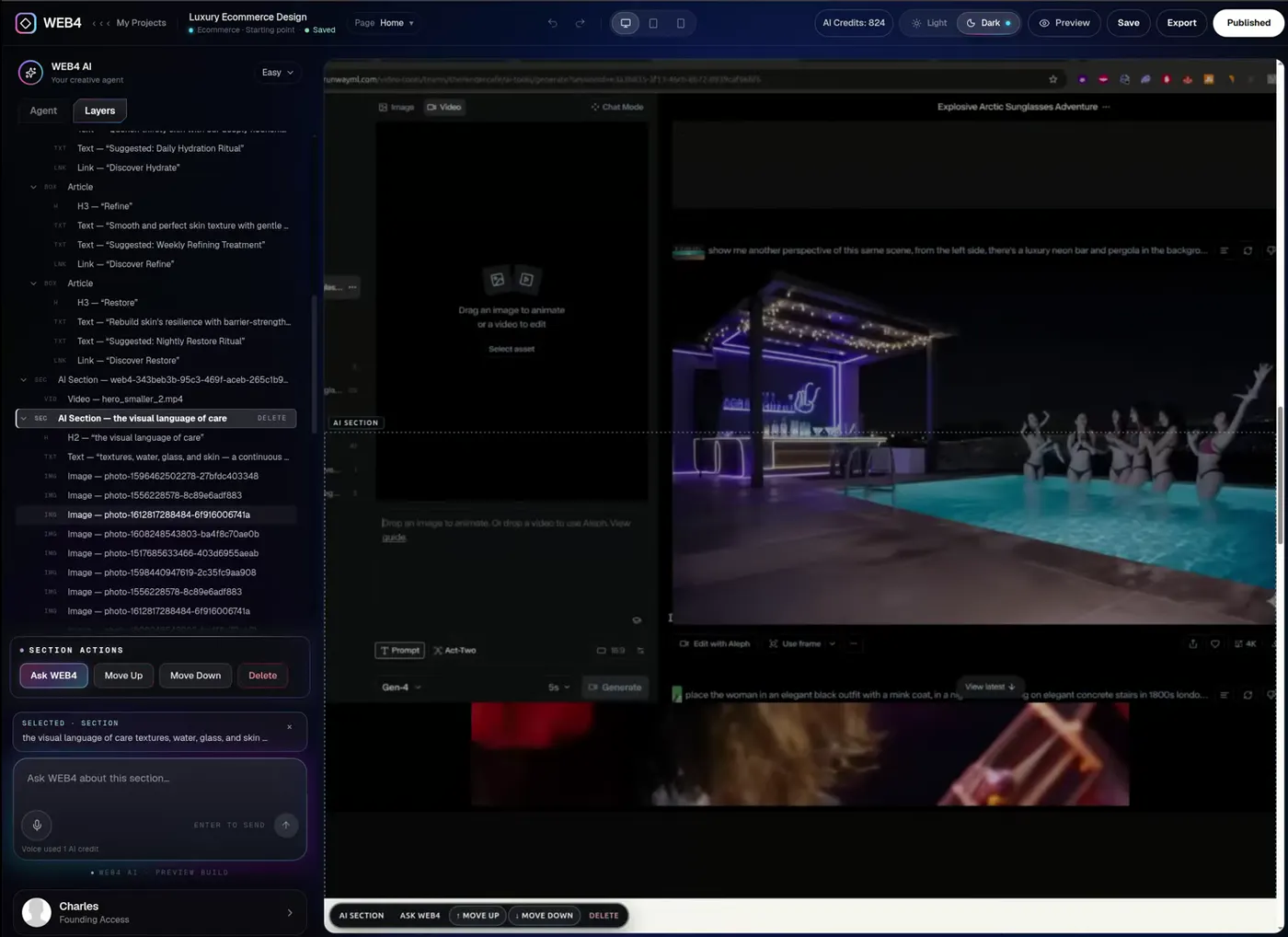
Recorded in WEB4 · Layers inspector on a live site
01
AI generation
Describe it, or start from a finished design.
02
Visual editor
Open the real website, not a picture of it.
03
Conversational editing
Ask for sections, copy, images and colour.
04
Direct control
Click any element and change it yourself.
05
A website that persists
Save, close, reopen. Every edit is still there.
06
Publish
Go live, add your domain, or export the files.
Typical AI generation
Prompt Generated page Regenerate
Fast to a first draft. Then every change is another roll of the dice.
WEB4
Design AI Edit Refine Publish
Start from something already beautiful. Change only what you mean to change. Keep the rest.
02What can it make?
AI shouldn’t hand you a wireframe.
Ask for a website worth publishing. Below is a full luxury car-rental site: a fleet carousel, live pricing, locations and booking. Scroll it. Click it. It’s a real page, not a video.
Ask like thisA luxury Porsche 911 rental site. Minimal, editorial, huge car photography.

Premium
Porsche Rental
Hand-picked 911s, detailed and delivered wherever your drive begins.
(01) — The standard
Every car in our fleet is chosen for one thing: the way it makes you feel behind the wheel.
Model
911 Carrera
Rear-engined purity. 385 hp, 0–100 in 4.2 s and a cabin made for long weekends.
Pick-up
Munich
Airport & city centre · free delivery within 25 km
From
€390/day
Agate Grey · 385 hp
Delivered.
Detailed.
Waiting.
- 02DeliveryYour 911 arrives at the airport, hotel or front door. Free within 25 km of every city.
- 03PreparationHand-detailed the morning you drive. Fuelled, charged, and set to your seat position.
- 04ConciergeOne number, answered by a person. Routes, restaurants, and a swap if plans change.
(05) — Locations
Pick-up
Munich
- Where
- Airport & city centre
- Hours
- 07:00 – 22:00, daily
- Delivery
- Free delivery within 25 km
- 911 Carrera from
- €390 / day
(06) — Membership
Your 911,
without the paperwork.
- Priority on every car in the fleet
- No deposit, no counter, no queue
- Free delivery in all five cities
Ready
when you
are.
Your car
911 Carrera
Agate Grey · Munich
Kessler Motor Club is a fictional brand, built as a reference for the level of finish to aim for. Describe the experience, and WEB4 gives you a page you can keep editing.
03Start from something finished
Pick a design, not a blank page.
Hundreds of finished designs, from cinematic studios to clinics to SaaS. Preview them in motion, choose one, and it opens as a real site in the editor, ready to be reshaped.


Every design is real HTML with motion built in.
04A website builder you can talk to
Say it. Watch the website change.
Edit your website with AI in plain English. New sections, new copy, new imagery, new colours, a different structure. WEB4 changes the actual site, not a chat transcript.
Prefer your hands? Click anything and edit it directly. See the editor.
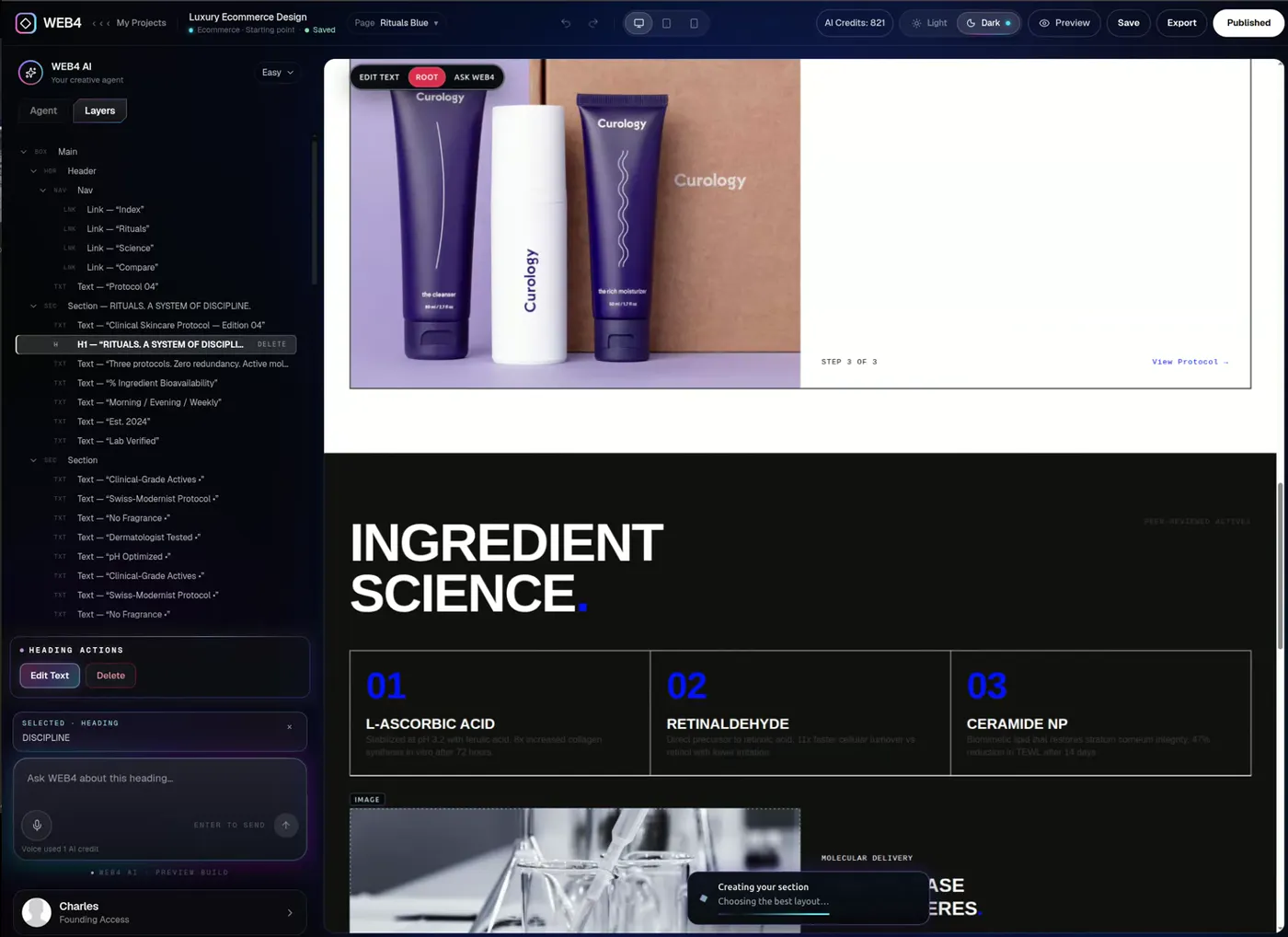
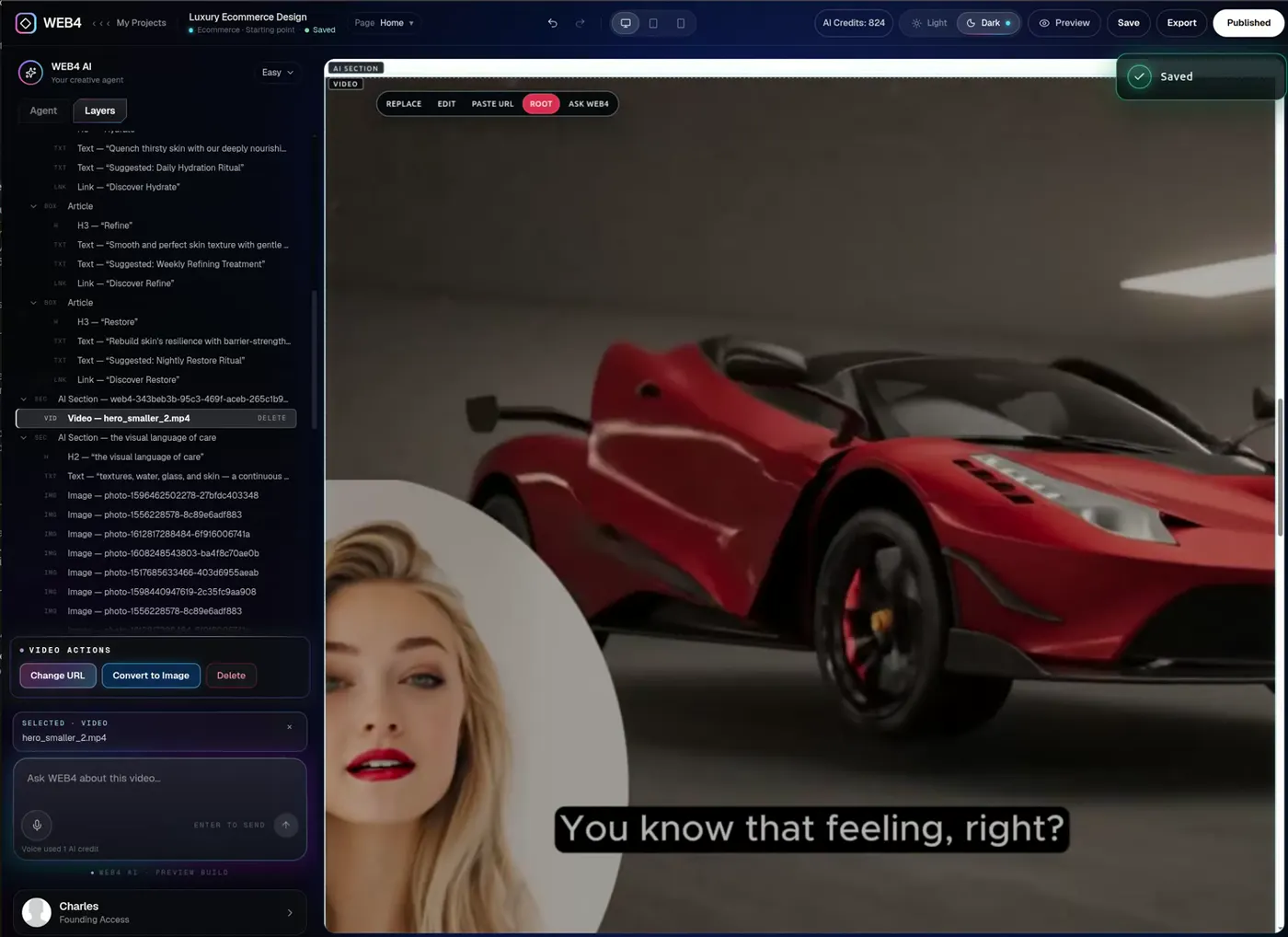
Recorded in WEB4 · A gallery section generated into a real page
Also works by voice.
05A real visual editor
Click anything. Change everything.
Pick any element from the page or the Layers tree and edit it directly, or hand it to Ask WEB4. It’s a visual website editor first and an AI website generator second, which is why the result is still yours to shape.
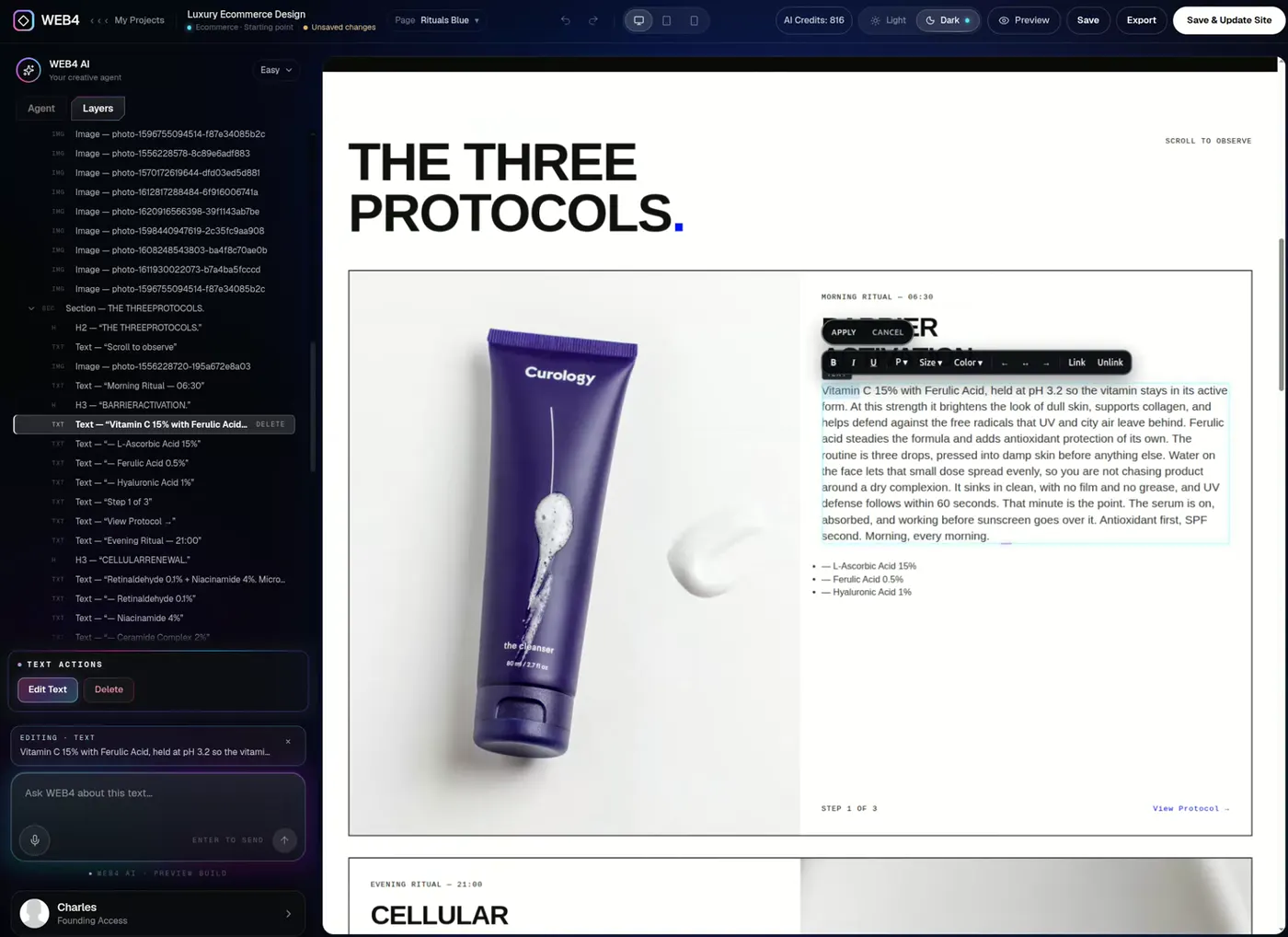
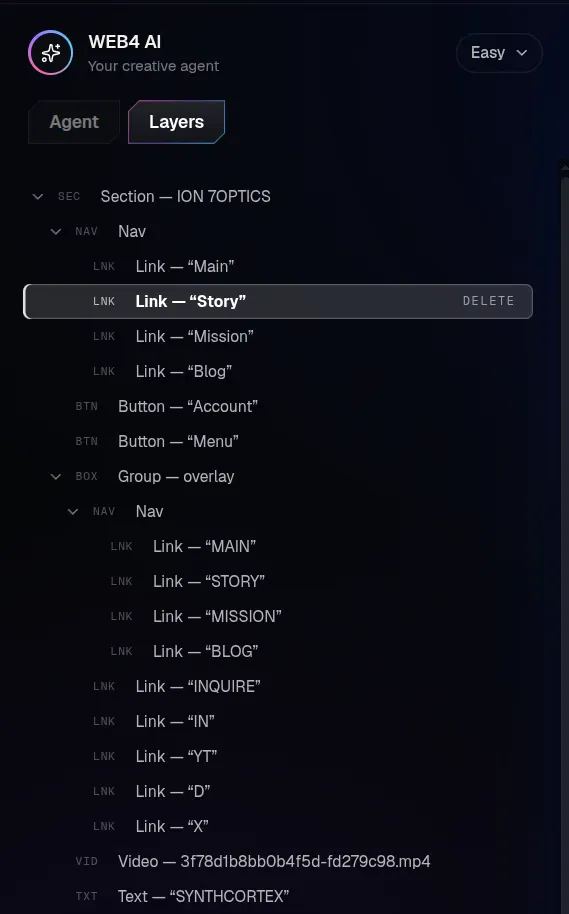
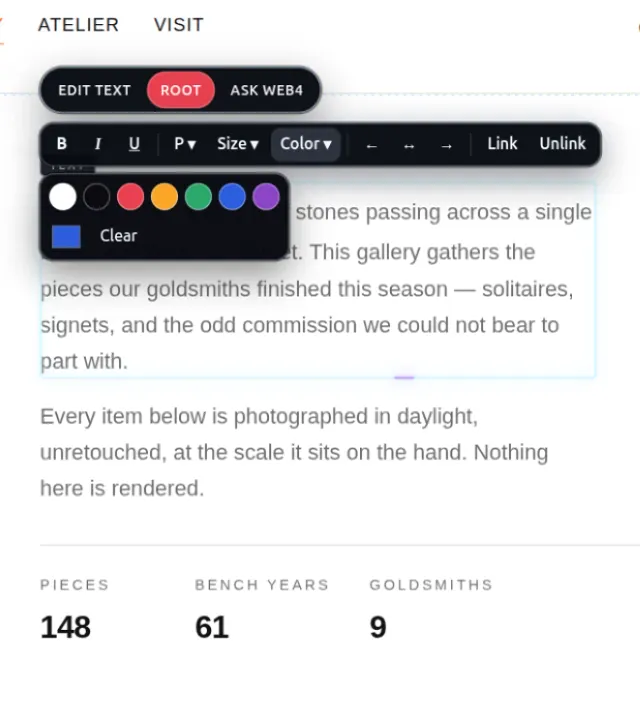
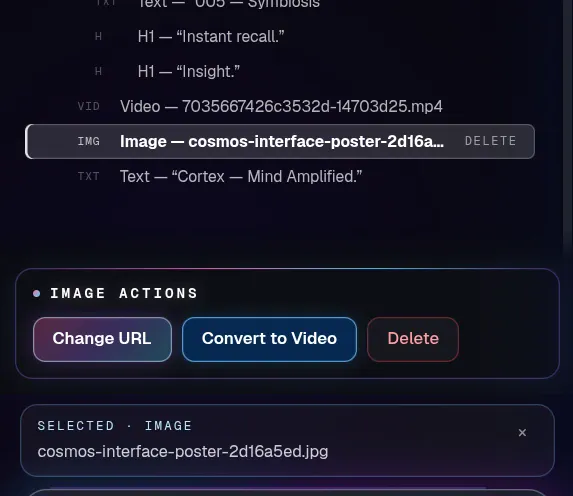
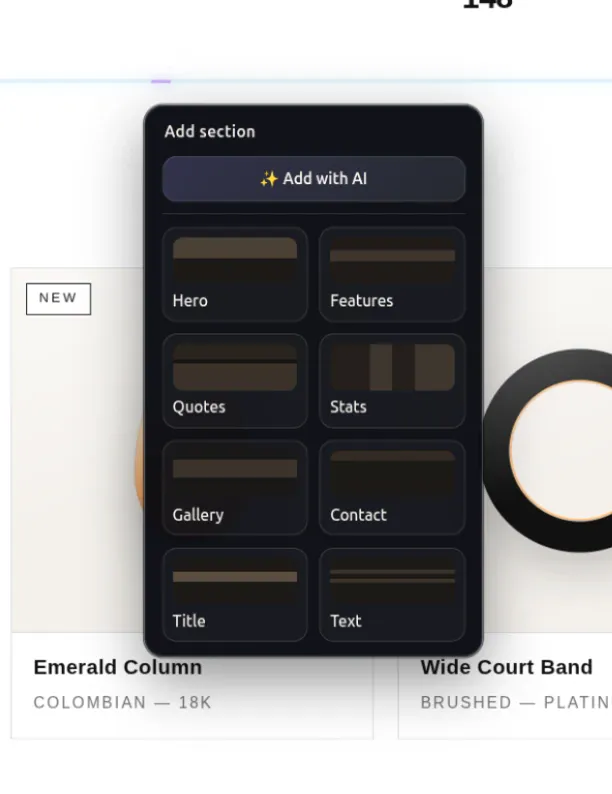
Layers inspector
Every element in one tree. Click it, select it, edit it.
Inline text
Type straight onto the page. Format in place.
Images and links
Replace an image, change a URL, point a button at a page.
Sections
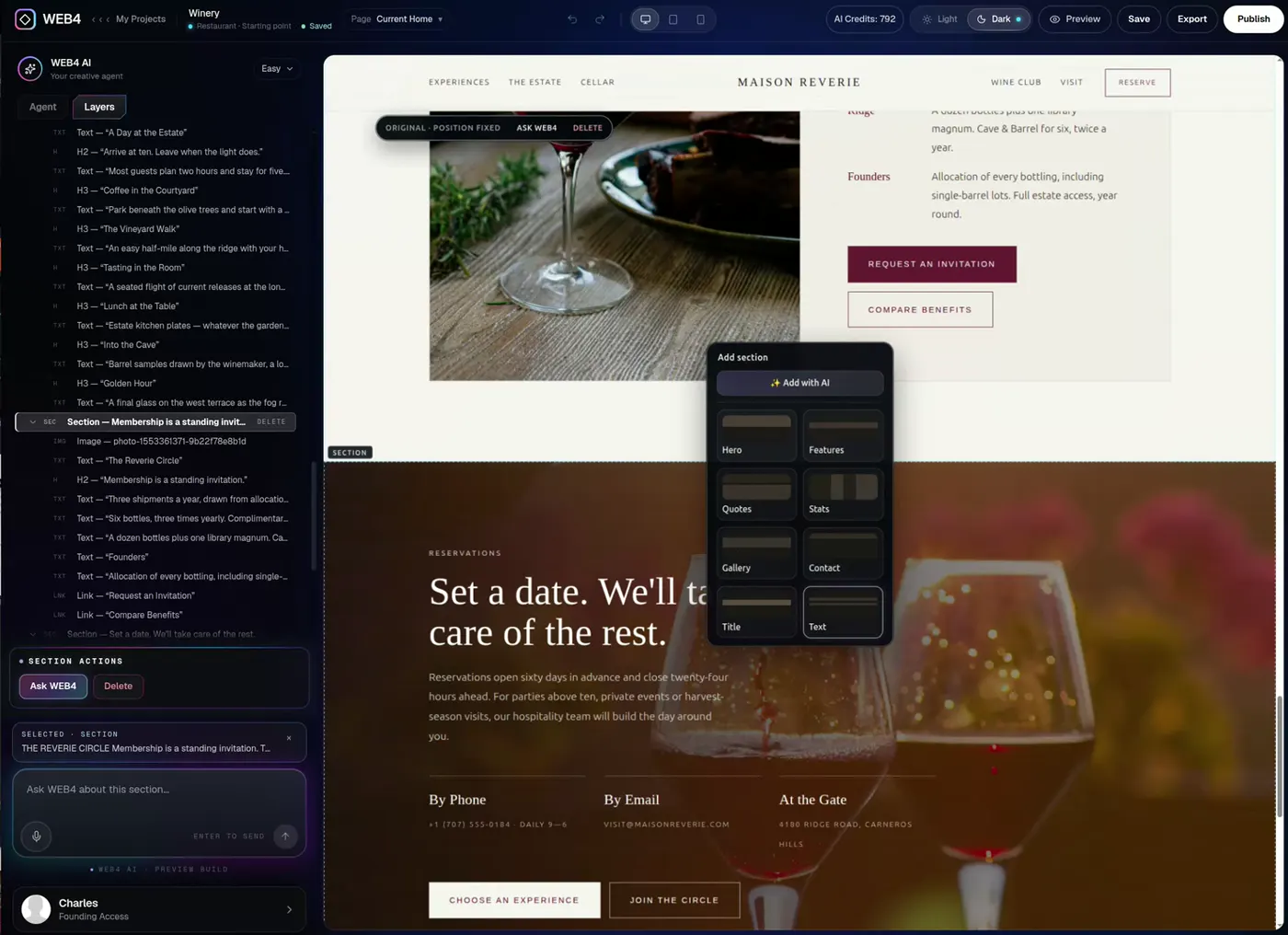
Move up, move down, delete. Or ask WEB4 to add one.
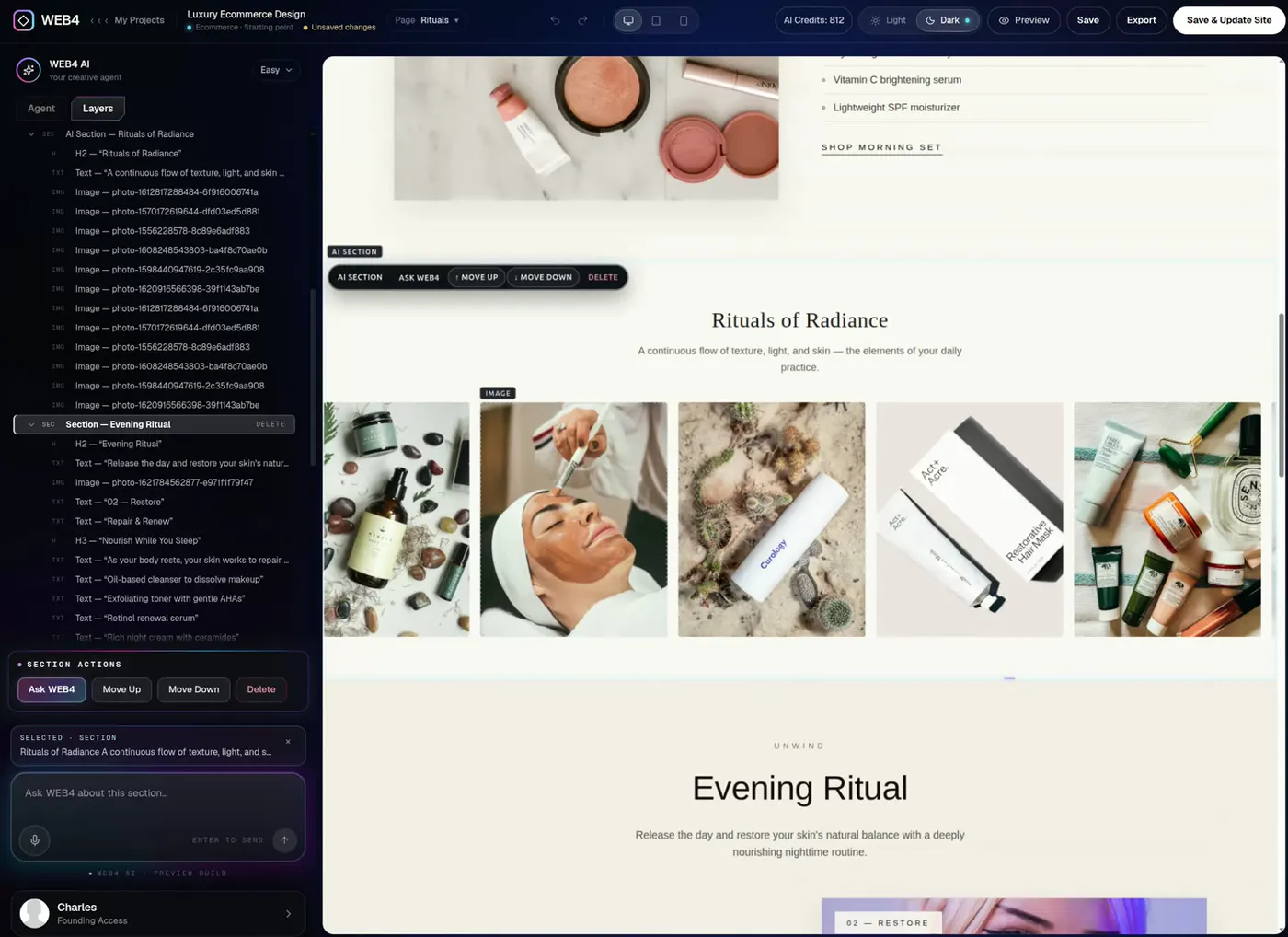
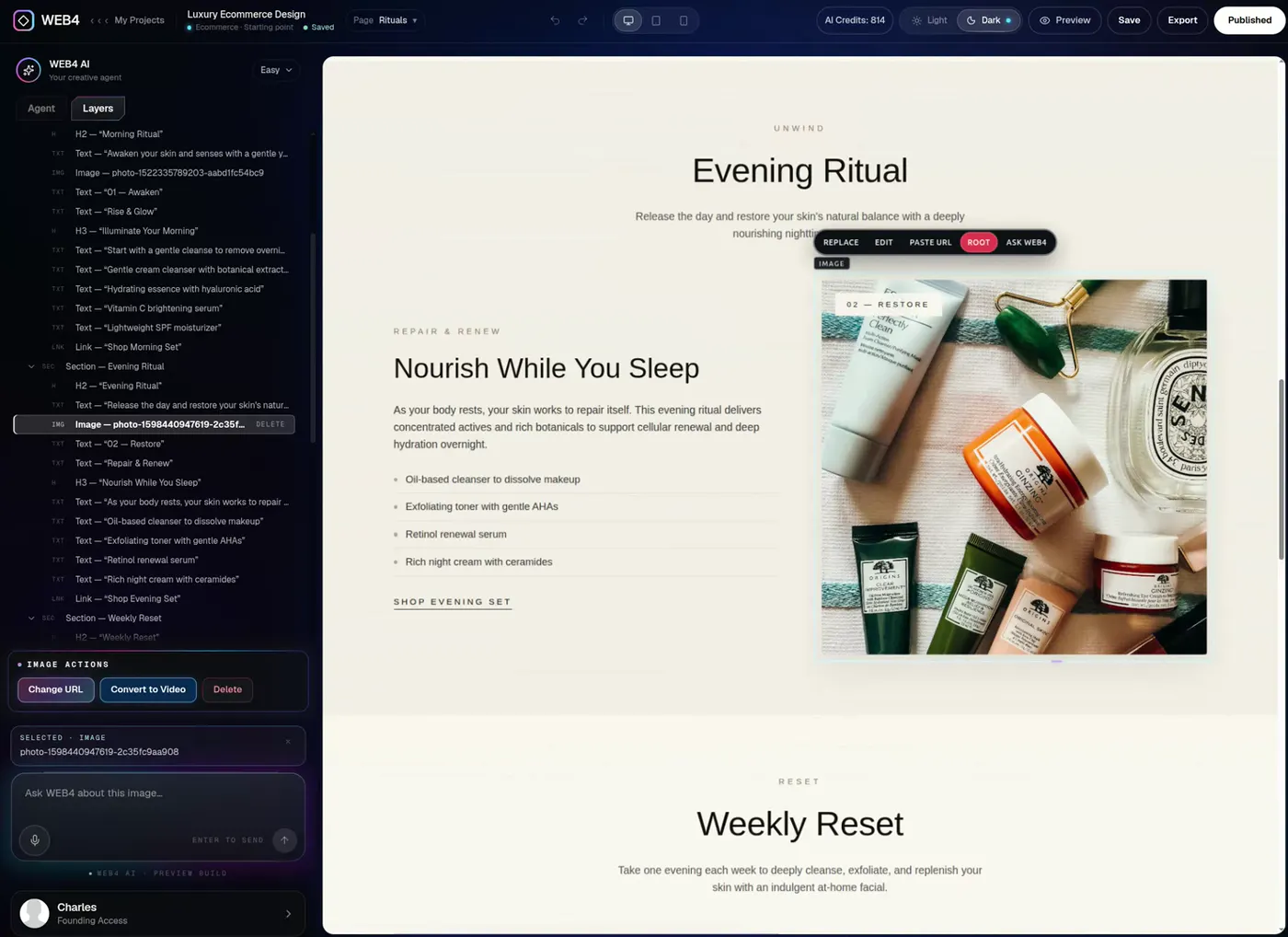
Direct editing never spends an AI credit. Looking for web design software that doesn’t start from zero? Same editor.
06AI generation, done properly
From one sentence to a whole experience.
Use WEB4 as an AI website creator and the AI contributes real design: layout, copy, imagery, structure and motion. The result stays editable, so you’re never stuck with the first draft.
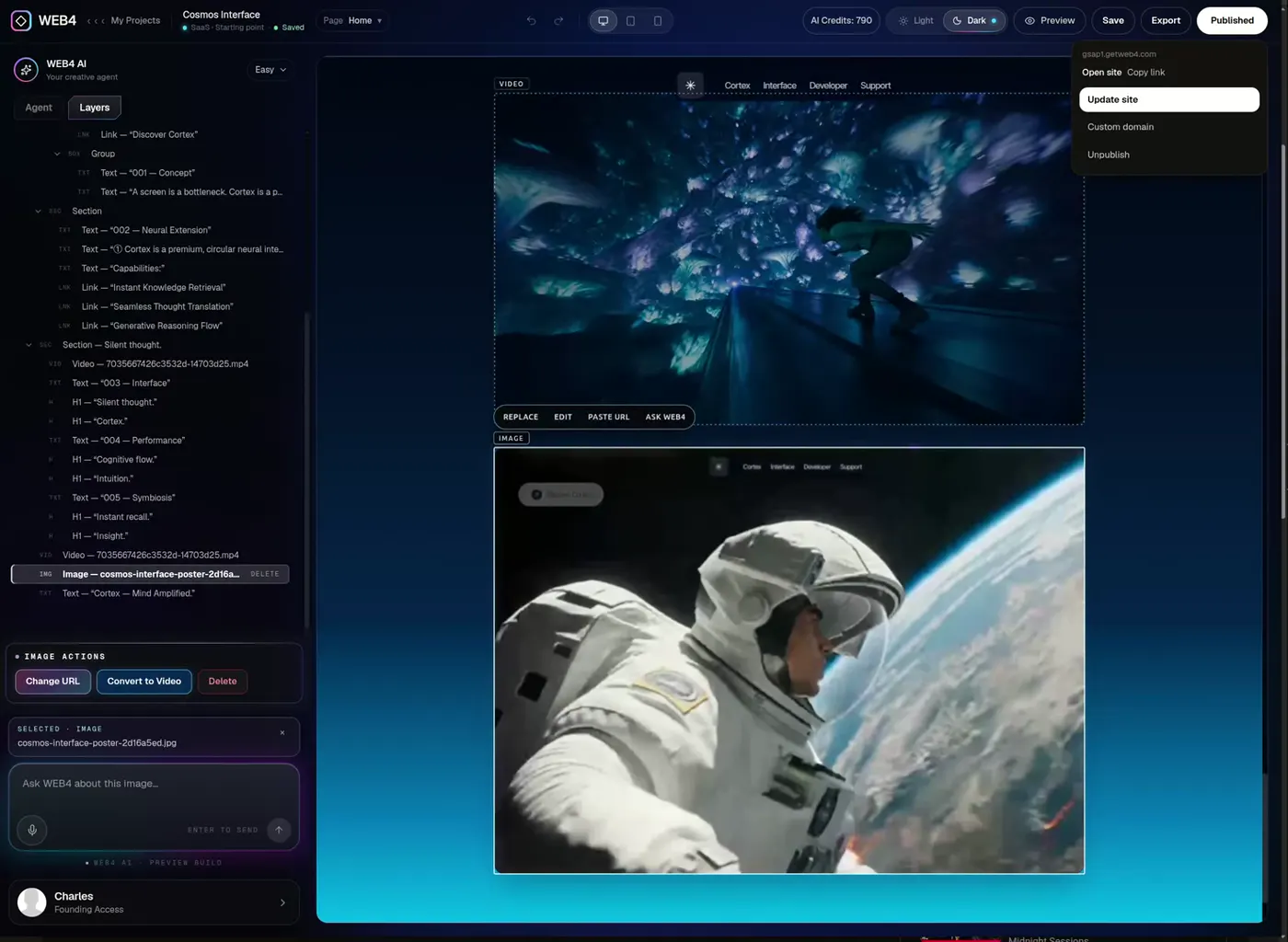
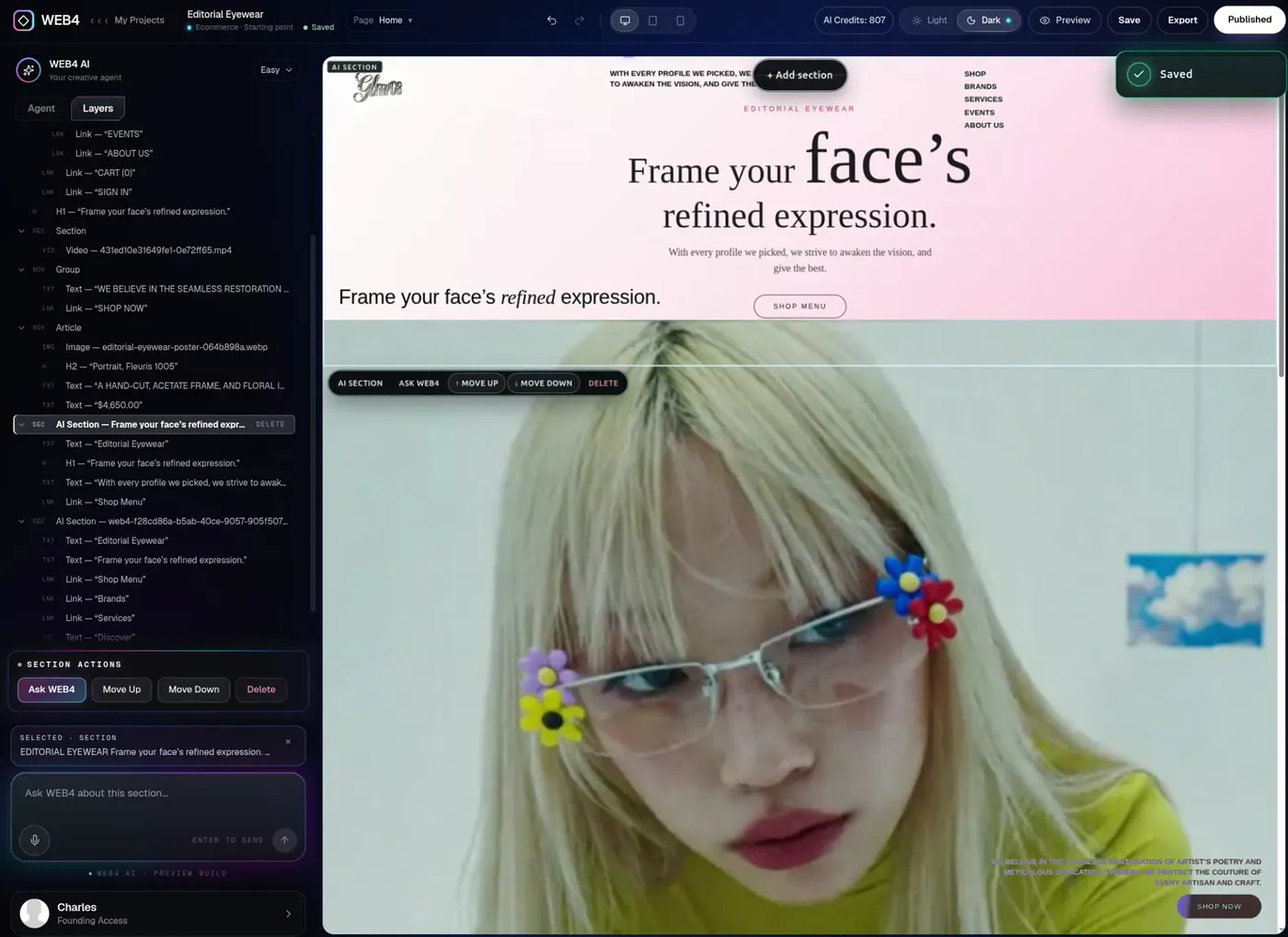
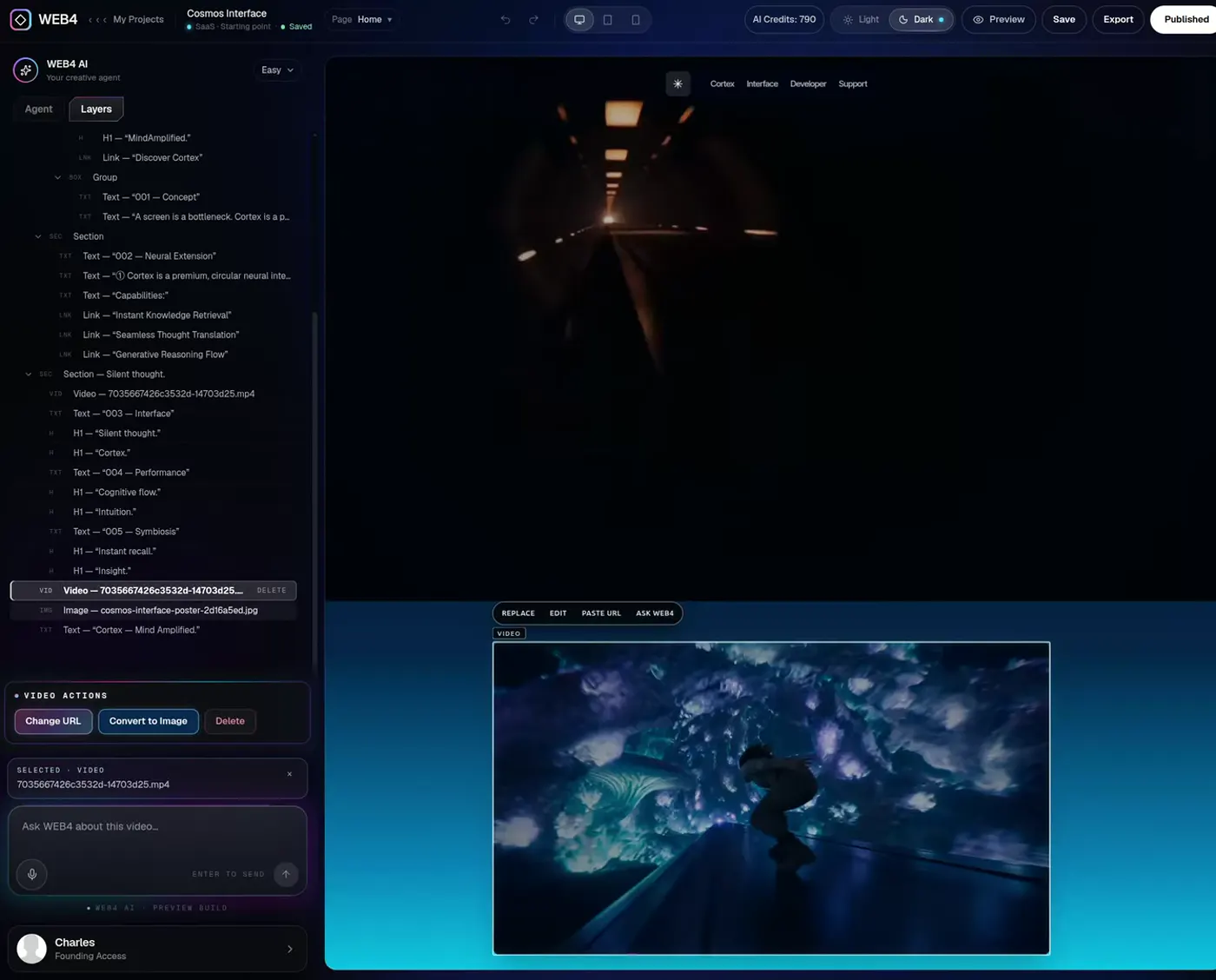
- Visual design
- Type, colour and composition that match the site you already have.
- Layout and structure
- Sections in a sensible order, pages linked into your navigation.
- Copy
- Headlines and body text written for your business, rewritten on request.
- Imagery
- Real image elements you can replace, resize, or turn into video.
- Motion and interaction
- Galleries, scroll animation and hover states that actually run.
- Everything stays editable
- None of it is flattened into a picture or locked in a black box.
Real imagery, not grey boxes.
A generated site should look finished. Images are real elements on the page, so you can paste a new URL, replace the file, or ask WEB4 for something different, and the layout holds.
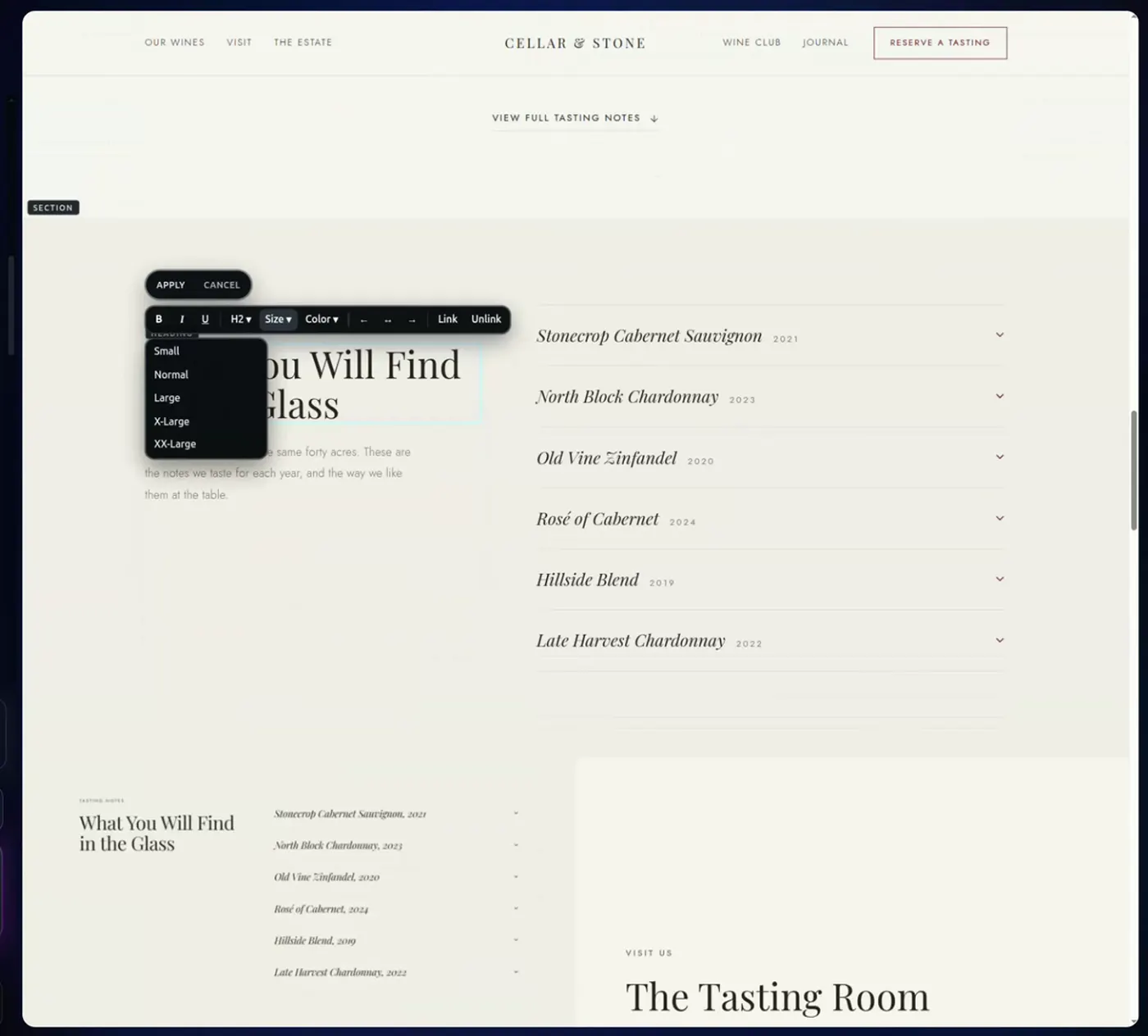
A winery site generated and edited in WEB4
07Ownership
Preview it. Publish it. Keep it.
Check the site on desktop, tablet and phone, then go live on a WEB4 address in a click. Use your own domain, or export the files and host them anywhere you like.
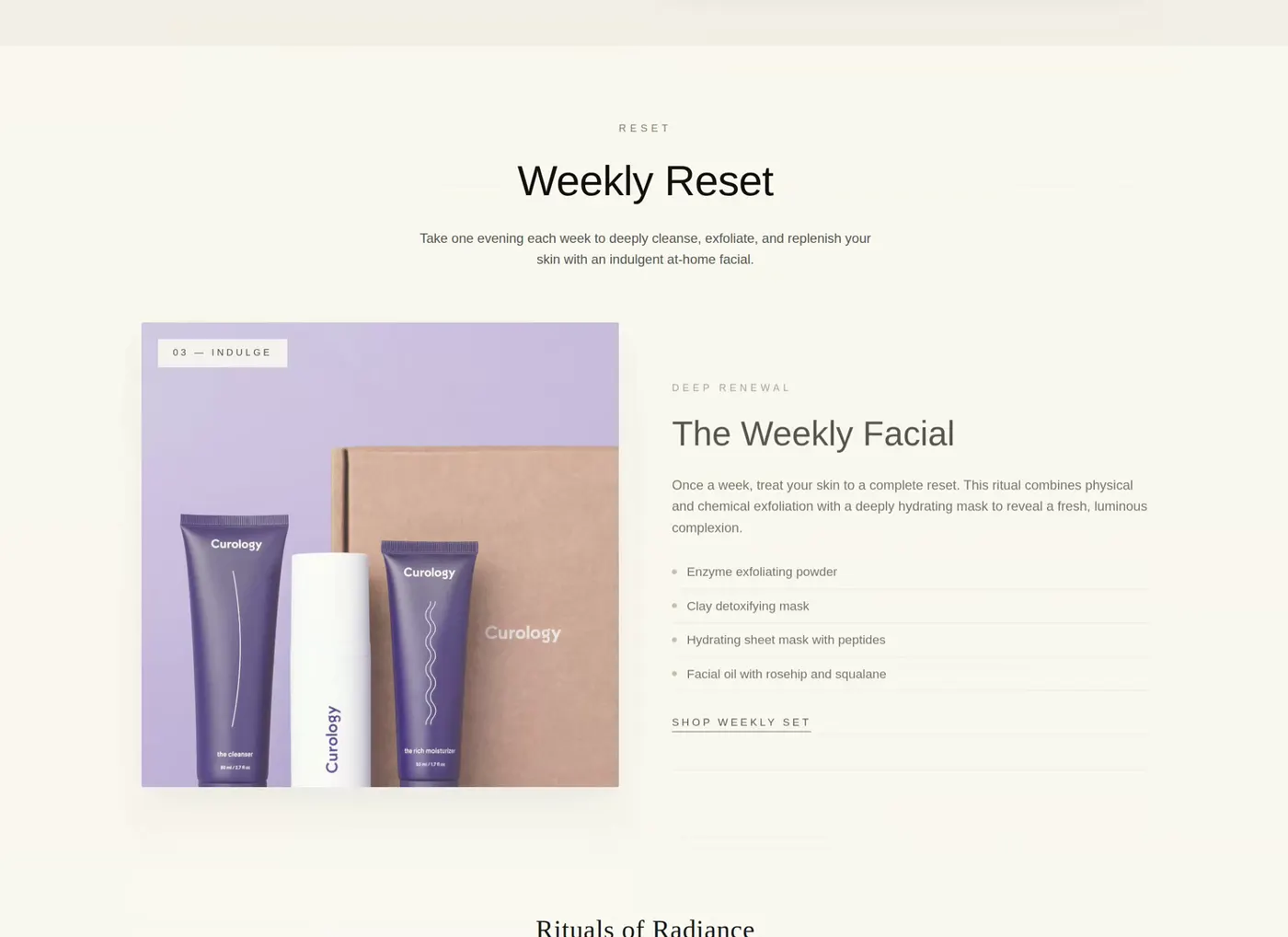
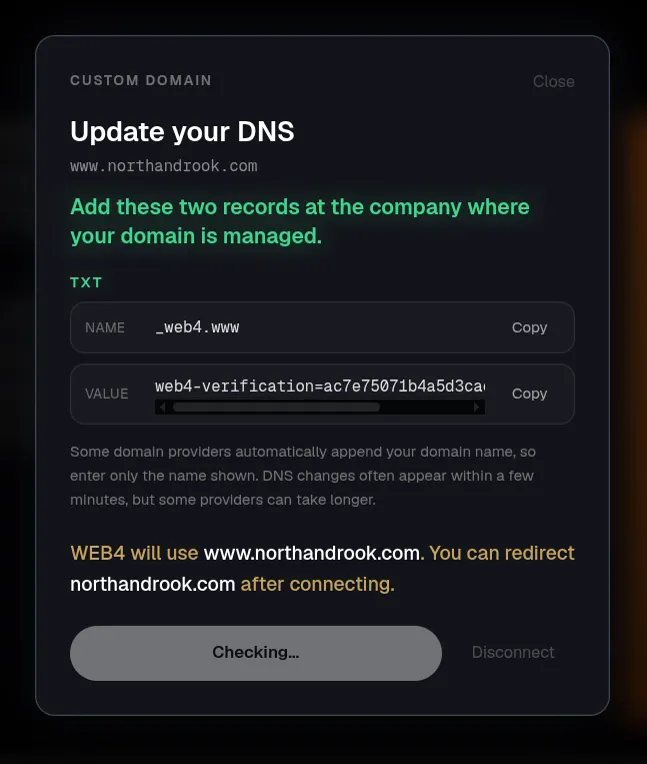
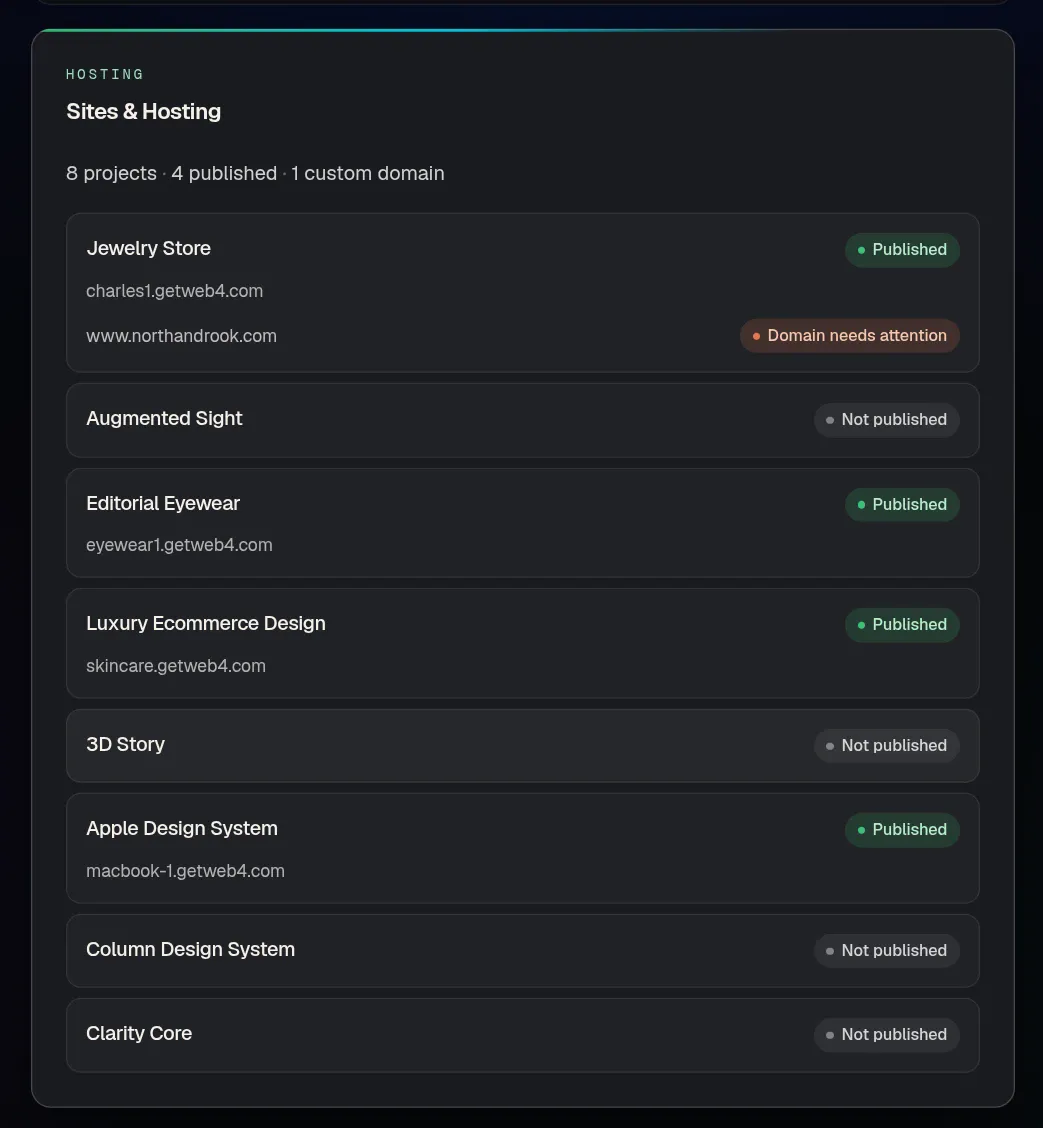
- Publish in a click
- Live on a WEB4 URL, or on your own domain with step-by-step DNS help.
- Save and reopen
- Your sections, animations, images and edits persist exactly as you left them.
- Export HTML / PHP
- Take the files to any host. Your projects stay yours.
Publishing, custom domains and export come with Founding Access. Hosting is optional and priced separately.
08Who it’s for
Anyone who needs a website that keeps up.
Looking for an AI website builder for small businesses? It’s built for that too, and for the people who build sites for them.
Founders
Get a real site live while the idea is still warm.
Small businesses
A professional website without hiring an agency.
Freelancers
Deliver something polished, then keep editing as the brief moves.
Agencies
Start every client from a finished design, not a blank canvas.
Designers
Direct the look in plain language, then fine-tune by hand.
Marketers
Spin up a landing page and rewrite it without a ticket.
Creators
A portfolio that looks designed, because it started that way.
Non-coders
Click what you want to change. Or just say it.
Developers
Skip the boilerplate. Export clean HTML when you want the code.
09The honest part
Why an AI website builder still needs an editor
AI is very good at the first draft of a website. A website isn’t a first draft for long.
Websites change the week after they launch.
A price moves. A team member leaves. A photo goes out of date, a new service needs its own page, a campaign ends. If every one of those changes means re-prompting a generator and hoping it keeps the parts you liked, the tool that saved you a day will cost you a month.
Offers change. Copy changes. Images change. Pages change. Businesses evolve.
How an AI website builder works
You describe the site, or start from a design. The model decides the structure, writes the copy, chooses imagery and lays it out. What comes back is a real website made of HTML, CSS and media. The part that separates one AI site builder from another is what happens next: can you open that site, point at one thing, and change only that thing?
What to look for in an AI website creator
- 01Can you edit after the AI generates, both by hand and by asking?
- 02Does the site persist when you close it and come back?
- 03Can you start from a good design instead of only a prompt?
- 04Can you publish, use your own domain, or export the code?
- 05How is it priced, and what happens when the AI credits run out?
We wrote a straight comparison of what matters. Compare AI website builders before you decide.
Generation and editing, together
WEB4 treats the AI as one tool inside a visual website editor, not the whole product. Generate a section, then nudge it with a sentence. Rewrite a headline by typing over it. Swap one image and leave the rest. Reopen it next month and keep going. That combination of AI web design and persistent editing is the product.
Want to look around first? Pick a design and explore the editor before you pay anything, or see what the free AI website builder plan includes. Ready to change a real site by asking? Try the AI website editor.
10Pricing
One price. No monthly software fee.
Pay once for Founding Access. Add AI credits only when you need them, and hosting only if you want it.
Founding Access
$49one-time
1,000 starter WEB4 AI credits included
Additional AI usage is sold separately. Optional managed hosting is separate too.
Editing is designed for a tablet, laptop or desktop. See full pricing.
- Unlimited website creation and saved projects
- Edit with WEB4 AI: sections, copy, images, pages
- Layers inspector and direct element editing
- Publish to live WEB4 URLs
- Connect your own custom domain
- Export clean HTML / PHP anytime
Start designing free first: browse designs, explore the editor and save two projects. WEB4 AI, publishing and export need Founding Access.
AI website builder questions, answered.
Straight answers about editing, pricing and publishing.
What is an AI website builder?
An AI website builder creates a website from a plain-language description or a starting design, instead of making you assemble every page by hand. WEB4 is an AI website builder with a real visual editor attached, so the AI does the heavy lifting and you can keep changing the site afterwards.
How does an AI website builder work?
You describe what you want, or pick a design to start from. The AI produces the layout, copy and imagery and places them on a page you can open. In WEB4 that page is a real website inside a visual editor, so every later change, whether you ask the AI or edit by hand, changes the same site.
Can AI build an entire website?
AI can generate whole pages and new sections from a description, and WEB4 links new pages into your navigation so the project stays one website. You should still read the result, adjust the details to your business and check it in the preview on desktop, tablet and phone before you publish.
Can I edit a website after AI generates it?
Yes. That is the point of WEB4. Ask the AI for a change in plain English, or click the element and edit it directly: type into text, swap an image, change a link, move a section up or down, or delete it. Save the project and reopen it later, and your edits are still there. Direct editing does not use AI credits.
Do I need to know how to code to use WEB4?
No. Choose a design and describe the change you want, or click what you want to change. Review the site in the preview, then publish. If you do code, you can export clean HTML or PHP files and take them anywhere.
Can I start with an existing design?
Yes. WEB4 includes hundreds of finished designs across SaaS, studios, restaurants, clinics, real estate, portfolios and more. You can preview them in motion, open one in the editor, and then reshape it by talking to it.
Can I use my own domain?
Yes. With Founding Access you can publish to a WEB4 address or connect your own custom domain, with step-by-step DNS help. Hosting is optional and priced separately.
Can I export my WEB4 website?
Yes. Founding Access unlocks HTML and PHP export, so you can take the files to any hosting provider. Save the project before you export. Your projects stay on your account.
Does WEB4 have a free version?
You can start designing for free. The free plan lets you browse designs, open the editor, edit by hand and save up to two projects. WEB4 AI, publishing, export and buying additional AI credits require Founding Access.
How much does WEB4 cost?
Founding Access is a one-time $49 payment and includes 1,000 starter WEB4 AI credits. There is no monthly software fee. Additional AI usage is sold separately, and optional managed hosting is separate too.
What makes WEB4 different from a traditional website builder?
A traditional website builder gives you a blank canvas or a fixed template and asks you to assemble the site yourself. WEB4 starts from a finished design, lets you change it by describing what you want, and keeps a full visual editor on the same page. It is an AI website creator and a website editor in one tool.
Can AI create website sections from plain English?
Yes. Type something like “Add an animated interactive gallery here” and WEB4 designs the section, with layout, copy, imagery and motion, and places it into your real page. You can then edit it like any other section.
Pick a design.
Talk to it.
Publish it.
The AI website builder that keeps working after the first draft. $49 once, with 1,000 starter AI credits.
One-time payment · additional AI usage and optional hosting are separate
Or browse the designs first