Best AI website builder · buyer’s guide
The best AIwebsite builderdoesn’t stop atgeneration.
Looking for the best AI website builder? Look at what happens after Generate. WEB4 combines hundreds of finished designs, AI generation, conversational editing and a real visual editor, then lets you publish, use your own domain or export your site.
$49 one-time access · 1,000 starter AI credits.
Additional AI usage and optional managed hosting are separate.
Comparing tools? Start with the buyer’s guide.
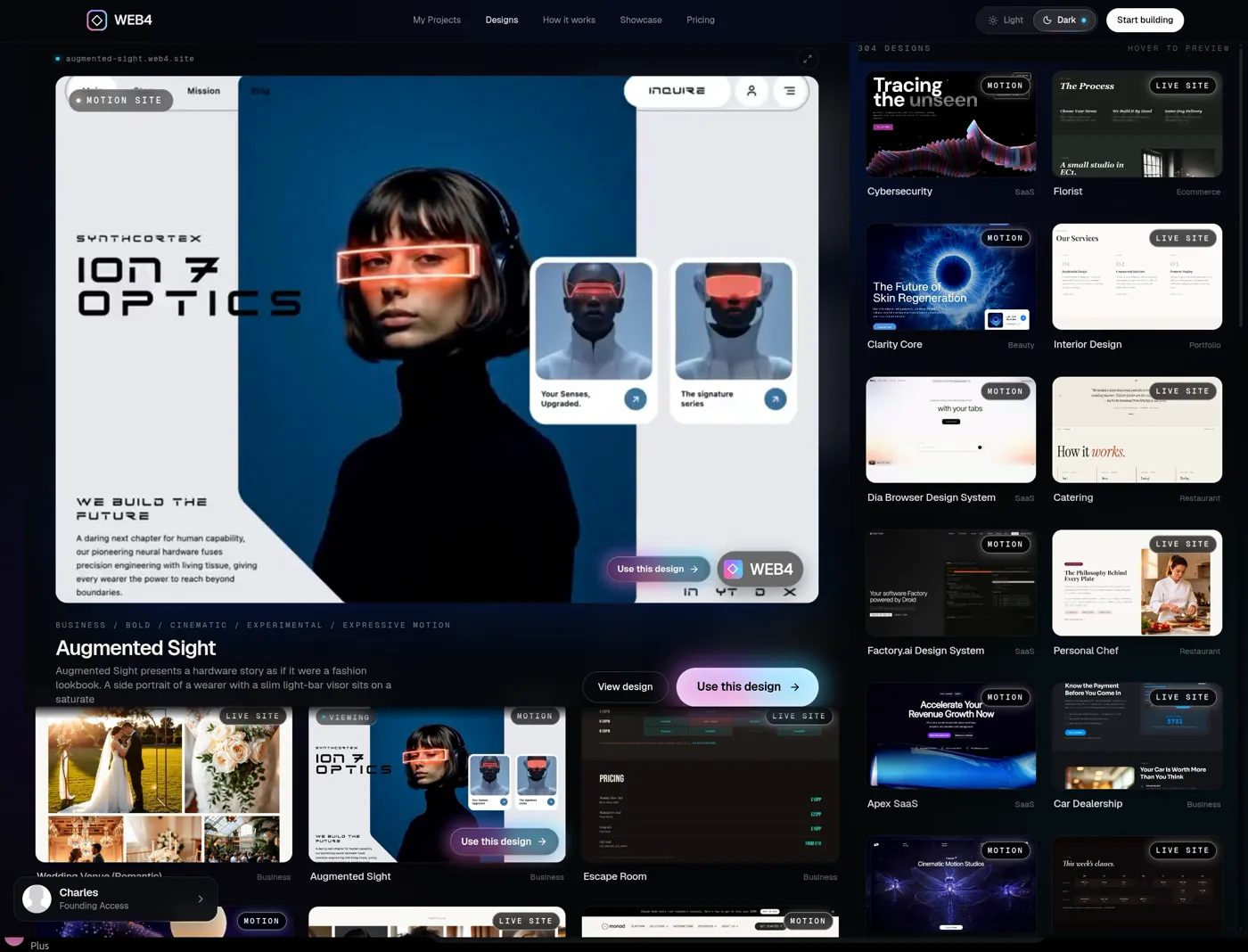 01Pick a design
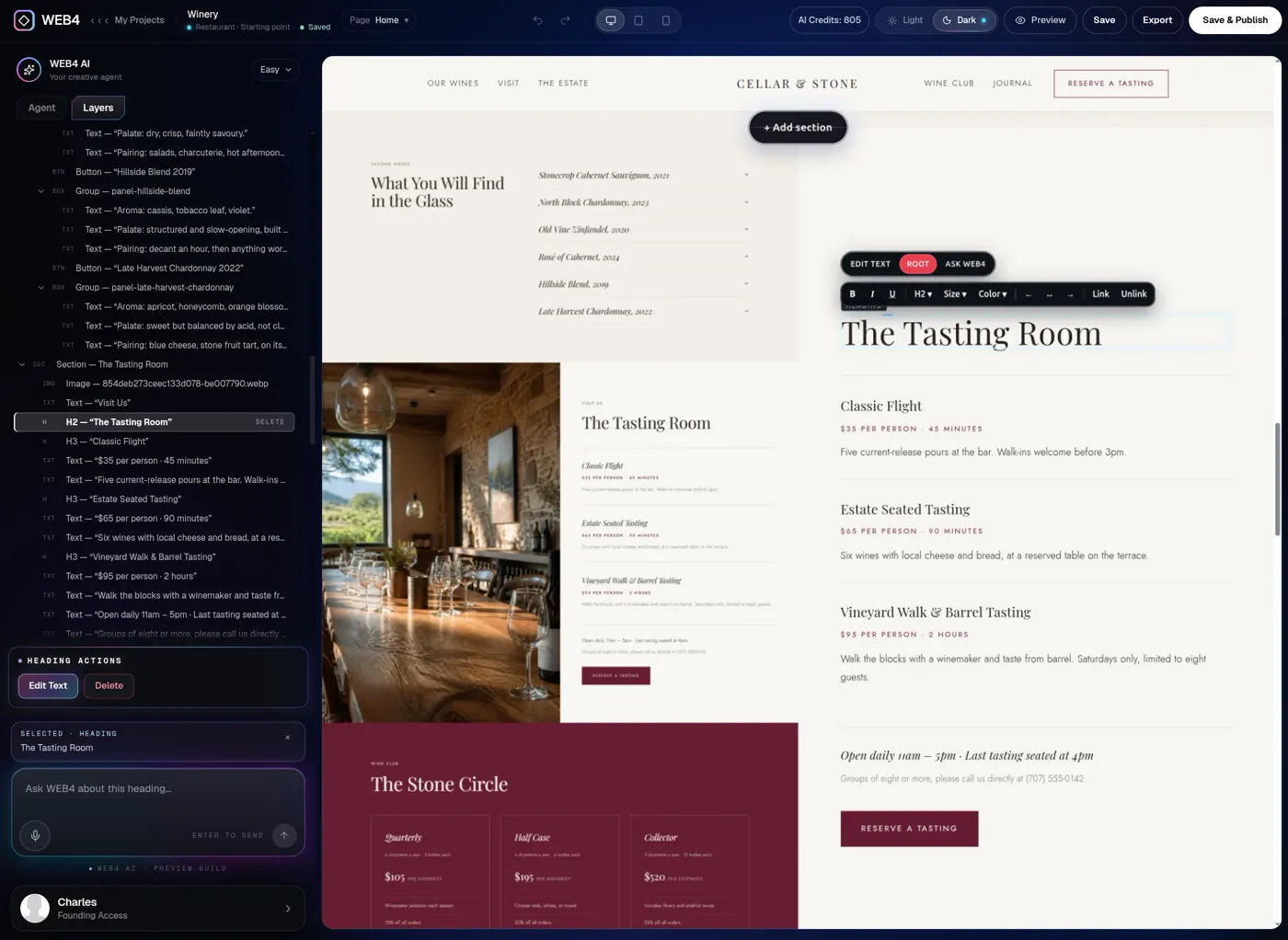 03Edit anything
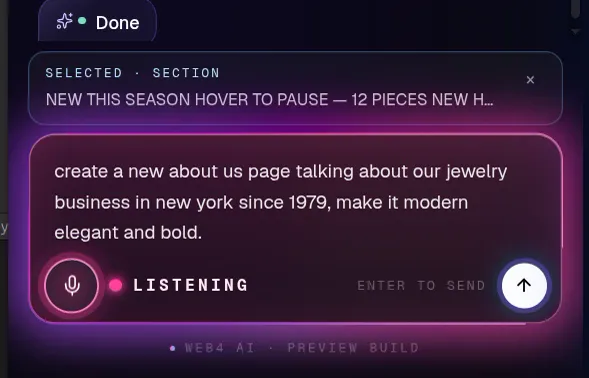 02Ask AI
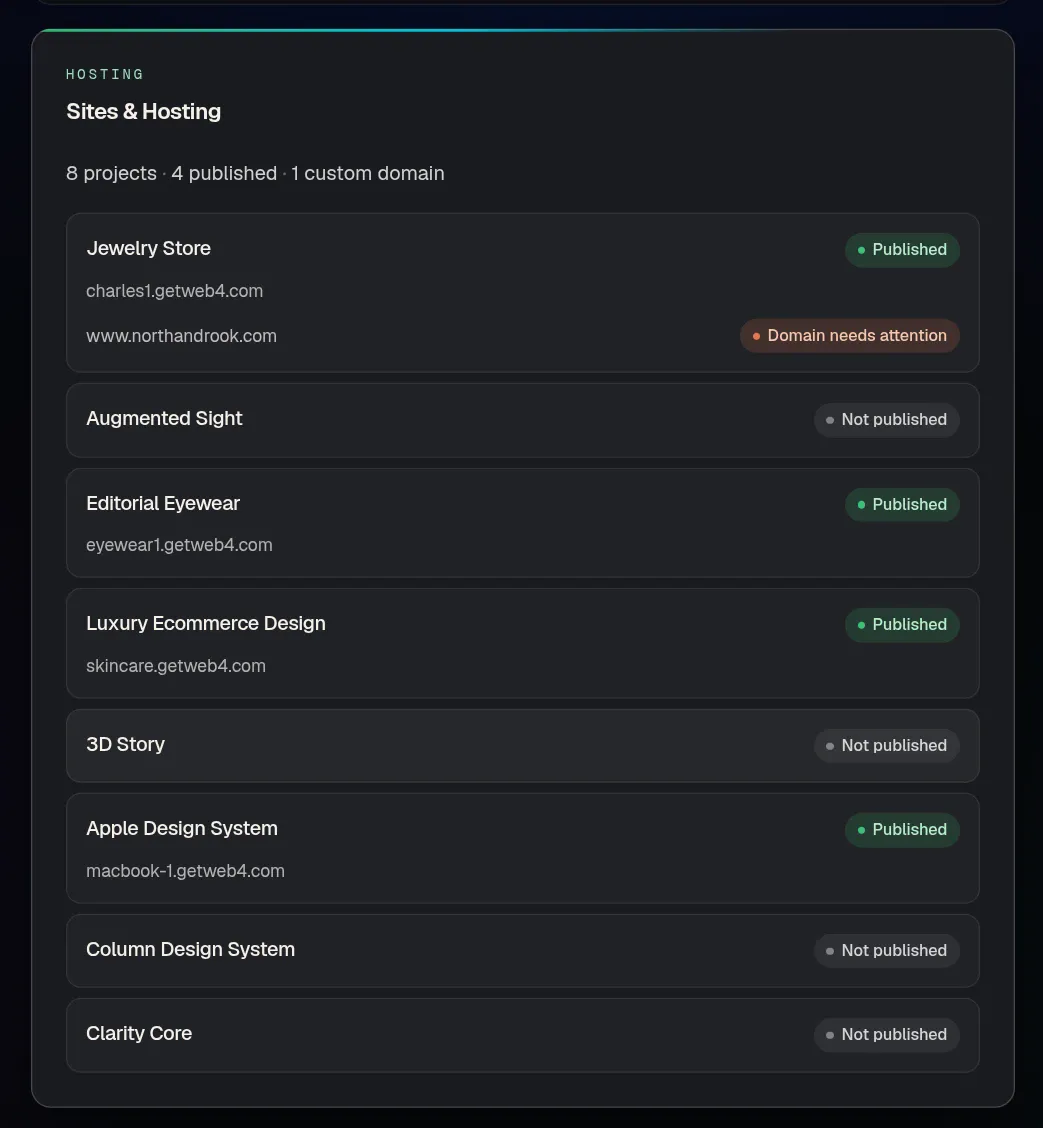 04Publish
Real WEB4 screens: design library, editor, voice prompt, published projects.
01Starting quality
Start from something worth keeping.
A blank prompt shouldn’t be your only starting point. WEB4 is an AI website builder with templates that are real, finished, animated HTML websites, not a mood board. Open one and make it yours.
 Digital DirectorPortfolio
 Framelix 3D StudiosPortfolio
 Boutique HotelBusiness
 Dance StudioBusiness
 Cursor Design SystemSaaS
 Column Design SystemSaaS
 Linear Design SystemSaaS
 Authkit Design SystemSaaS
 Avant StudioPortfolio
 Automotive AISaaS
 RestaurantRestaurant
 Digital ExperiencesPortfolio
 Clarity CoreBeauty
 Liquid Glass AgencySaaS
 BakeryRestaurant
 CateringRestaurant
 FloristEcommerce
 Personal ChefRestaurant
 Real Estate AgentReal Estate
 WineryRestaurant
 ElevenLabs Design SystemSaaS
 Factory.ai Design SystemSaaS
 Custom SpacesBusiness
 Apple Design SystemEcommerce
 Futuristic EyewearEcommerce
 Immersive StudioPortfolio
 Interior DesignPortfolio
 Spa & WellnessBeauty
 Hair SalonBeauty
 Hair SalonBeauty
 Furniture StoreEcommerce
 FloristEcommerce
- Real HTML
- Every design is a working website with its own structure, type and motion.
- Open it, own it
- Choose a design and it opens in the editor as your site, ready to change.
- Any direction
- SaaS, portfolio, ecommerce, restaurant, beauty, real estate and business.
Looking for the best AI website builder for a small business? Start with a design close to your industry.
Create Sites Easily with a Powerful AI Editor
02The question
Generation is the easy part.
What happens after?
Every AI site builder can make a first draft. When you compare AI website builders, the useful test is what you can do with that draft on day two, week two and month six.
The best AI website builder for you depends on how you answer the list on the right. Here is how WEB4 answers it, and how to ask the same questions of any tool. Want the short version first? See how WEB4’s AI website builder works.
- 01Start from something visually strong
- 02Generate real new content with AI
- 03Edit what the AI created
- 04Change individual elements directly
- 05Keep the parts you like
- 06Reopen the site later
- 07Keep evolving it
- 08Preview it on every screen size
- 09Publish it
- 10Use your own domain
- 11Export and own the files
03The buyer’s guide
Seven things to check before you choose an AI website builder.
Use this list on any AI site builder, ours included. Each point has the question to ask, what good looks like, and how WEB4 handles it.
01 / 07
What do you start from?
Ask: Does it begin from polished design options, or always from a blank prompt?
A blank prompt makes every result a gamble on your own wording. Finished starting points let you judge the look before you commit to anything.
How WEB4 handles it
Hundreds of finished HTML designs across SaaS, portfolio, ecommerce, restaurant, beauty, real estate and business. Preview them, pick one, and it opens as your site.
A real WEB4 screen, not a mockup.
Or browse the designs first. No account needed to look.
04AI website builder comparison
A one-shot generator and an editor are different products.
When comparing AI website builders, look at the loop you will actually live in. This is the difference between the two workflows.
One-shot generator
- 1Prompt
- 2Generate
- 3Regenerate
- 4Hope
Fast to a first draft. Every later change is another roll of the dice.
WEB4
- 1PickStart from a finished design
- 2GenerateAsk AI for sections and pages
- 3EditClick anything, change it directly
- 4RefineKeep what you like, change the rest
- 5PublishGo live, add a domain, or export
AI generation plus persistent visual editing. Your site stays a site, not a prompt history.
| Look for | Why it matters | WEB4 |
|---|---|---|
| Finished starting designs | Judge the look before you commit. | Hundreds of real HTML designs, previewed in motion. |
| AI generation | Sections and pages, not only rewritten text. | AI-generated sections, pages, copy, imagery and motion where supported. |
| Natural-language editing | Change the site by describing the change. | Ask WEB4 by text or voice, for the page or for a selected element. |
| Direct visual editing | Fix one thing yourself in seconds. | Click to select, type inline, swap images, edit links. No AI credit used. |
| Layers and structure | See and select what the page is made of. | A Layers inspector with every element in one tree. |
| Persistent projects | Come back and keep going. | Saved projects and pages. Two on the free plan, unlimited with Founding Access. |
| Responsive preview | Check the site before anyone else does. | Desktop, tablet and phone preview inside the editor. |
| Custom domains | Your name on your site. | Connect your own domain with step-by-step DNS help. Founding Access. |
| Code export | The freedom to leave. | Export clean HTML or PHP files. Founding Access. |
| One-time software access | No recurring fee for the editor. | $49 once. AI credits and optional hosting are separate. |
Prefer hands-on proof? See the editor, read how it works as web design software, or read the overview of WEB4’s AI website builder.
05Generation quality
Ask for more than copy.
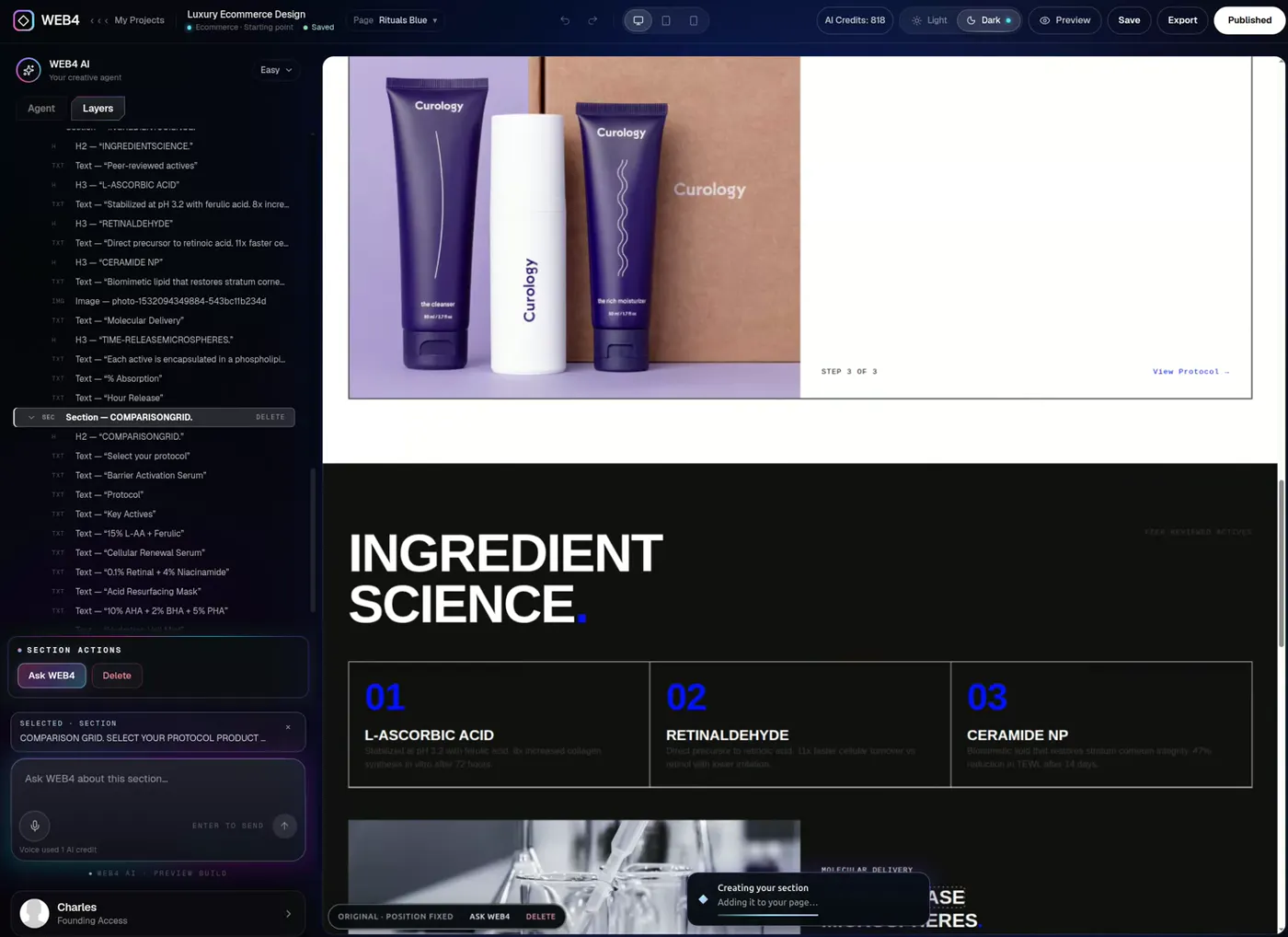
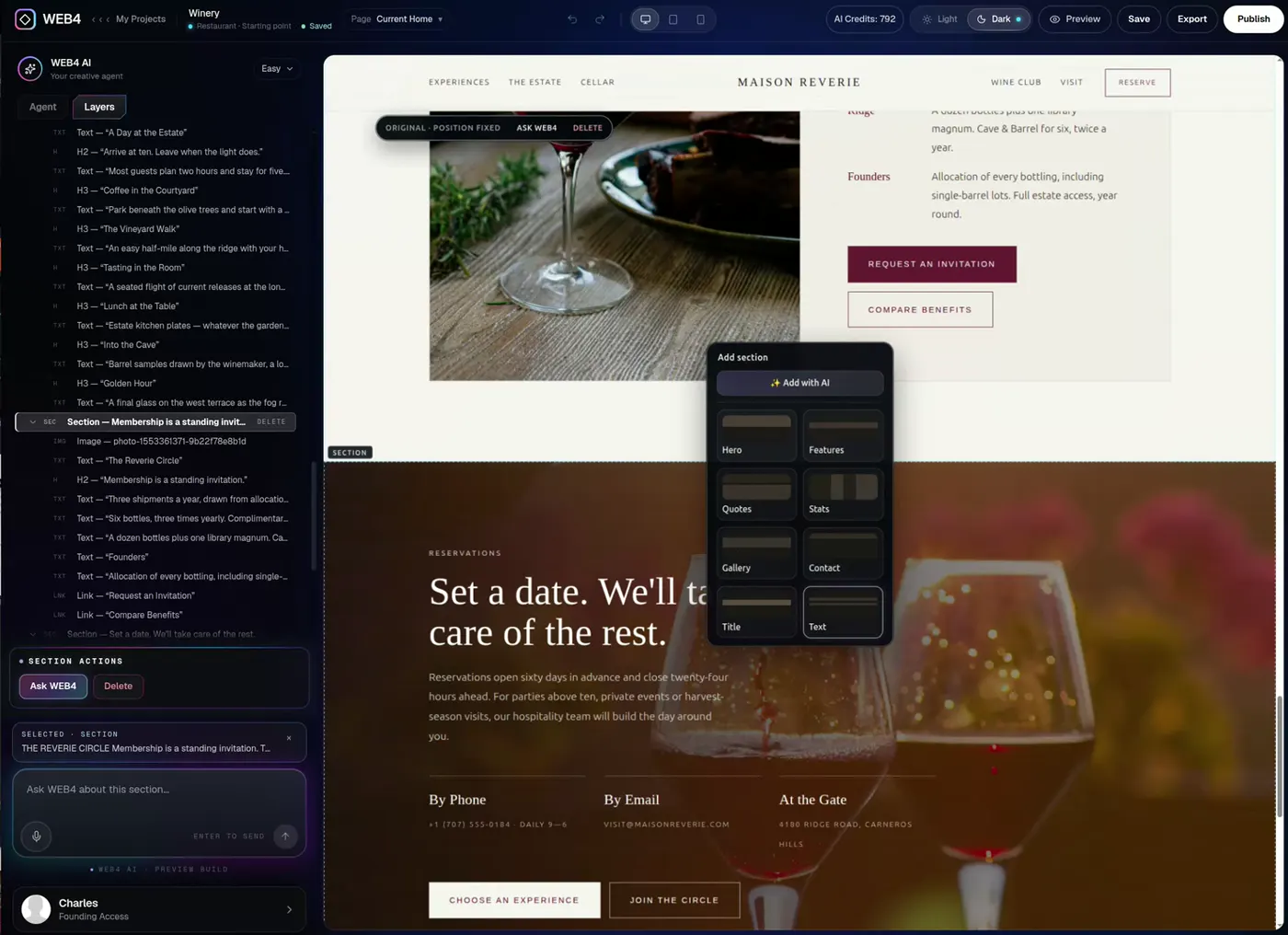
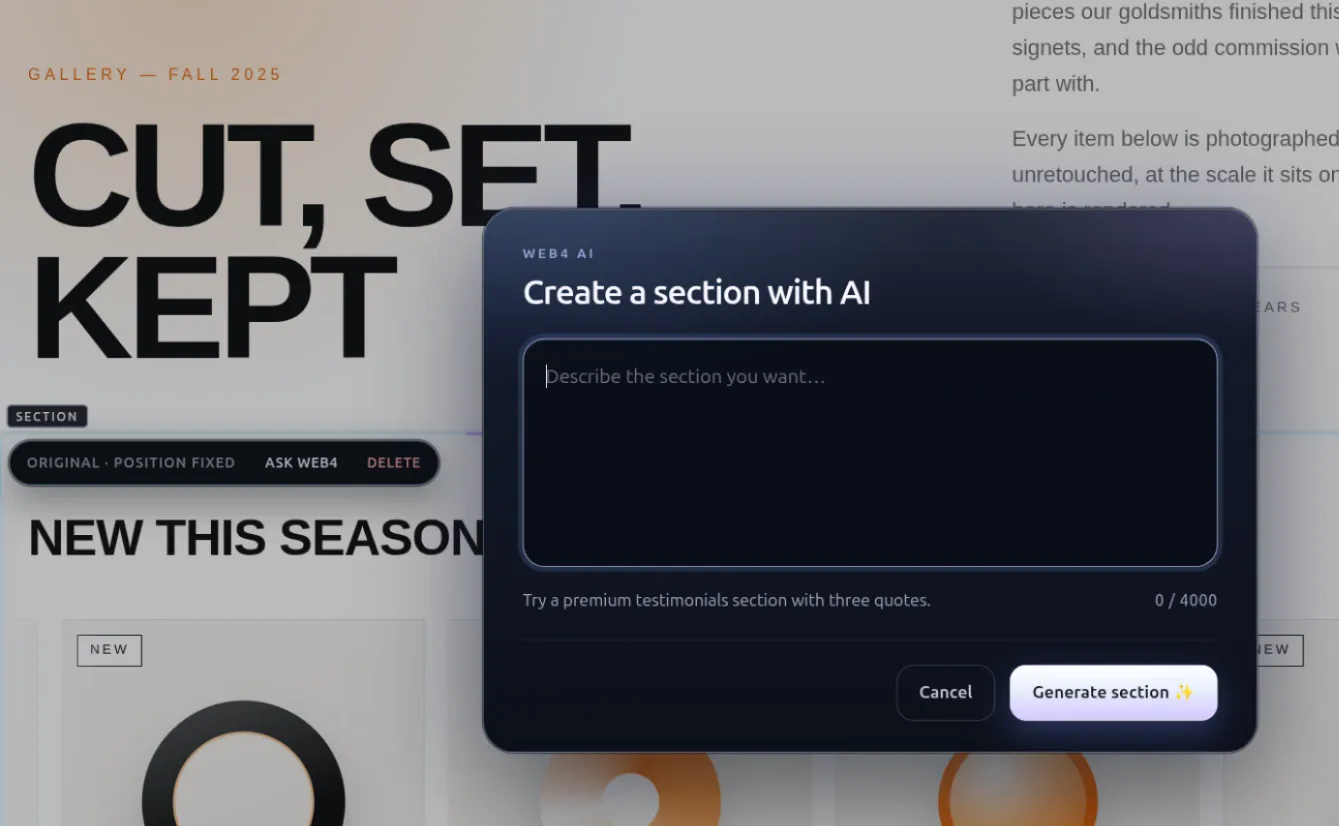
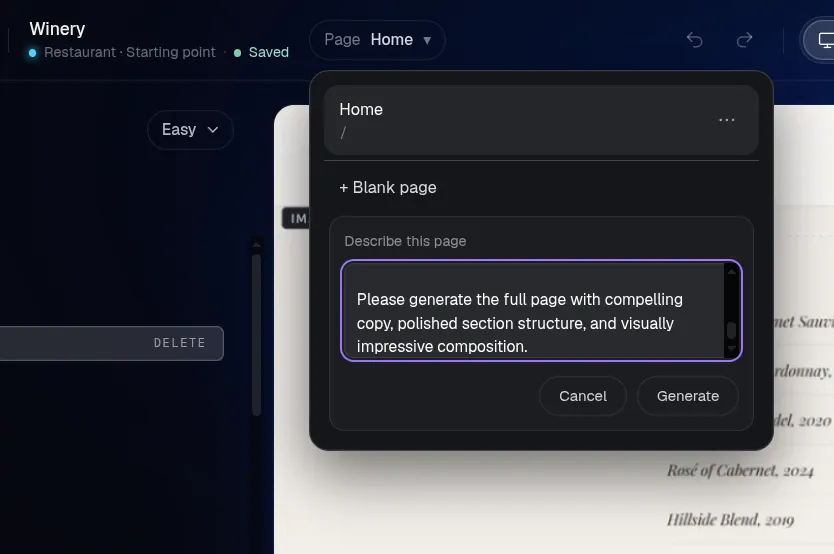
A best-in-class AI website generator should add real structure. In WEB4 the AI contributes layout, sections, copy, imagery and motion where supported, then hands you the result to keep editing.
01 · A new section
Add an animated interactive gallery here.
02 · A whole page
Build a page for our wine club.
03 · A different medium
Turn this image into a video.

Three ways to ask.
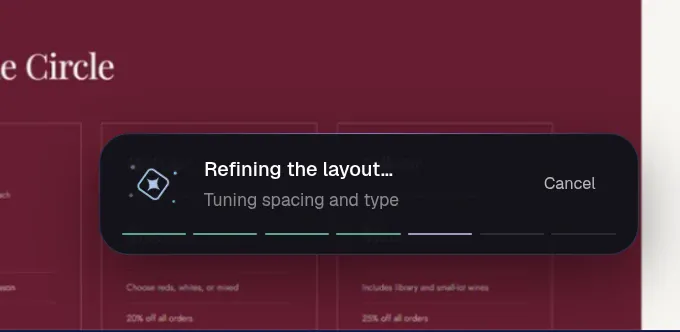
Describe a section, describe a page, or say it out loud. The AI works on your real site and shows progress while it does. Anything it makes can be edited like the rest of the page.
WEB4 AI actions use credits. Founding Access includes 1,000 starter credits. Always review generated copy and facts before you publish.
06Editing after generation
Generation gets you started. Editing gets you finished.
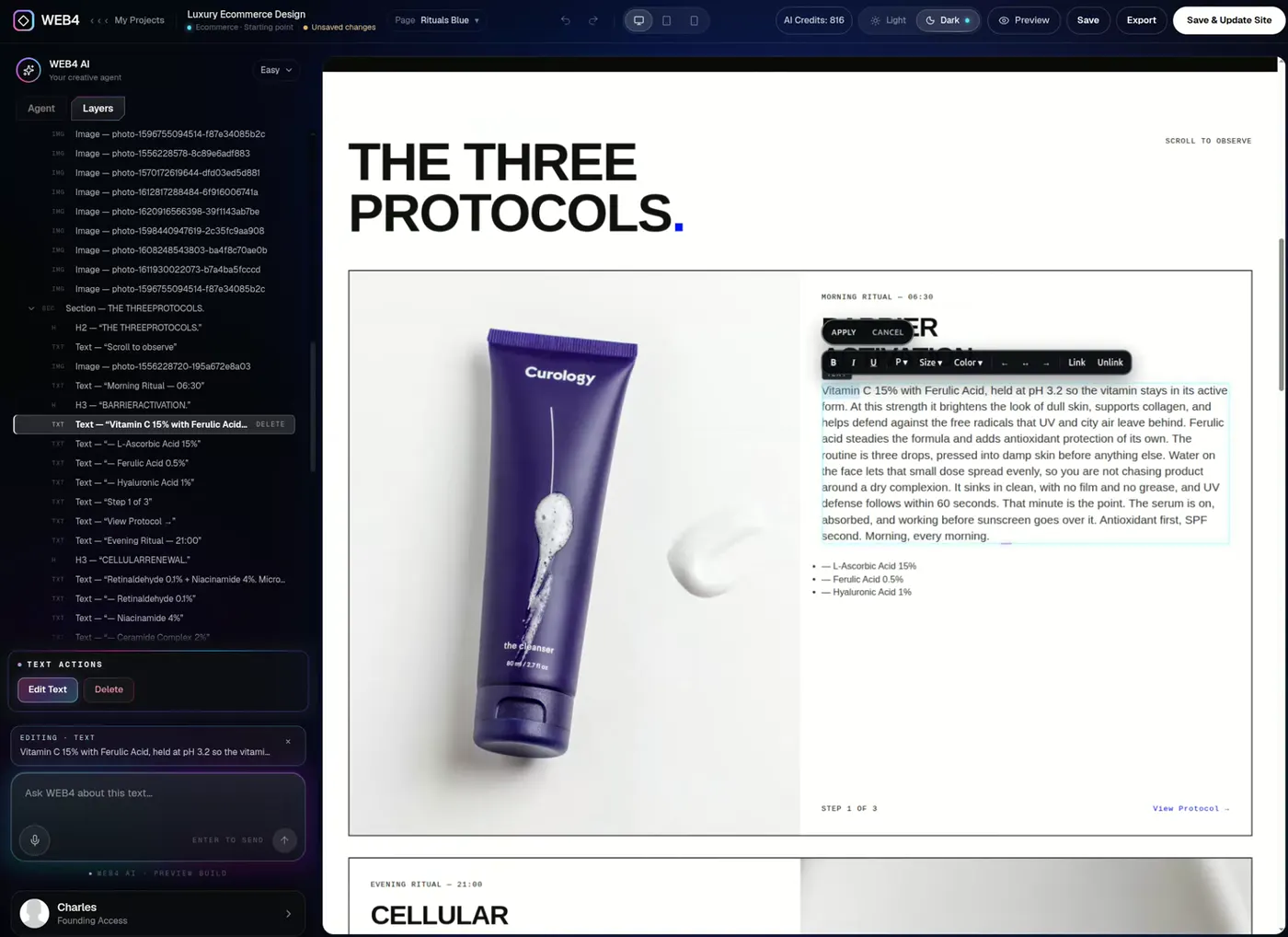
The AI is inside an editor. It is not the entire product. That is why you can change one heading, move one section or swap one image without disturbing the rest. It’s a visual AI website builder with direct control, and a web design software workflow behind it.
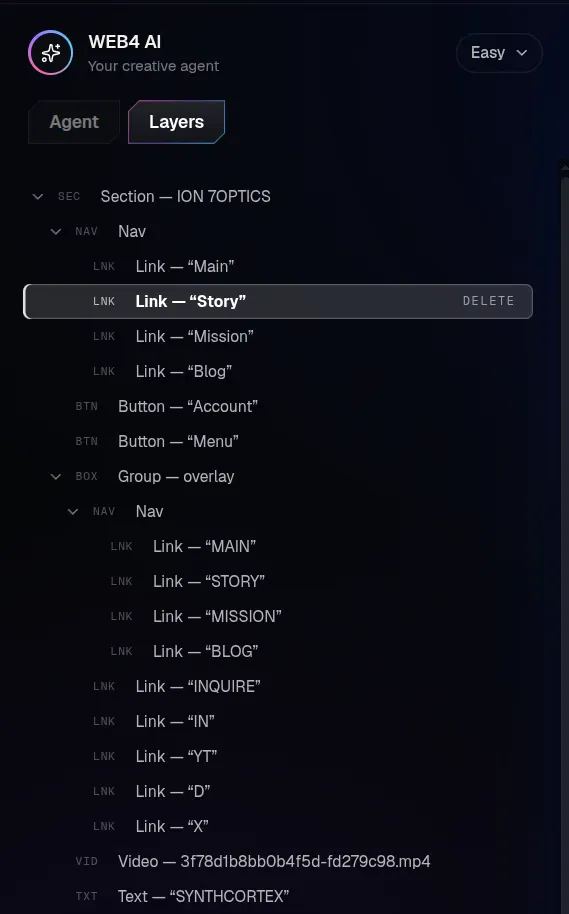
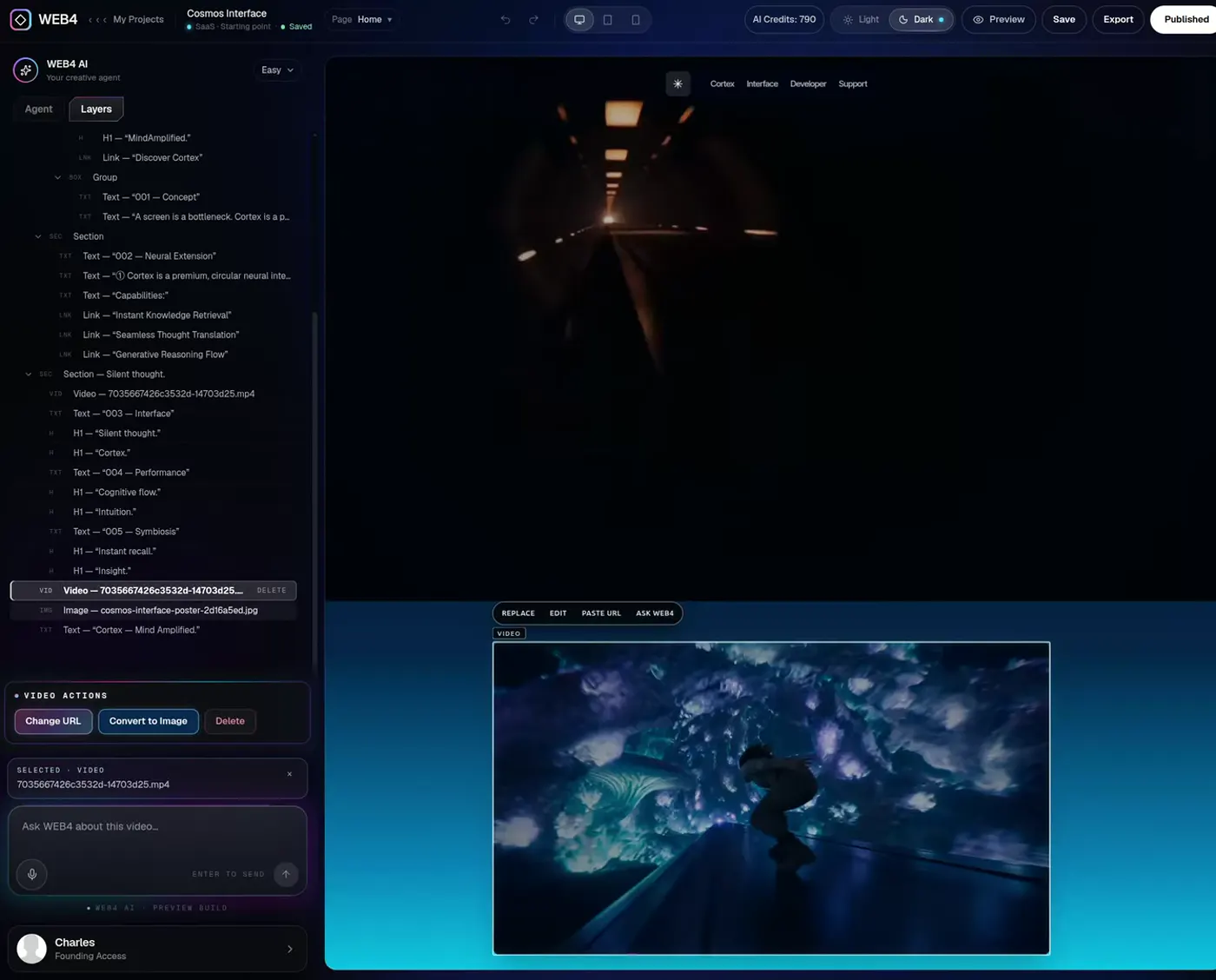
- 1LayersEvery element in one tree. Pick it here or on the page.
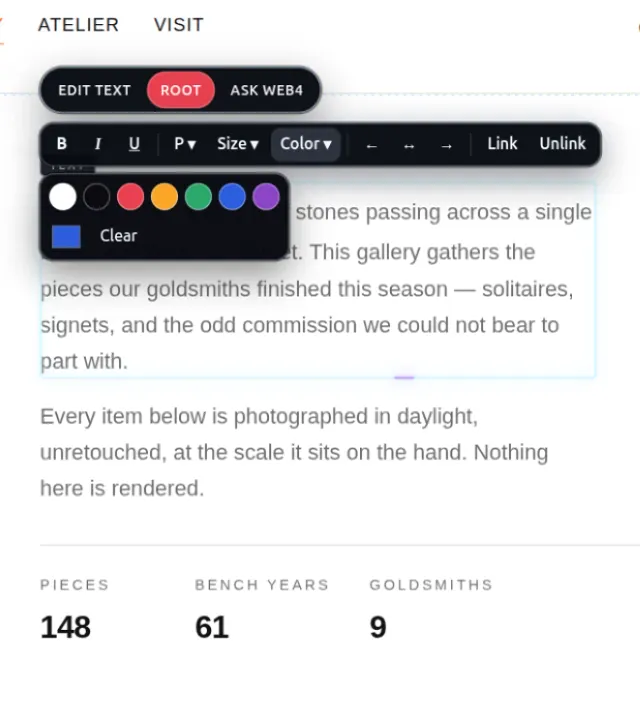
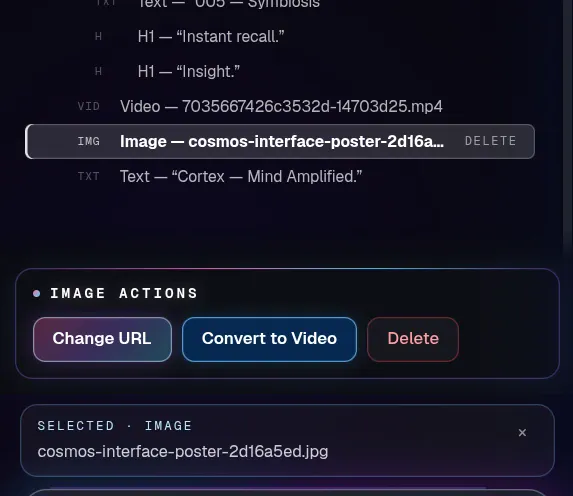
- 2Direct selectionClick a heading, image or link. Edit text, or choose Root or Ask WEB4.
- 3Ask WEB4 about the selectionChange only what you selected. Nothing else moves.
- 4Preview every sizeSwitch between desktop, tablet and phone previews.
- 5Save, export, publishYour site persists. Export and publish are Founding Access.
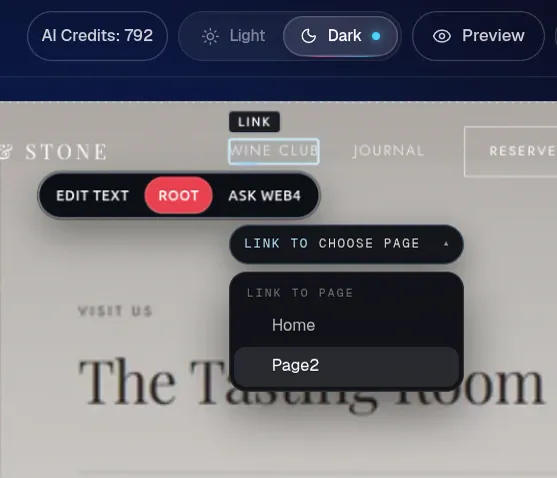
Click anything. Change everything.
Direct editing never spends an AI credit, so a saved project stays fully workable even when you are out of credits.
Editing is designed for a tablet, laptop or desktop. On a phone you can browse and preview, then continue on a larger device.
07The real flow
Choose first. Sign up second.
Pick the site before you create the account. The design you chose opens in the editor, and you only unlock AI when you want it.
01
Browse designs
Preview hundreds of finished designs in motion. No account needed.
- Preview design
02
Preview one
Open any design in its own page and look at the real site.
- Use this design →
03
Use this design
One button. Your choice travels with you through sign-in.
- Sign in
04
Sign in
Choose first, sign up second. The design you picked is waiting.
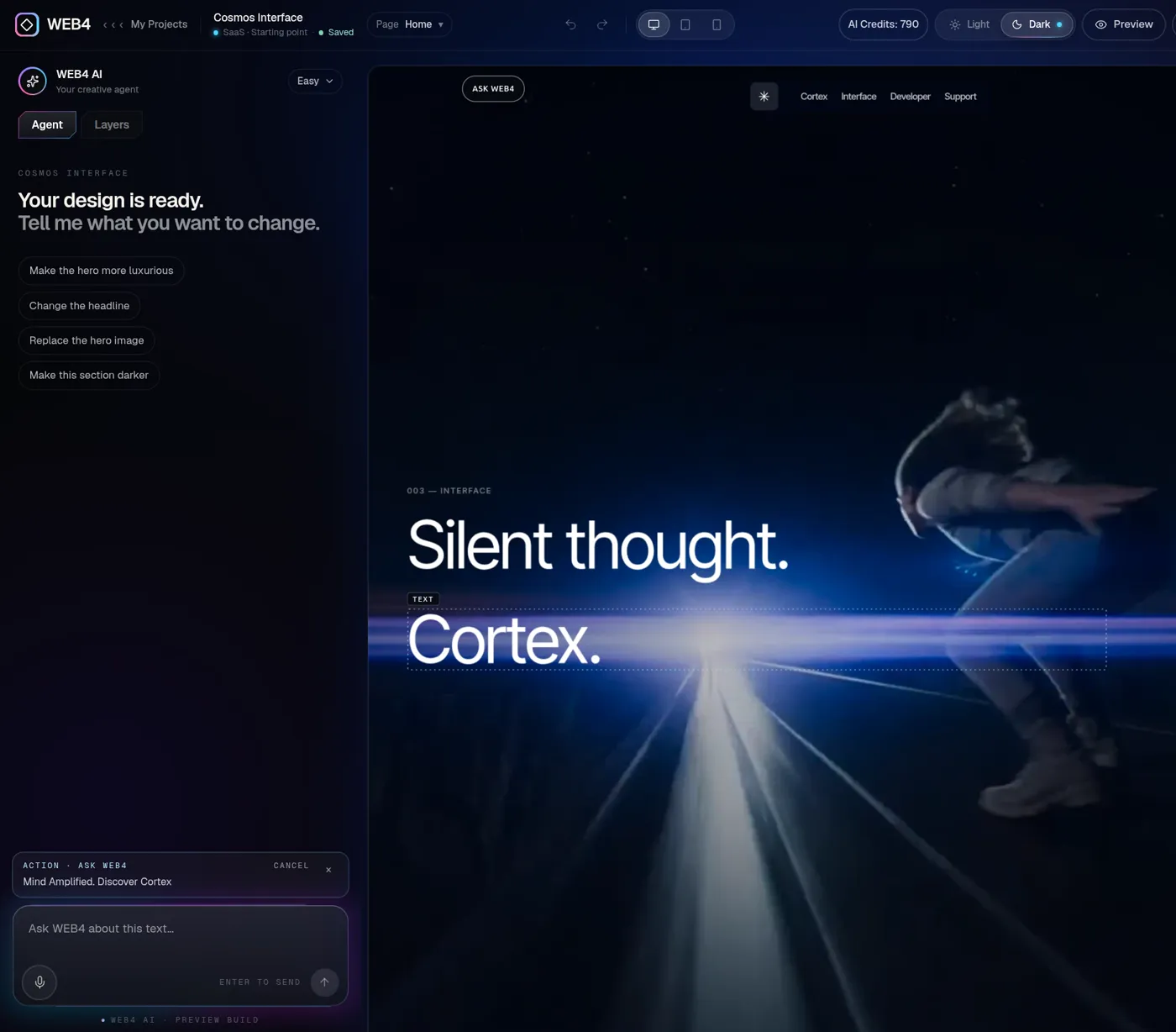
05
Editor opens with it
Your design opens in the real editor, ready to change.
06
Edit by hand
Layers, inline text, images and links. Free to explore.
- Founding Access — $49
07
Unlock AI when needed
Ask WEB4 for sections and pages with Founding Access.
08
Publish
Go live, add your domain, or export the files.
Try the editor before you buy
Free
- Browse and preview the designs
- Choose a design and sign in
- Save up to two projects
- Open the real editor and inspect Layers
- Edit by hand where supported
AI actions, publishing and export ask for Founding Access. The free experience doesn’t include free AI generations. Pick a design to start.
When you’re ready
Founding Access — $49
- Edit with WEB4 AI: sections, pages, copy, imagery
- Unlimited websites and saved projects
- Publish to a WEB4 address or your own domain
- Export HTML and PHP files
08Publishing and ownership
Build it here. Put it wherever it belongs.
If you are weighing an AI website builder with export or an AI website builder with a custom domain, this is the part to test. WEB4 lets you publish, connect your domain, or take the files and host them yourself.
01
Preview
Check desktop, tablet and phone views in the editor.
02
Save
Projects persist. Reopen them and keep editing.
03
Publish
Go live on a WEB4 address.
04
Your domain
Connect your own with step-by-step DNS help.
05
Export
Download HTML or PHP files and host anywhere.
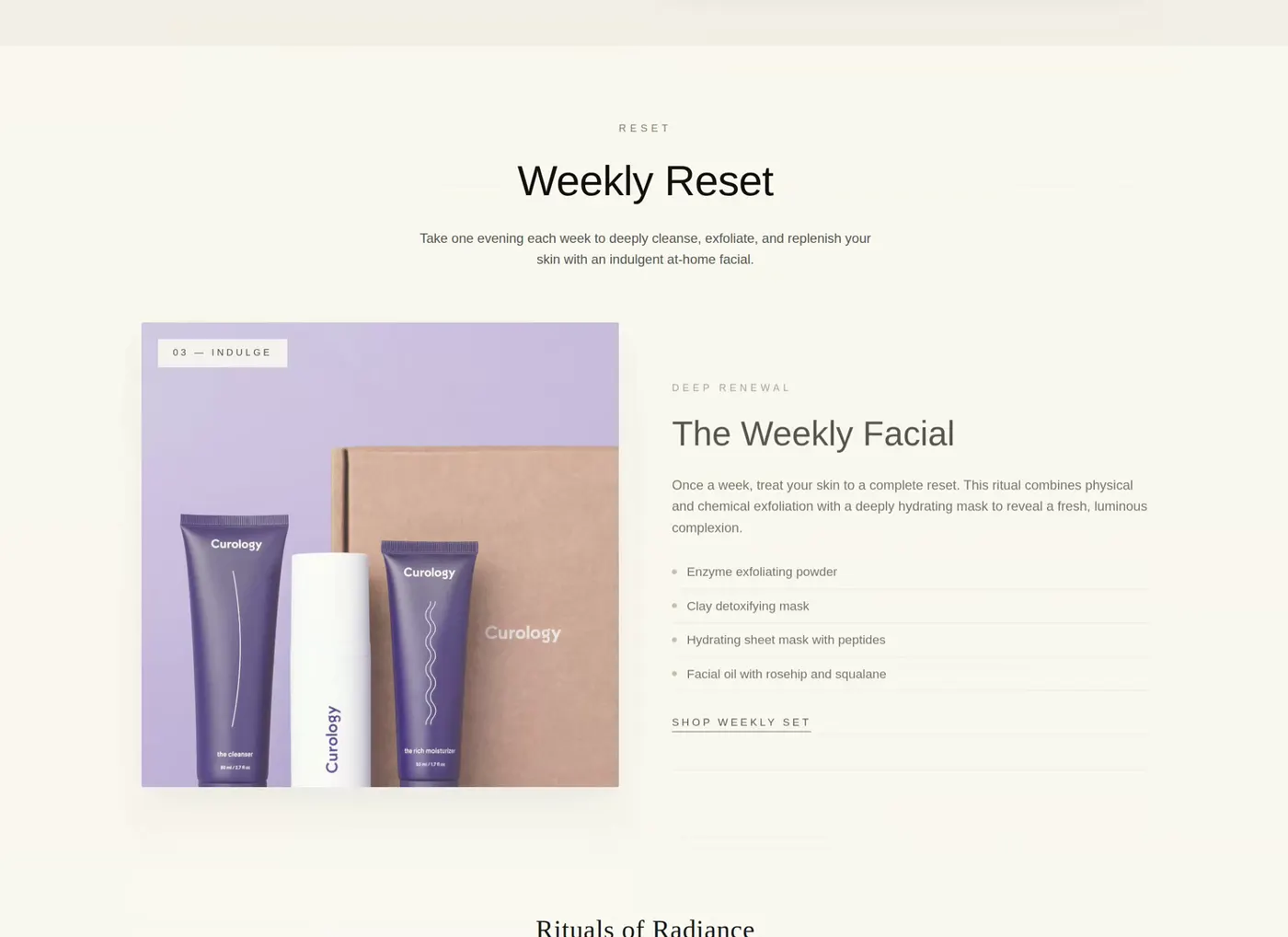
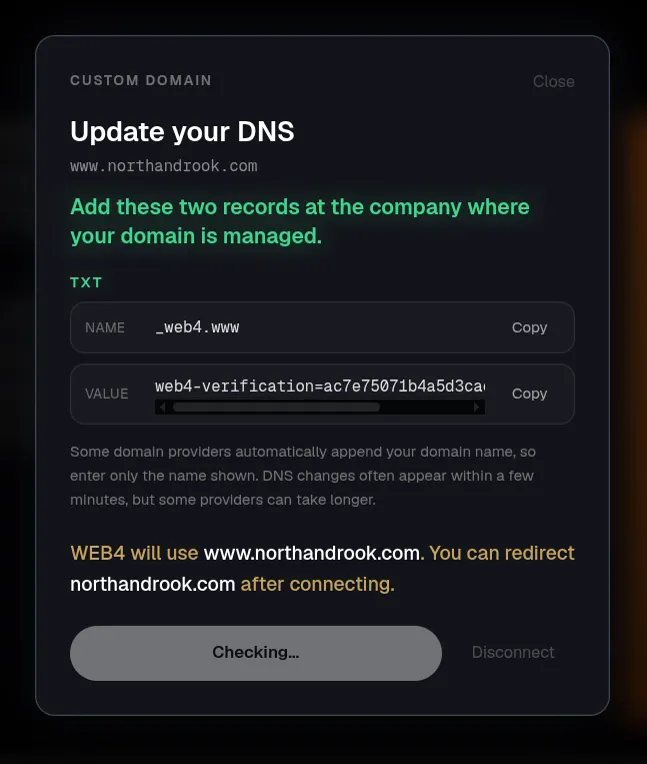
Publishing, custom domains and export come with Founding Access. Optional managed hosting is priced separately, and you can export and host elsewhere.
09An honest fit check
Is WEB4 the best AI website builder for you?
Maybe. Maybe not. Here is where it is strong, and where another tool may suit you better.
Strong fit if
- You care how the site looks and want to start from a finished design
- You want AI to generate real sections and pages, and still edit them by hand
- You want to keep working on the same site for months, not one launch
- You prefer a one-time software payment to a monthly editor subscription
- You want a custom domain, or the exported files, when the site is ready
Consider something else if
- You need a full-stack application with user accounts and a database. WEB4 builds websites, not backends.
- You want to edit on a phone. Browsing and previews work on mobile, but editing needs a tablet, laptop or desktop.
- You want unlimited AI included. Starter credits are included; additional AI usage is sold separately.
What does “best” mean for your workflow?
WEB4 isn’t automatically best for every one of these. Use the priorities to judge any AI website builder for business, client work or personal projects. Searching specifically for small business? Start with a design close to your industry.
Design-focused users
Prioritize: Starting quality and visual control
Begin from a finished design, then change type, imagery and sections by hand or by asking.
Small businesses
Prioritize: Speed, your own domain, easy edits
Pick a close match, rewrite the details, connect your domain and keep editing as things change.
Freelancers
Prioritize: Repeatable production and export
Start each client from a different finished design and hand over exported files when the job is done.
Non-coders
Prioritize: Talking and clicking, not code
Describe a change in plain English, or click the element and change it yourself.
Agencies
Prioritize: Speed, reusable workflow, client-ready output
A consistent route from design to editor to published site, with exportable results.
10How to choose
How to choose the best AI website builder in 2026
Whether you are comparing the top AI website builders or just starting your search, ten questions cover most of it.
More on how it works: WEB4 as an AI website builder. Want to try before paying? There is a free plan, and a small business guide. To see the editing side, watch how you talk to your website to change it.
01What type of website are you making?
A portfolio, a restaurant, a SaaS landing page and a shop all need different starting points. Check whether the builder has finished options for your kind of site, or only a text box.
02Do you want generation or ongoing editing?
If the site is a one-off, generation speed matters most. If it will change every few weeks, editing control matters more. Most real websites are the second kind.
03Can you edit individual elements?
Try to change one heading and one image without touching anything else. A tool that can only regenerate the whole page will cost you time on every small fix.
04Does the site persist?
Close the tab and open it tomorrow. You should land back in the same project with every edit intact, not at a blank prompt.
05Can you start from good designs?
Strong starting points beat clever prompts. Look at the quality of the defaults, not the demo reel.
06Can you export the code?
Export is your exit door. Check which formats you get, and whether export is part of the plan you are buying.
07Can you use your own domain?
A site on your own domain builds trust and keeps your address if you ever change tools. Check how the DNS setup is explained.
08What happens when AI credits run out?
You should be able to keep working. With WEB4, direct editing never uses credits, so a saved project stays fully editable. Additional credits are sold separately when you want more AI.
09Is the pricing a subscription?
Separate the editor from the metered parts. A one-time access fee plus pay-as-you-go AI is a very different cost over two years than a monthly plan.
10Can you keep working without AI?
AI should accelerate you, not gate you. Confirm that the visual editor still works when you are out of credits or choose not to use any.
11Pricing
An AI website builder without a monthly software fee.
Pay once for Founding Access. Add AI credits only when you need them, and hosting only if you want it. Compare that with any monthly plan you are considering.
Founding Access
$49one-time
1,000 starter WEB4 AI credits included
Additional AI usage is sold separately. Optional managed hosting is separate too.
See full pricing. Editing is designed for a tablet, laptop or desktop.
- 1,000 starter WEB4 AI credits
- Unlimited websites and saved projects
- Edit with WEB4 AI: sections, copy, images, pages
- Layers inspector and direct element editing
- Publish to live WEB4 URLs
- Connect your own custom domain
- Export clean HTML / PHP anytime
For context only: custom websites from agencies and freelancers vary widely in price, often from hundreds to thousands of dollars, and ongoing edits are usually extra. Your costs depend on your project. Start free first: browse designs and explore the editor with up to two saved projects. AI, publishing and export need Founding Access.
Choosing an AI website builder: questions, answered.
Straight answers about comparing, editing, owning and paying.
What is the best AI website builder?
The best AI website builder depends on what you need. Look at generation quality, editing control, persistent projects, publishing options, ownership and export, and pricing. WEB4 is designed for people who want AI generation inside a real visual editor rather than a one-shot generator.
How do I choose an AI website builder?
Start with what happens after the site is generated. Check whether you can edit individual elements, reopen the project later, start from a good design, publish on your own domain, export the files, and whether continued use needs a monthly subscription.
What should I look for in an AI website builder?
Seven things: the quality of what you start from, the quality of what the AI generates, how you edit afterwards, whether you can change one thing without regenerating everything, whether projects persist, whether you can publish and own the result, and the pricing model.
Can AI build a professional website?
AI can generate professional-looking sections and pages quickly, especially when it starts from a strong design. You should still review the result, correct details for your business and preview it on desktop, tablet and phone before you publish.
Can I edit an AI-generated website after it is created?
It depends on the builder. In WEB4 you can ask the AI for changes in plain English, or click an element and edit it directly: type into text, replace an image, change a link, or move and delete a section. Saved projects reopen with your edits.
Which AI website builders let you export your website?
Export support varies, so check before you commit. WEB4 supports exporting HTML and PHP files with Founding Access, so you can host the site wherever you like.
Can I use my own domain with an AI website builder?
Some can, some cannot, and some charge extra. In WEB4, Founding Access lets you publish to a WEB4 address or connect your own custom domain, with step-by-step DNS instructions.
Do AI website builders require coding?
No. WEB4 is a no-code builder: pick a design, describe changes or click to edit, then publish. If you do write code, you can export clean HTML or PHP files.
Does WEB4 have a free version?
You can start free. The free experience lets you browse designs, choose one, save up to two projects, open the real editor and explore it, including the Layers inspector and manual editing. WEB4 AI actions, publishing and export require Founding Access.
Can I try WEB4 before paying?
Yes. You can pick a design, sign in and use the editor before you pay anything. The free experience does not include free AI generations, so it shows you the editor itself rather than spending paid AI usage on every visitor.
Does WEB4 include AI credits?
Founding Access includes 1,000 starter WEB4 AI credits. Additional AI usage is sold separately. Direct editing, such as typing into text or swapping an image, does not spend credits.
Is WEB4 a subscription?
Founding Access is a one-time $49 payment with no monthly software fee. Additional AI credits and optional managed hosting are priced separately, and you can export your site and host it elsewhere.
Can WEB4 generate complete sections and pages?
Yes. Describe a section, such as an animated gallery, or a whole page, such as a wine club page, and WEB4 designs the layout, copy and imagery and places it into your real site. New pages are linked into your navigation, and everything stays editable.
Can I edit my WEB4 site without using AI?
Yes. The visual editor works on its own: select elements in the page or the Layers tree, edit text inline, replace images, change links, and reorder or delete sections. None of that spends AI credits.
Is WEB4 designed for mobile editing?
No. You can view this site and website previews on a phone, but the editor is designed for a tablet, laptop or desktop, and shows a message asking you to continue on a larger device.
A good AI builder generates a site.
A great one lets you keep working on it.
Pick a design. Talk to it. Publish it. $49 once, with 1,000 starter AI credits.
One-time payment · additional AI usage and optional hosting are separate
Or browse the designs first