Try it before you buy it
Looking for a free AI website builder?Start with the website. Free.
Browse finished designs, open one in the real WEB4 editor, change it by hand and save up to two projects for free. Unlock WEB4 AI when you want it to start doing the work for you.
Free: browse, edit by hand, save 2 projects.
Founding Access, $49 one-time: WEB4 AI, publishing, your own domain and export. Free accounts have no AI, publishing or export.
 Free
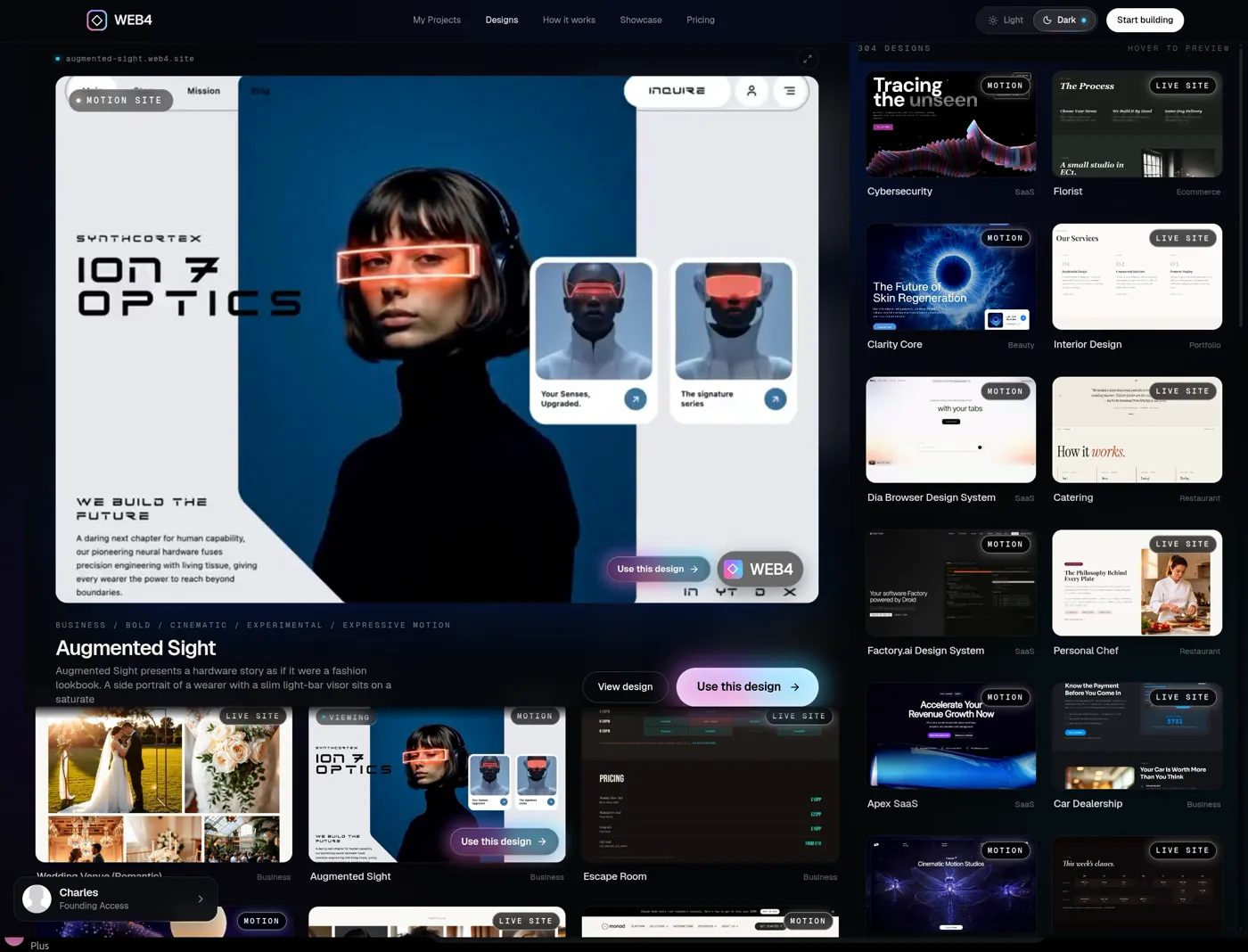
FreeThe real WEB4 designs library. Browse and preview finished websites.
01What’s free, exactly
What can I actually do for free?
You should be able to see whether a website builder is good before paying for it. Pick a tab to see what is free, and what waits for Founding Access.
FreeReal WEB4 screens. Anything marked Founding Access needs it, even where a screen shows the control.
Free
- Browse finished designs
- Preview designs
- Open the real editor
- Edit manually
- Use Layers
- Save up to 2 projects
Founding Access · $49 one-time
- WEB4 AI
- Unlimited projects
- Publish
- Custom domain
- Export HTML / PHP
Create Sites Easily with a Powerful AI Editor
02Before you trust a free plan
Free is only useful if you can actually test the product.
“Free” can mean a real product or a locked door with a nice sign. Eight questions to ask of any website builder, with WEB4’s honest answers. Comparing tools? Read what to look for in the best AI website builder.
01
Can you see real designs before signup?
Yes. Browse and preview finished WEB4 designs with no account.
Free
02
Can you actually enter the editor?
Yes. Choose a design, sign in, and that exact design opens in the real editor.
Free
03
Can you change the site yourself?
Yes. Text, images, links, sections and Layers all work by hand.
Free
04
Can you save your work?
Yes. Free accounts can save up to two projects.
Free
05
What happens when you want your own domain?
Connecting a custom domain is part of Founding Access.
Founding Access
06
Can you export the site?
HTML and PHP export is part of Founding Access. Free accounts cannot export.
Founding Access
07
Is the AI truly free, or just a trial?
Neither. Free accounts have no WEB4 AI at all. We would rather say so than hand you a few credits and a countdown.
Founding Access
08
What does it eventually cost?
Founding Access is $49 one-time, with $99 soon. Additional AI usage and optional managed hosting are separate.
$49 one-time
WEB4’s answer: test the actual creating and editing experience before you buy.
03How you get started
Choose first. Sign up second.
You see the value before you’re asked for anything. The design you pick is waiting in the editor after you sign in. Steps one to six are free; the seventh is where Founding Access starts.
01
FreeBrowse designs
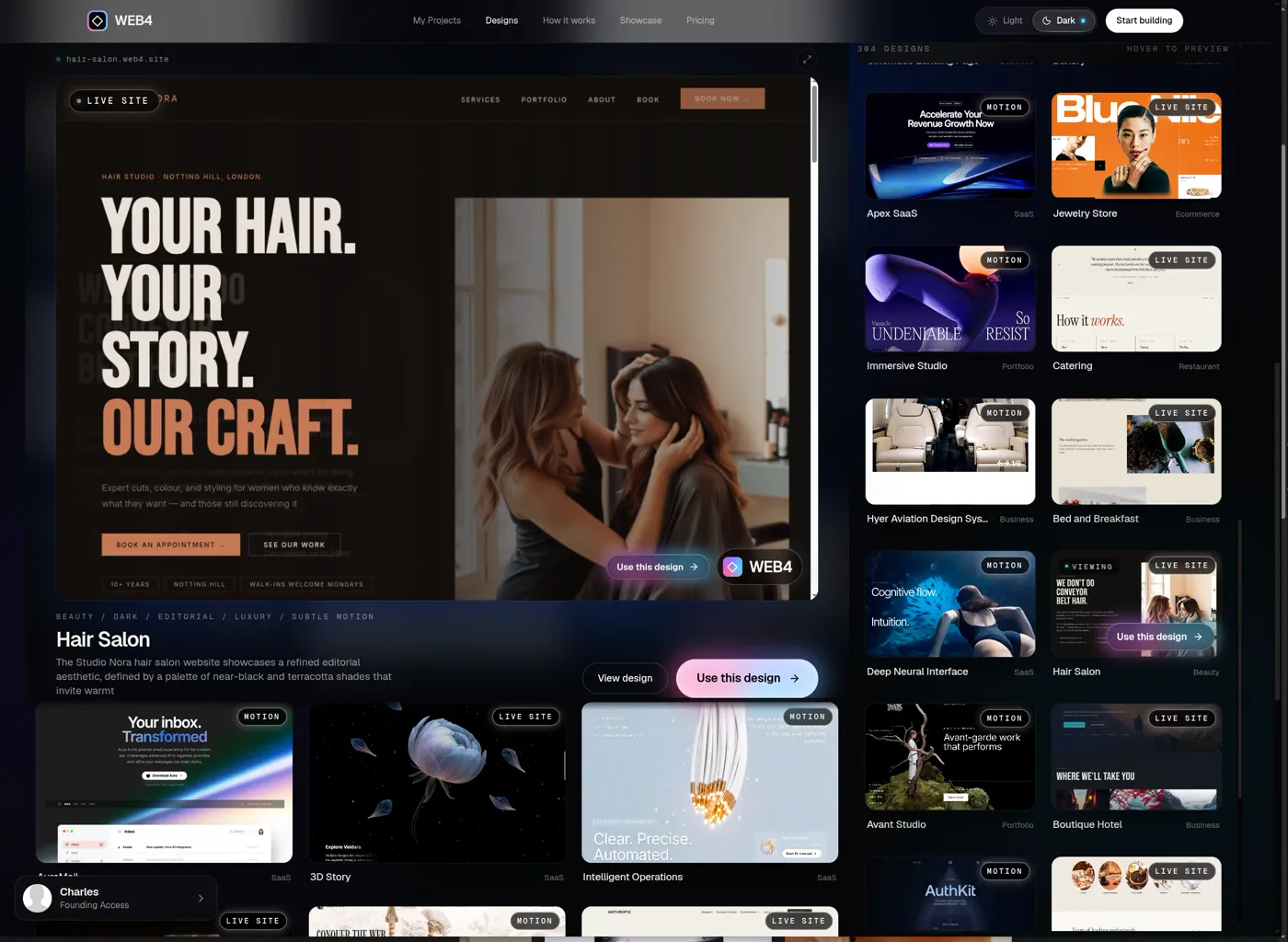
Preview finished websites in motion. No account needed to look.
02
FreePreview one
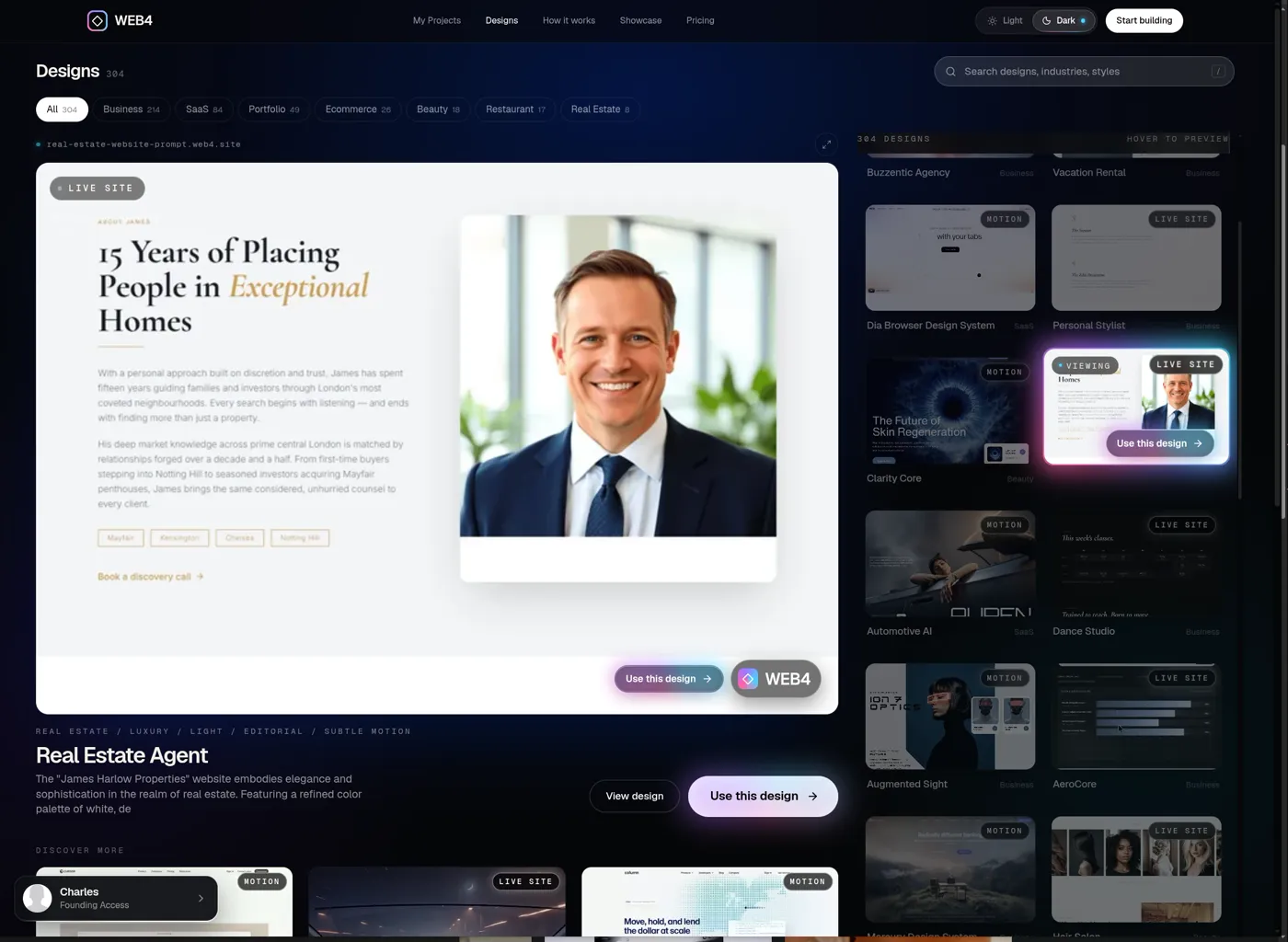
Open any design on its own page and look at the real site, top to bottom.
- Use this design →
03
FreeChoose it
One button. The design you picked travels with you through sign-in.
- Continue with Google
04
FreeSign in
You already chose your site. Sign-in is just how WEB4 saves it for you.
05
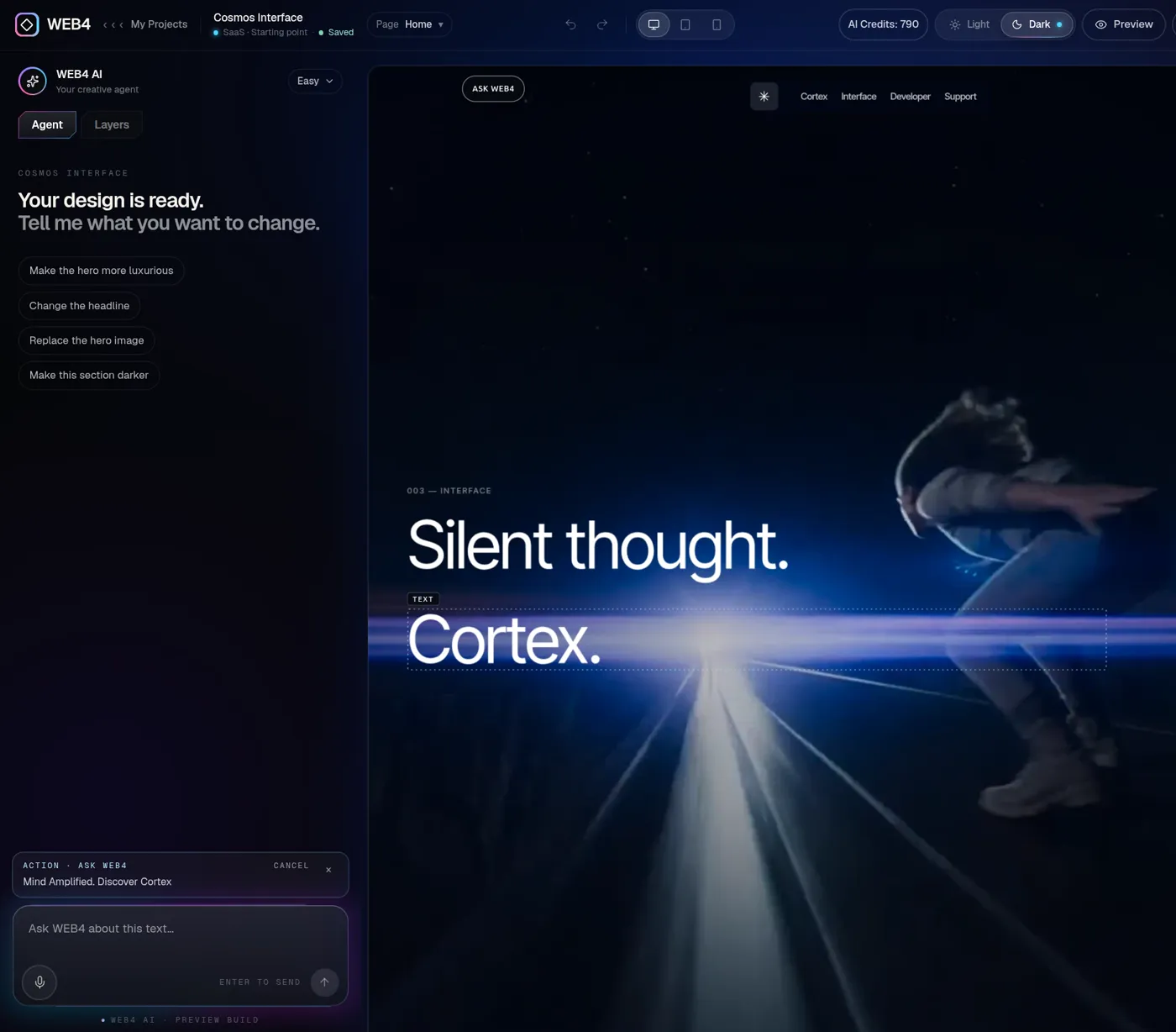
FreeYour exact design opens
It lands in the real editor, ready to change.
06
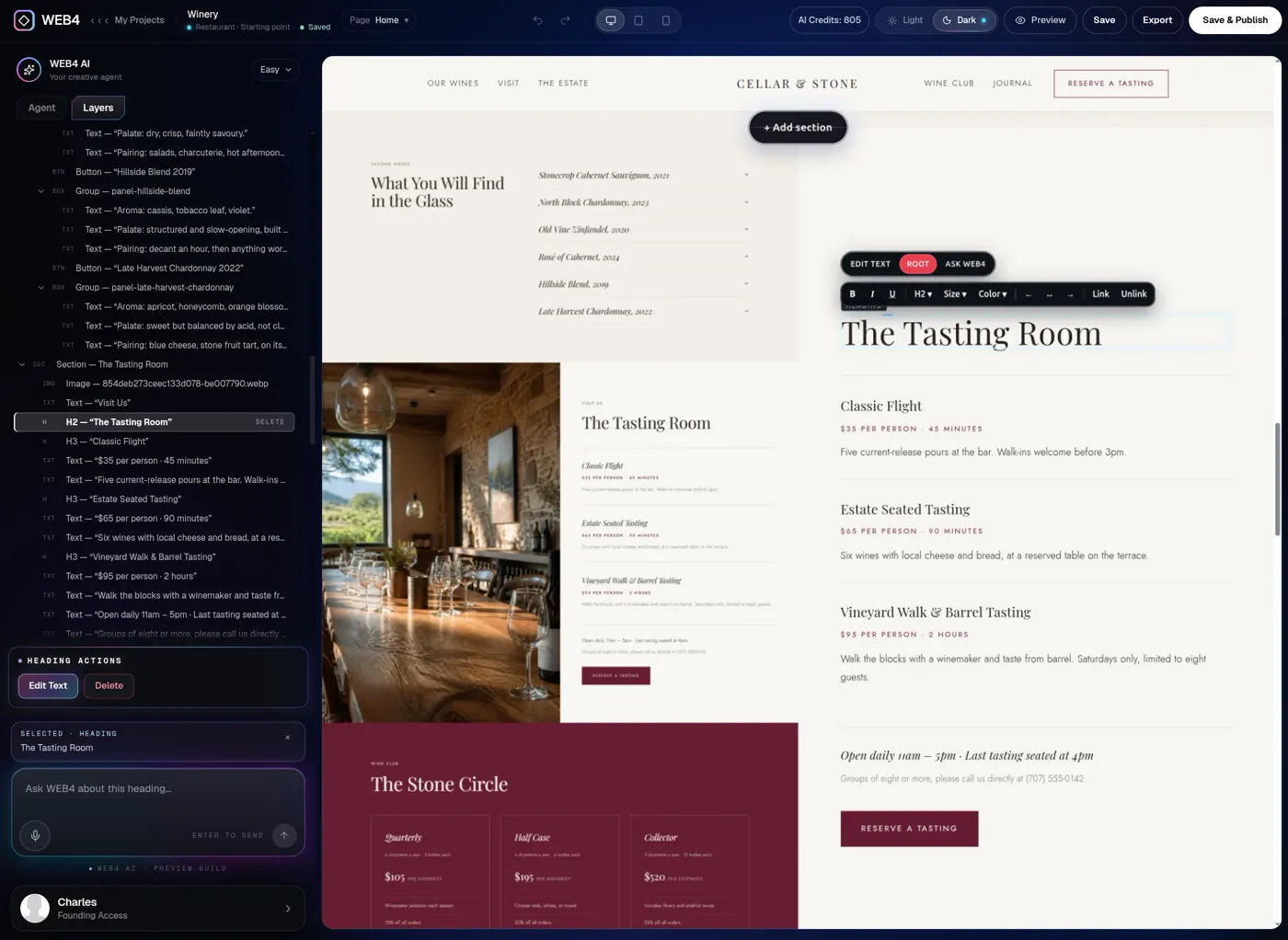
FreeEdit manually, for free
Click text, swap images, open Layers, save up to two projects.
07
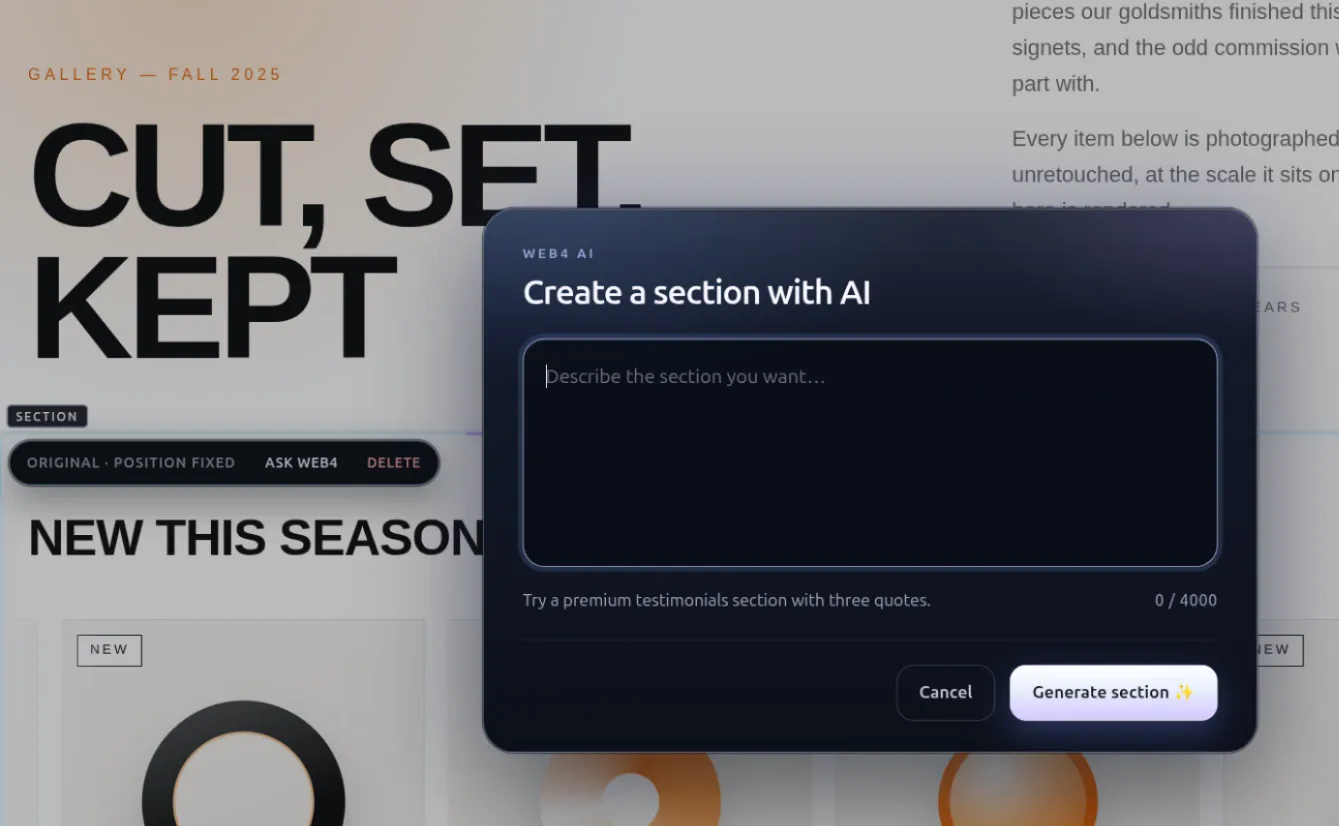
Founding AccessWant AI? Unlock it.
WEB4 AI, publishing, your domain and export arrive with Founding Access.
- Start free
Your turn
Steps one to six cost nothing.
No account needed to look around.
04The free editor
The editor isn’t the demo. It’s the product.
Free accounts get the same working editor, not a cut-down preview. It’s closer to web design software than a prompt box: you click what you want to change and change it.
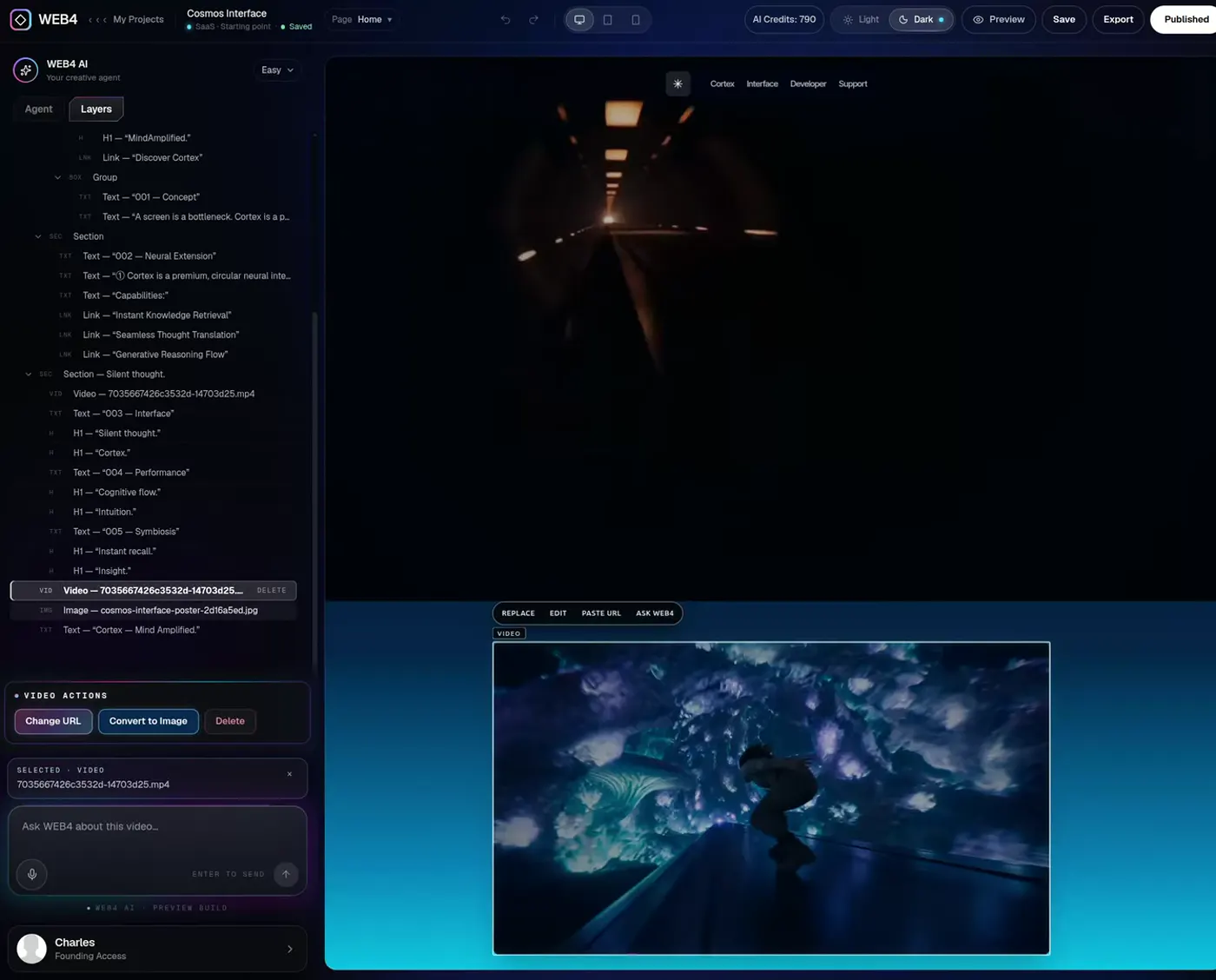
A real WEB4 editor screen. Save is free; Export and Publish need Founding Access, as does the AI panel.
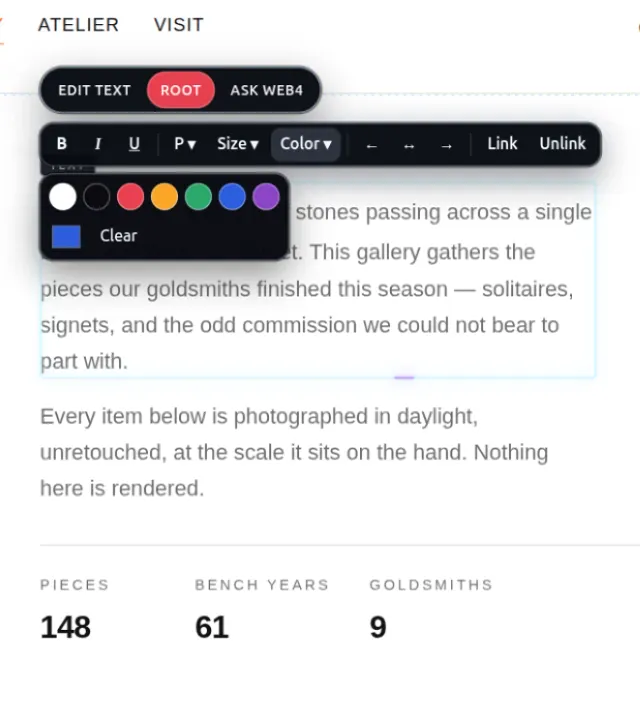
Click text and edit it
Type straight onto the page with an inline formatting toolbar.
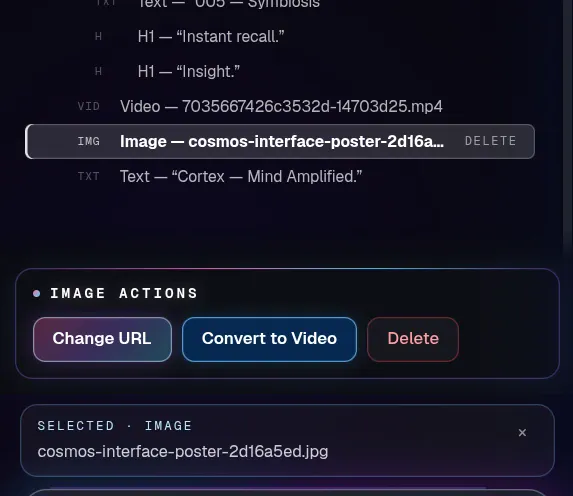
Replace imagery
Select an image and swap it from the same toolbar.
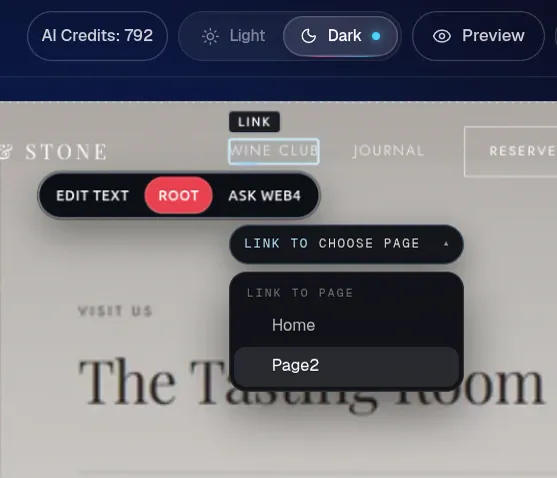
Change links
Point any button at another page or address.
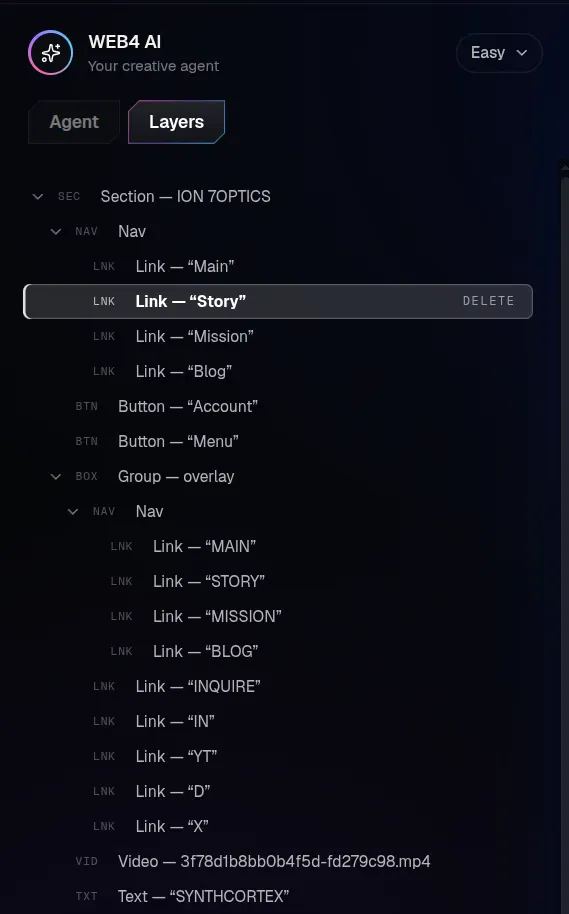
Use Layers
Every element in one tree. Click one to select it on the page.
Select sections
Pick a whole section and work on it as one piece.
Delete things
Remove any element or section you don’t need.
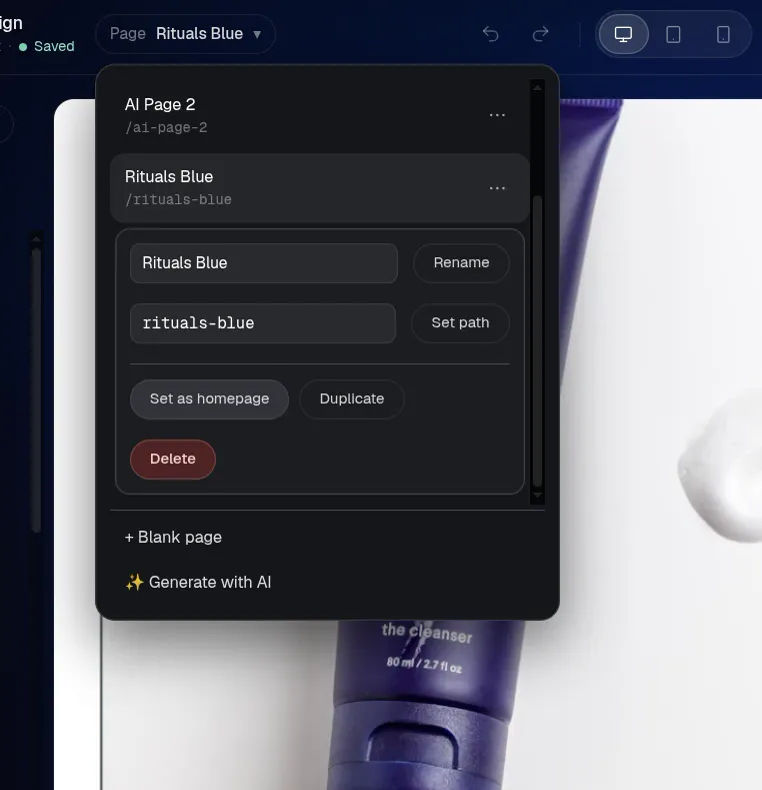
Move around the design
Reorder sections up and down, and add pages from the pages menu.
Save up to two projects
Close the tab and come back to the same project later.
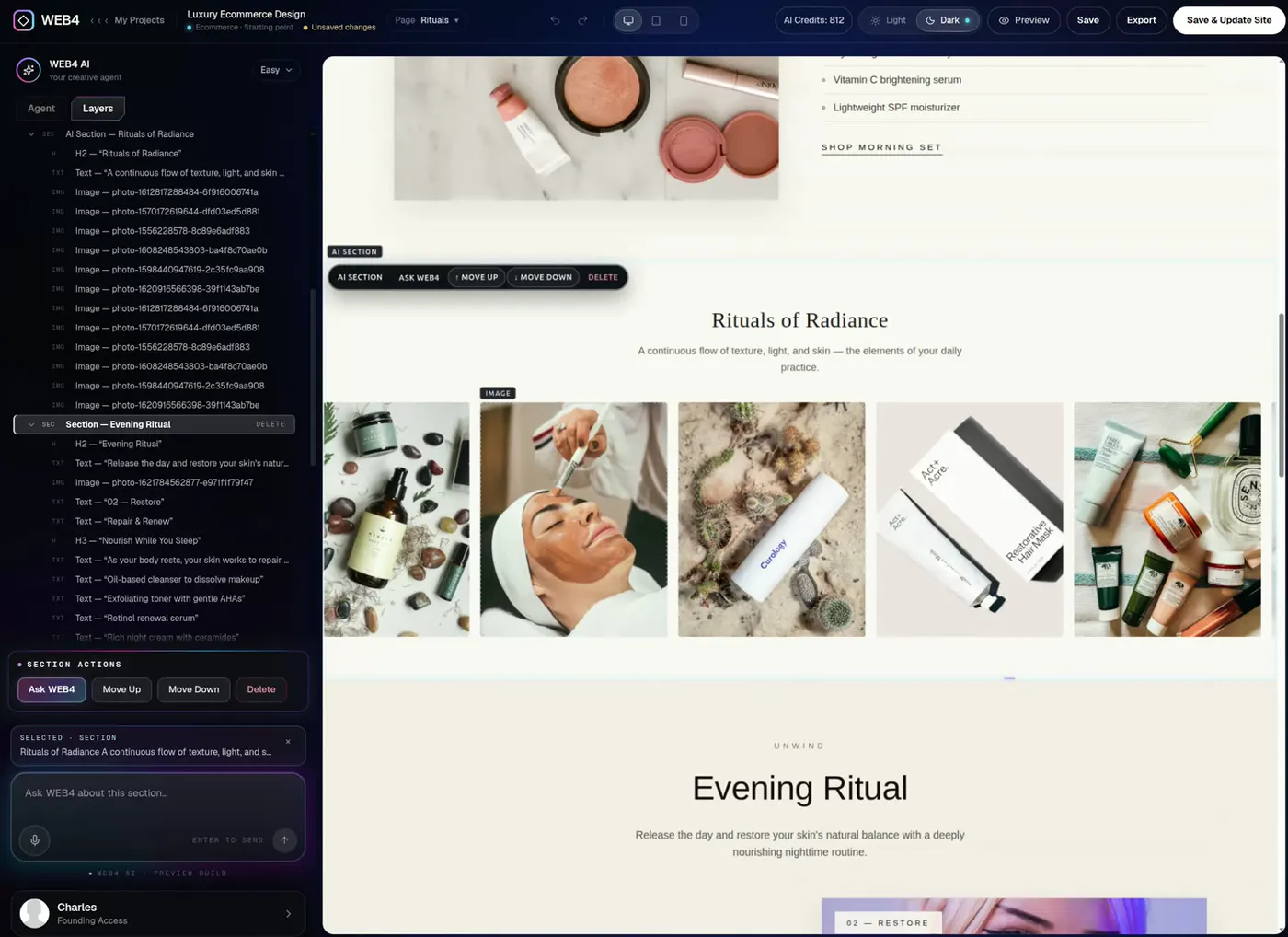
Move it. Cut it. Keep it.
Rearrange the whole design with your own hands.
The editor is designed for a tablet, laptop or desktop. Visitors can view a finished website on any phone, but you can’t edit one from a phone.
05Then AI takes over
When you’re done doing it yourself, tell WEB4.
WEB4 AI operates inside the same editable site. It doesn’t throw away what you’ve already built, so every change lands on top of your work and stays editable by hand.
Free accounts have no WEB4 AI. It is included with Founding Access, along with 1,000 starter WEB4 AI credits. Additional AI usage is sold separately. See how it works in the WEB4 AI website builder guide, or the AI website editor.
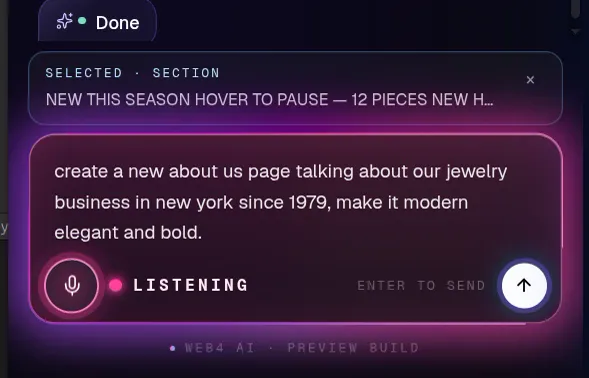
Founding AccessReal WEB4 screen: WEB4’s Create a section with AI dialog.
06Own it
Free to try. Yours when you’re ready.
Once you unlock Founding Access, the work you started for free carries straight on. Publishing, your own domain and export are all part of it.
01
Preview
Check desktop, tablet and phone views inside the editor.
02
Publish
Put the site live on a WEB4 address.
03
Custom domain
Connect your own domain with step-by-step DNS instructions.
04
Export
Download HTML or PHP files and host the site anywhere.
05
Reopen
Come back to the saved project whenever you like.
06
Edit later
Change anything, then publish the update.
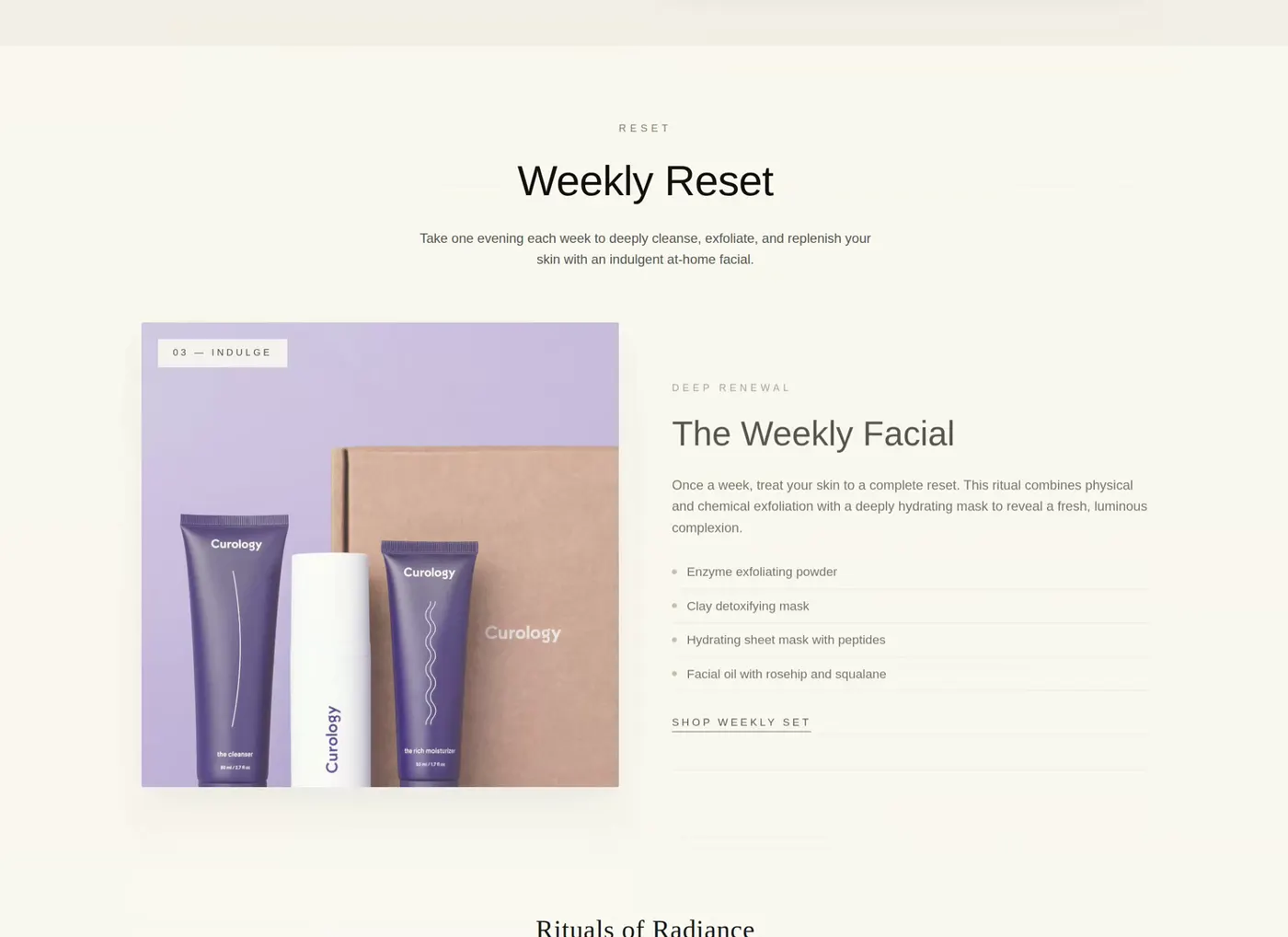
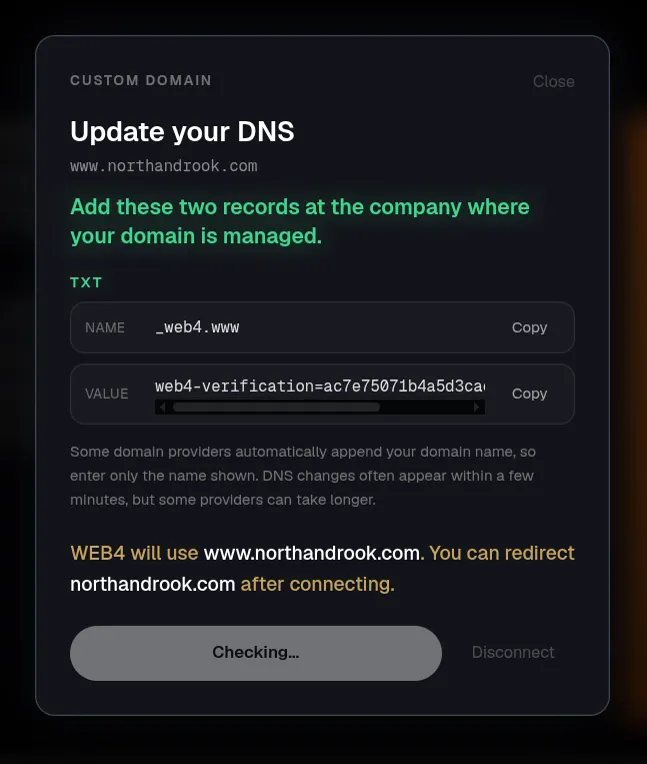
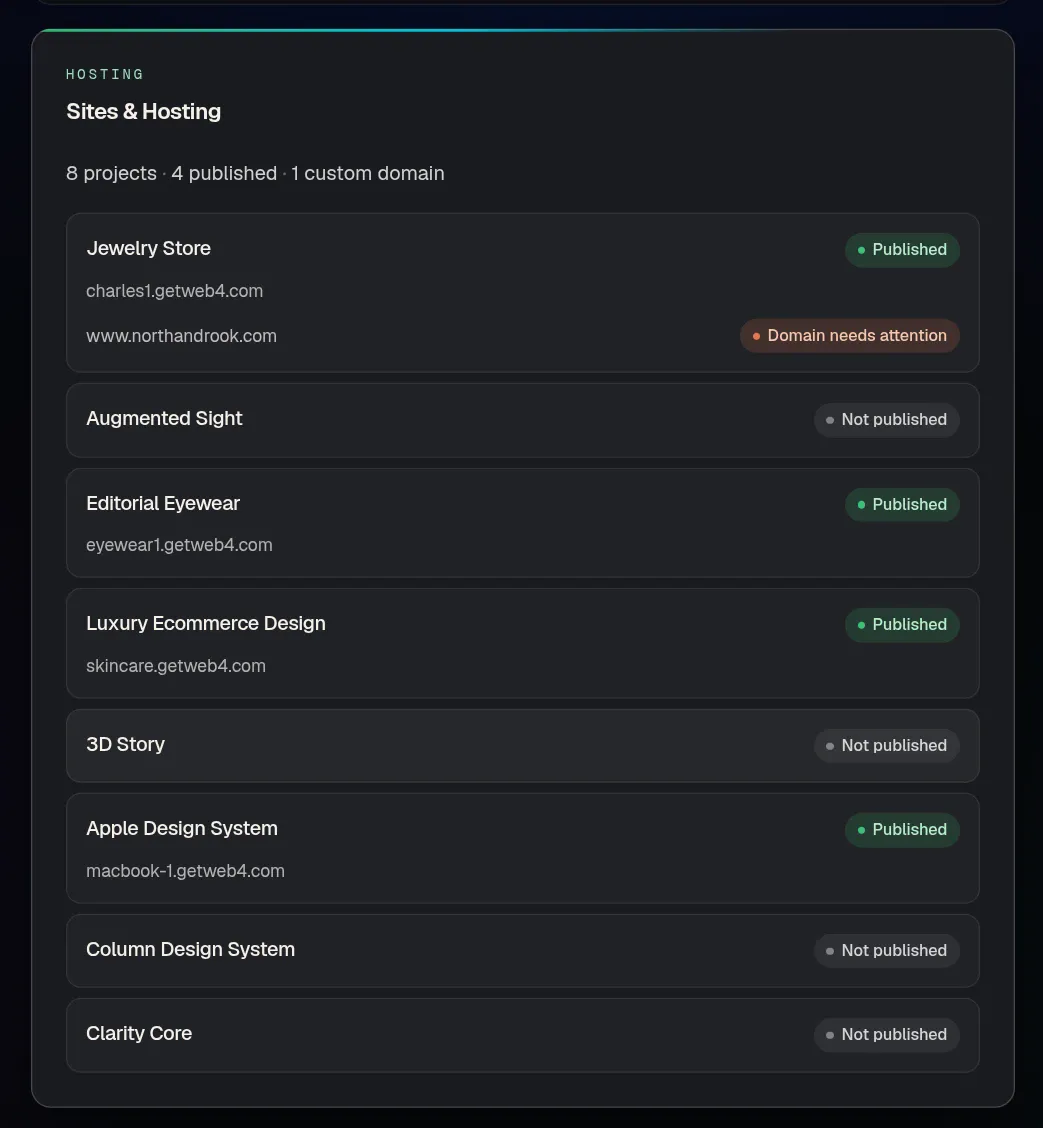
Publishing, custom domains and export are part of Founding Access. The first month of WEB4 Cloud is included; optional managed hosting after that is priced separately, and you can always export the files and host elsewhere.
07Pricing
Start at $0. Pay once when you want AI.
Founding Access is a one-time payment, not a subscription. Here is exactly what each plan does and doesn’t include.
Free
$0
Try the real thing before you buy anything.
- Browse and preview designs
- The real WEB4 editor
- Save up to 2 projects
- Manual editing, Layers included
- No WEB4 AI
- No publishing
- No export
OCTOBER Founding Sale
Founding Access
$49one-time$99 soon
Additional AI usage and optional managed hosting are separate. Not a subscription.
See full pricing. The editor works on a tablet, laptop or desktop.
- 1,000 starter WEB4 AI credits
- WEB4 AI: sections, copy, images and pages
- Unlimited projects
- Publish to a WEB4 URL
- Connect a custom domain
- Export clean HTML and PHP
- First month of WEB4 Cloud included
08An honest fit check
Is WEB4 right for you?
Often, yes. Sometimes, not yet. Building for a business? See the website builder for small business page.
A good fit if
- You want to start from something professionally designed
- You want direct visual editing
- You want AI when you need it, not before
- You want to own and export your site
- You don’t want another recurring builder subscription
Not ideal yet if
- You need a complex backend web application
- You require advanced ecommerce or backend functionality WEB4 doesn’t currently provide
- You expect unlimited AI usage for free
Free AI website builder questions, answered.
Straight answers about what’s free, what isn’t and why.
Is WEB4 a free AI website builder?
WEB4 is free to explore and use as a visual website editor, but WEB4 AI itself is part of Founding Access. For free you can browse and preview real designs, open one in the editor, change text, images and links by hand, use Layers and save up to two projects. Free accounts have no WEB4 AI, no publishing and no export.
Can I build a website with WEB4 for free?
You can start one for free. Choose a design, open it in the editor, edit it by hand and save it. To put it online with publishing, connect your own domain or export the files, you need Founding Access.
What can I do with the free version?
Browse and preview the design library, open a real design in the editor, edit text, images and links manually, explore the Layers tree, move and delete sections, and save up to two projects.
Does free WEB4 include AI?
No. Free accounts do not include WEB4 AI generations or edits, in any amount, and AI credits cannot be bought without Founding Access. Everything else about the editor is there to try by hand.
Why doesn’t WEB4 include unlimited free AI?
AI costs real money to run every time it is used, so WEB4 doesn’t pretend it is free. Instead the free version lets you test the designs and the editor properly, and Founding Access includes 1,000 starter WEB4 AI credits when you want AI to start doing the work. Additional AI usage is sold separately.
Can I save my website for free?
Yes, up to two projects. Founding Access removes that limit with unlimited projects.
Can I publish a WEB4 website for free?
No. Publishing is part of Founding Access. You can build and save for free, and publish when you unlock it.
Can I export my website for free?
No. Exporting clean HTML or PHP files is part of Founding Access. Free accounts can edit and save inside WEB4.
Do I need coding skills?
No. You click what you want to change and change it. If you do write code, Founding Access lets you export the site as HTML or PHP files.
Can I use my own domain?
Yes, with Founding Access. WEB4 shows the DNS records to add, step by step. Custom domains are not available on free accounts.
What does Founding Access include?
1,000 starter WEB4 AI credits, WEB4 AI, unlimited projects, publishing to a WEB4 URL, custom domain connection, clean HTML and PHP export, and the first month of WEB4 Cloud. Additional AI usage and optional managed hosting are separate.
Is the $49 payment monthly?
No. Founding Access is a one-time $49 payment, not a subscription. The price is planned to rise to $99 soon. Additional AI usage and optional managed hosting are priced separately and neither is required to begin.
How many websites can I create?
Free accounts can save up to two projects. With Founding Access you can create unlimited projects.
Can I edit a website after publishing?
Yes. Reopen the project in the editor, change what you need and publish the update. Publishing itself requires Founding Access.
Can AI modify an existing WEB4 site?
Yes. WEB4 AI works inside the same editable site, so you can select an element or a section and ask for a change without starting over. It is included with Founding Access.
Does WEB4 generate complete pages?
WEB4 AI can create new sections and new pages inside your site, and you can describe a page by text or voice. Most people begin from a finished design and use AI to add to it. AI is part of Founding Access, and you should always review the result before publishing.
Can I preview designs before signing up?
Yes. You can browse the design library and preview any design on its own page without an account. You sign in when you choose one to open in the editor.
Can I use WEB4 on mobile?
You can browse this page and preview designs on a phone, and visitors can view a finished website on any phone. The editor itself is designed for a tablet, laptop or desktop, so editing on a phone is not supported.
See it before you pay for it.
Then let AI help.
Choose a finished design, open it in the real editor and make it yours. Unlock WEB4 AI when you want it to start doing the work.
One-time payment · additional AI usage and optional hosting are separate